

Integrations
Webhooks: send itsPOS events to your own systems
Webhooks "Tell your own systems about sales, refunds, orders and stock changes as they happen." You add an address your developer gives you (an endpoint), choose the events, and itsPOS sends each one there within seconds.
For: Owners and AdminsOn some plans3 min read
What you get
- Events such as a sale completed, a sale refunded, a chargeback, a shift closed, an online order created, paid, delivered or cancelled, a stock change, a shelf label change, a customer's data erased, a cancelled basket and a no-sale at the till.
- "Ids, shop codes and amounts only: no customer or staff names."
- Each message signed with the endpoint's own secret, so your developer knows it came from itsPOS.
Before you start
- Your developer gives you a public https address. "itsPOS never sends to private networks."
- Owners and Admins add endpoints: the same people who may make API keys. You can have up to 10.
Add an endpoint
Open Integrations › Webhooks and press Add an endpoint.
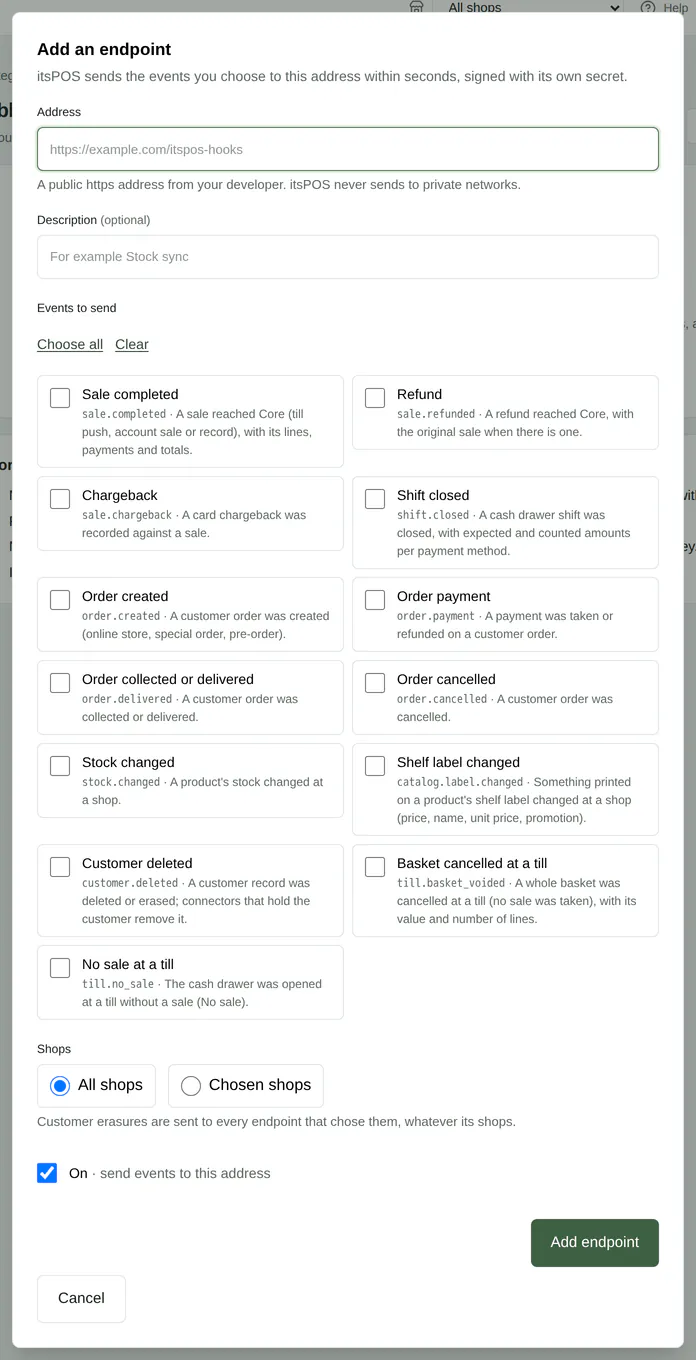
Add an endpoint Type the Address, and a Description (optional) such as "Stock sync".
Under Events to send, tick each event, or Choose all.
Under Shops, choose All shops or Chosen shops. "Customer erasures are sent to every endpoint that chose them, whatever its shops."
Leave On ticked and press Add endpoint.
"Endpoint added". The Signing secret shows once: "You will not see this secret again. Give it to your developer: it proves a message came from itsPOS." Press Copy, give it to your developer through a safe channel, then press I have stored the secret.
Test
Open the endpoint and press Send a test. itsPOS sends a test message now and shows what your endpoint answered. It should answer with a 2xx within 15 seconds; anything else shows the problem, for example "Your endpoint answered 400. Your endpoint didn't accept the message. Check your endpoint's logs for why."
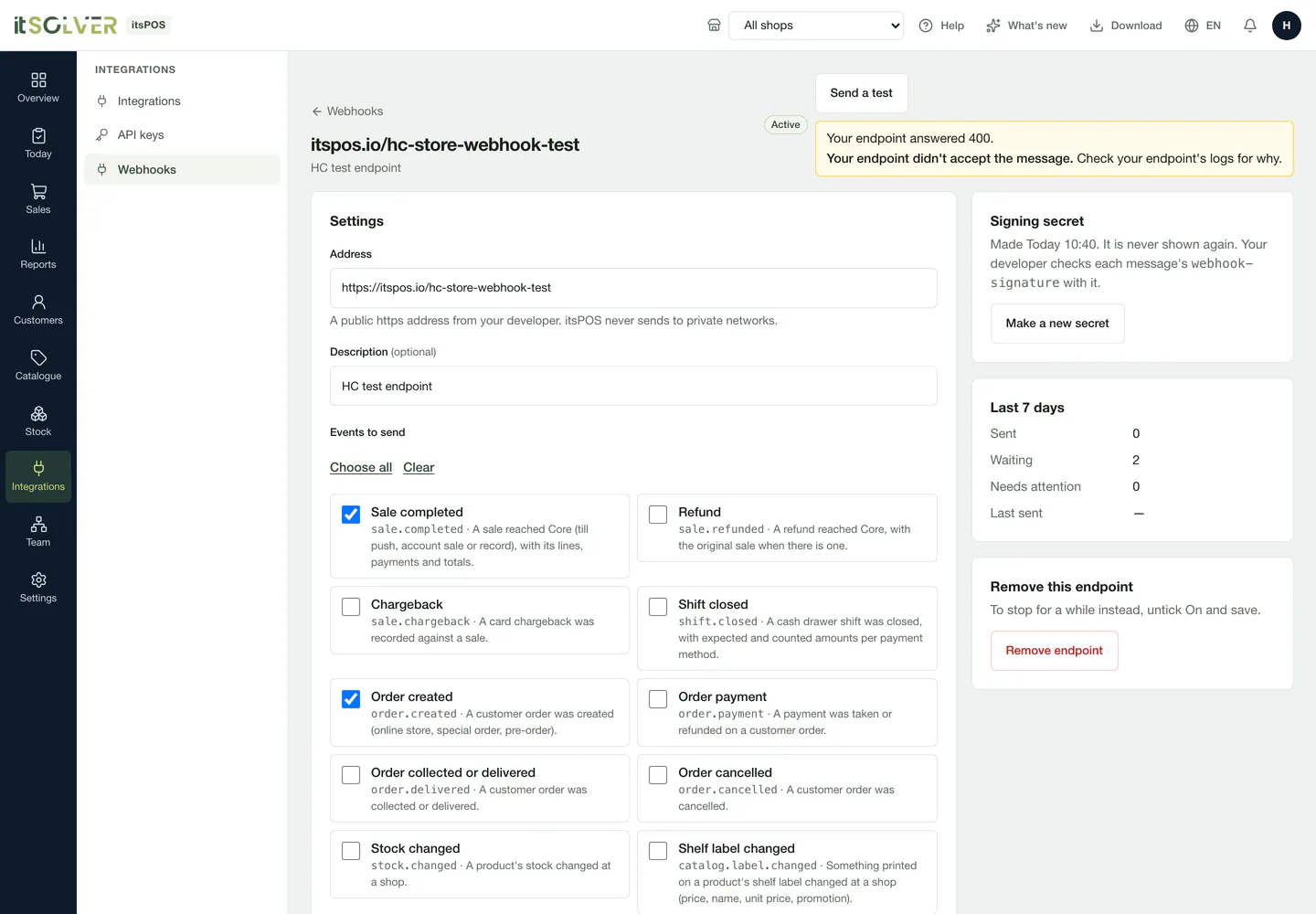
Messages
The endpoint's page lists its Messages with All, Needs attention, Waiting, Sent and Skipped (sent and skipped for the last 7 days). Each shows when, the event, what it was about, its status (for example "Trying again"), how many tries and what your endpoint answered, with the next try. "Failed messages are tried again for about 2 days, then wait here as Needs attention with Retry." See "When an integration needs attention" in Help.
Send again: choose a date and time under Resend from and press Resend from date to send every event since then again, up to 72 hours back. "For older events, your developer can use the events list."
Turn it off
- Untick On and save to stop for a while. "Messages still waiting are not sent."
- Make a new secret: "The old secret keeps working for 24 hours, so your developer can switch without missing a message."
- Remove this endpoint deletes it.
What changes elsewhere
Nothing changes on your tills or in your shop: webhooks only send copies of what happened. Every change to an endpoint is in Activity.
Still stuck?
The itsPOS support team is here 08:00 to 20:00 every day except Christmas Day.
- Call or WhatsApp: +44 7488 880320
- Email: support@itspos.io
- In the back office: Help › Contact support, or go to app.itspos.io/help/contact after you sign in
- On our website: itspos.io/contact
Tell us your shop's name and what you were trying to do. A screenshot of the screen helps.