

Getting started
Find help in itsPOS
The Help Centre in the back office has a step-by-step guide for every part of itsPOS: your shop, your team, your till and your online store. You can ask a question, search, or browse by section.
For: everyone4 min read
Open the Help Centre
Tap your initial (the round button at the top right) and choose Help. On a phone, tap Menu, then Help.
The Help page opens with the Ask itsPOS or search the Help Centre box at the top and the help sections under it.
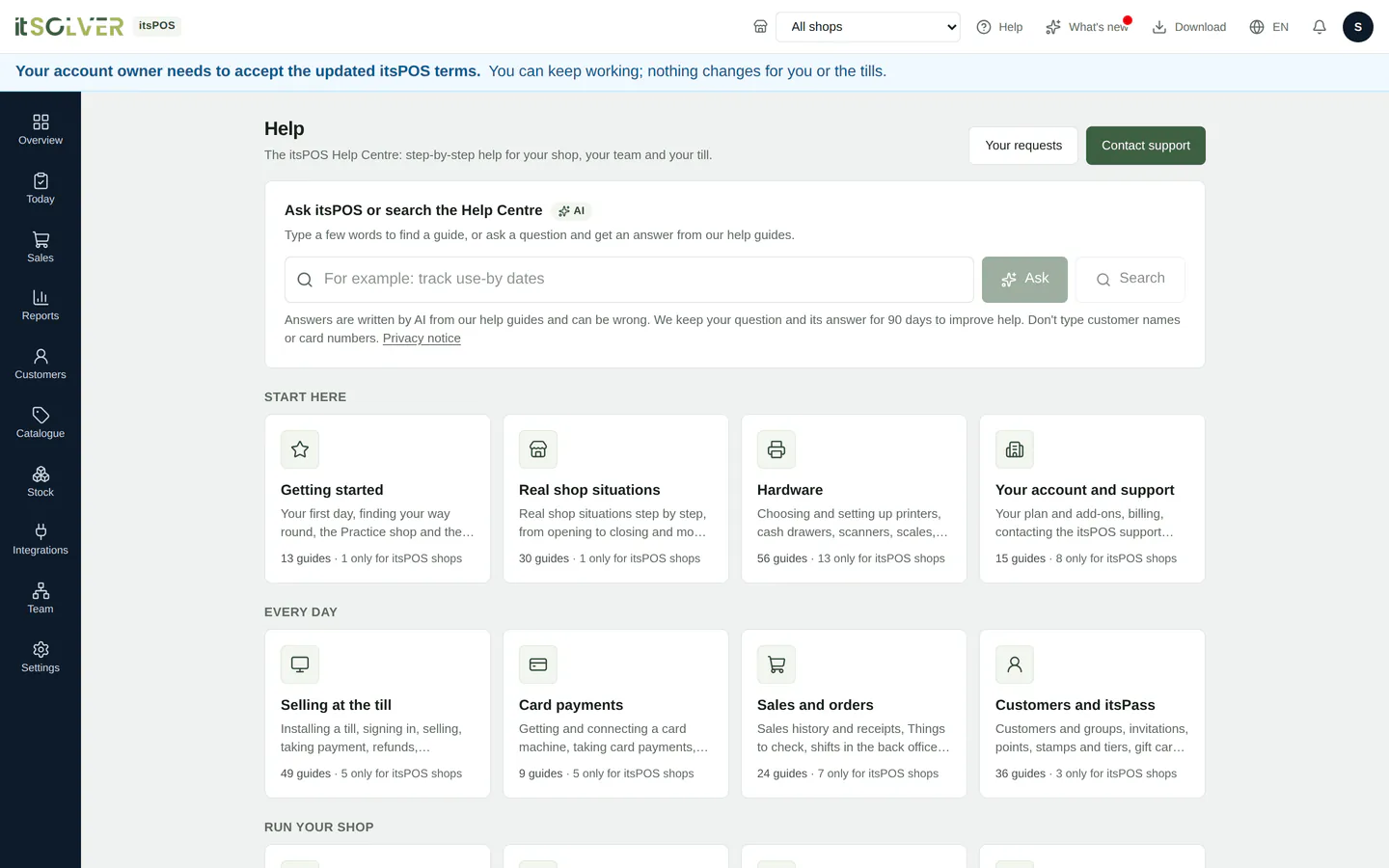
The Help Centre
Ask a question or search
- Type in Ask itsPOS or search the Help Centre, in your own words, for example "track use-by dates".
- Guides that match show under the box while you type. Tap one to open it.
- Tap Search to see every guide that matches, or Ask to get a short answer written from our guides.
On the search page, itsPOS answers straight away when you type a question, such as "How do I add staff?" or anything that ends with "?". For a few words, such as "batch", tap Ask if you want an answer.
To keep the results to one part of itsPOS, tap a section under the box, for example Stock 12. The number is how many guides match in that section. Tap All to see every section again.
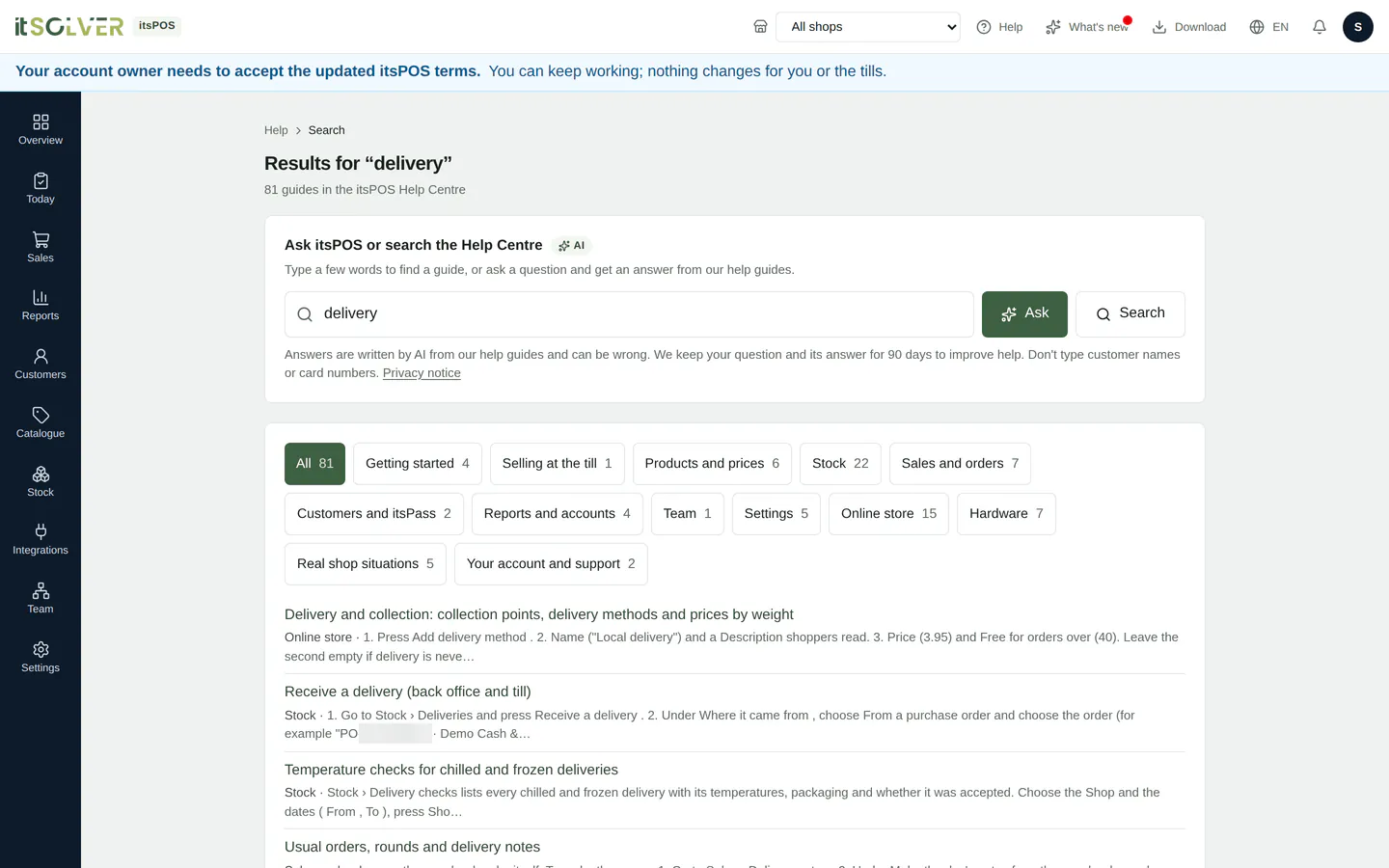
Answers are written by AI from our help guides and can be wrong. Each step says which guide it comes from, so you can open it and check. We keep your question and its answer for 90 days to improve help. Don't type customer names or card numbers. When Ask itsPOS is switched off for your business, the box searches only.
Browse the help sections
Under the box, the Help Centre's 16 sections are in four groups:
- Start here: Getting started, Real shop situations, Hardware, and Your account and support.
- Every day: Selling at the till, Card payments, Sales and orders, and Customers and itsPass.
- Run your shop: Products and prices, Stock, Offers and messages, and Reports and accounts.
- Set up: Team, Settings, Online store and Integrations.
Each card says how many guides it has, and how many of those are only for itsPOS shops (they aren't on our public website).
Tap a section, for example Stock.
Its guides are grouped in topics, such as Deliveries or Batches and dates. On a computer, the topics are listed on the left: tap one to jump to it.
Tap a guide to open it. For itsPOS shops next to a guide means only signed-in shops can read it.
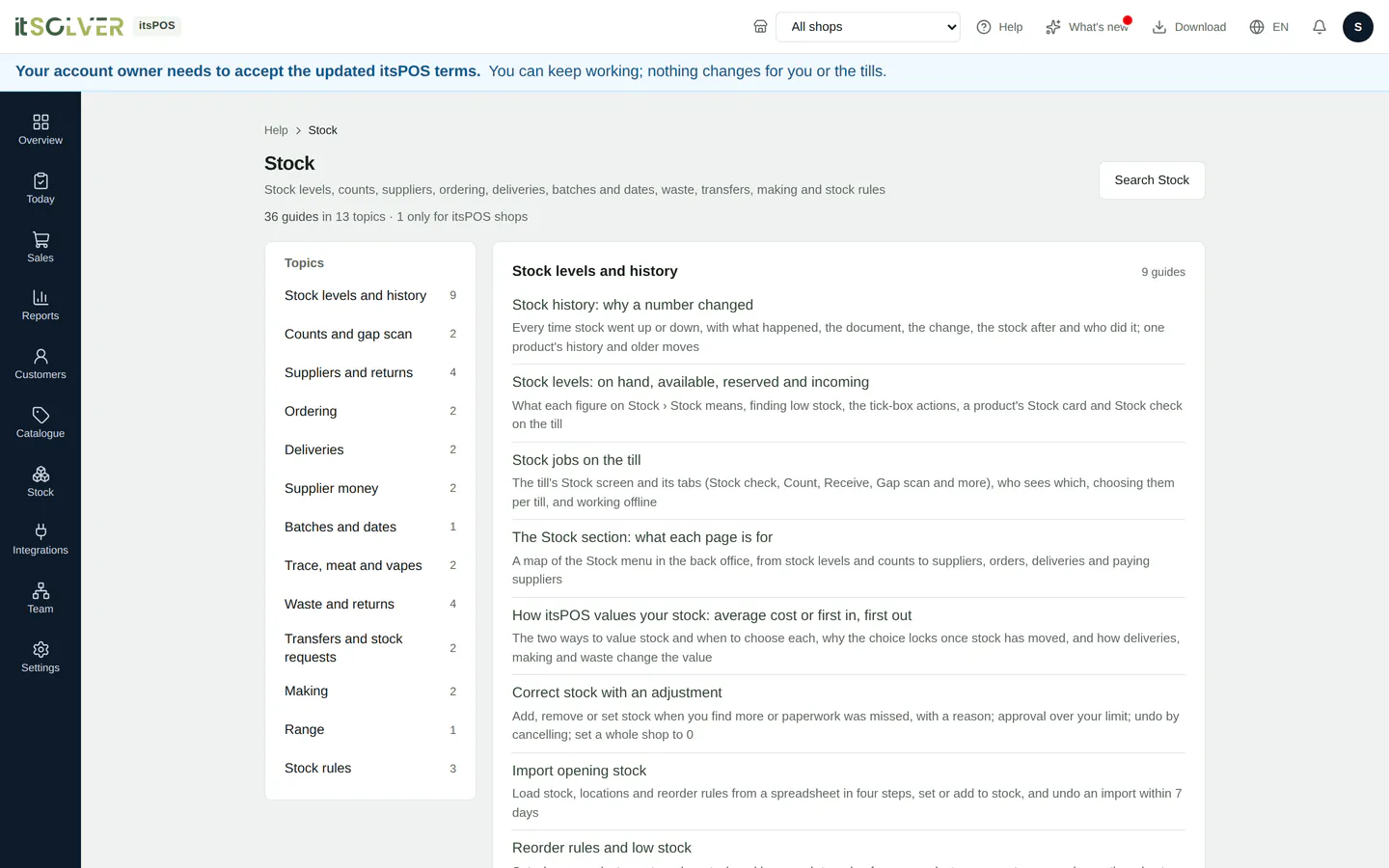
Help › Stock
Under the sections, Most read lists the guides shops open most, and What's new and ideas shows what changed in itsPOS and lets you vote for what comes next.
Read a guide
A guide opens on a page of its own:
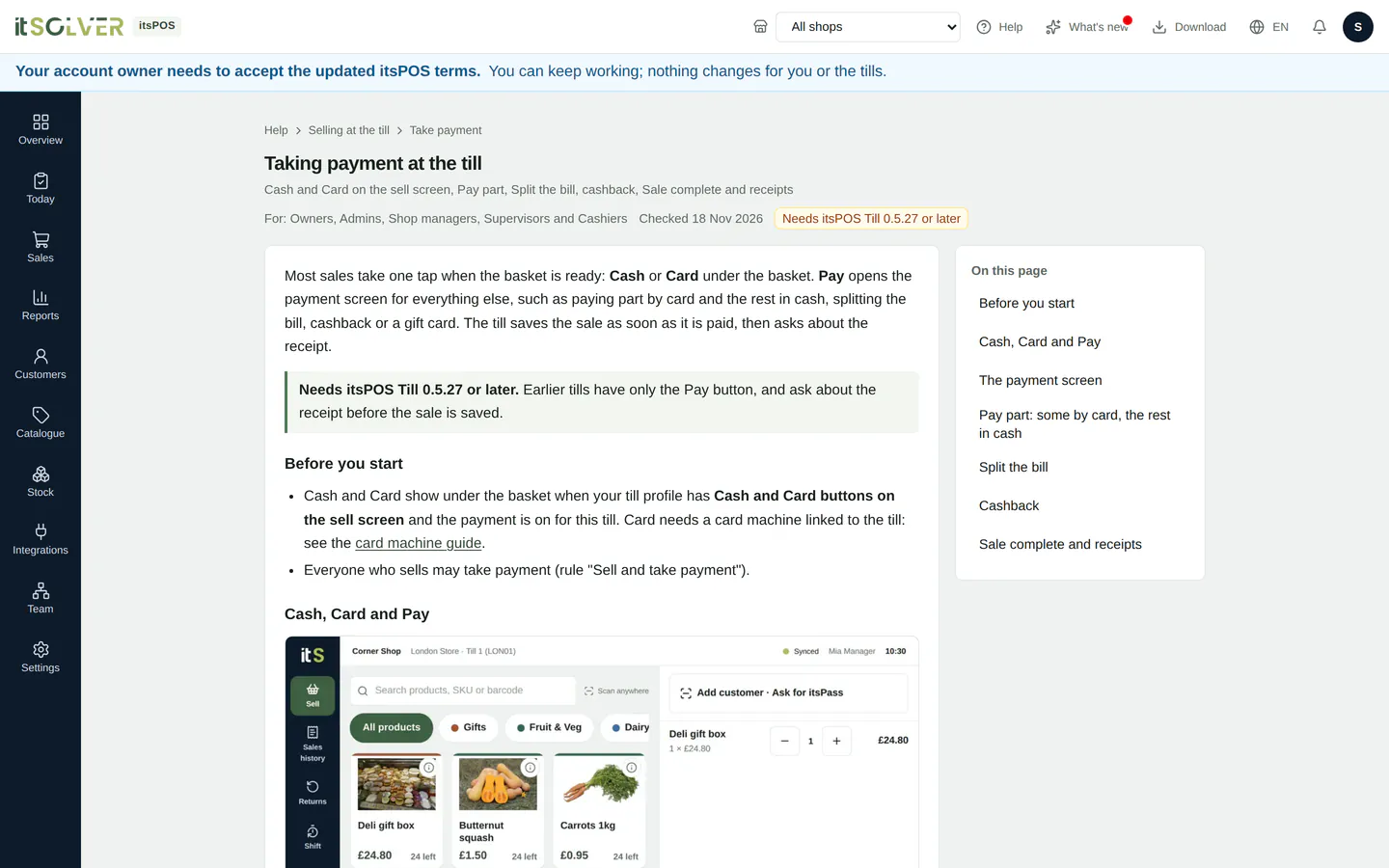
- At the top: where it sits (for example Help › Stock › Batches and dates), its plan badge, who it's for, and when we last checked the steps. Needs itsPOS Till 0.5.35 or later means your till must be on that version or newer.
- On this page (on a computer, on the right) jumps to each part of the guide.
- Steps are numbered, most with a picture of the screen.
- At the end: Did this answer your question? Tap Yes or No and tell us what was missing. Below it are more guides on the same topic.
Help on every page
Tap Help at the top of any page. The Help panel opens beside the page, so you can follow the steps while you work:
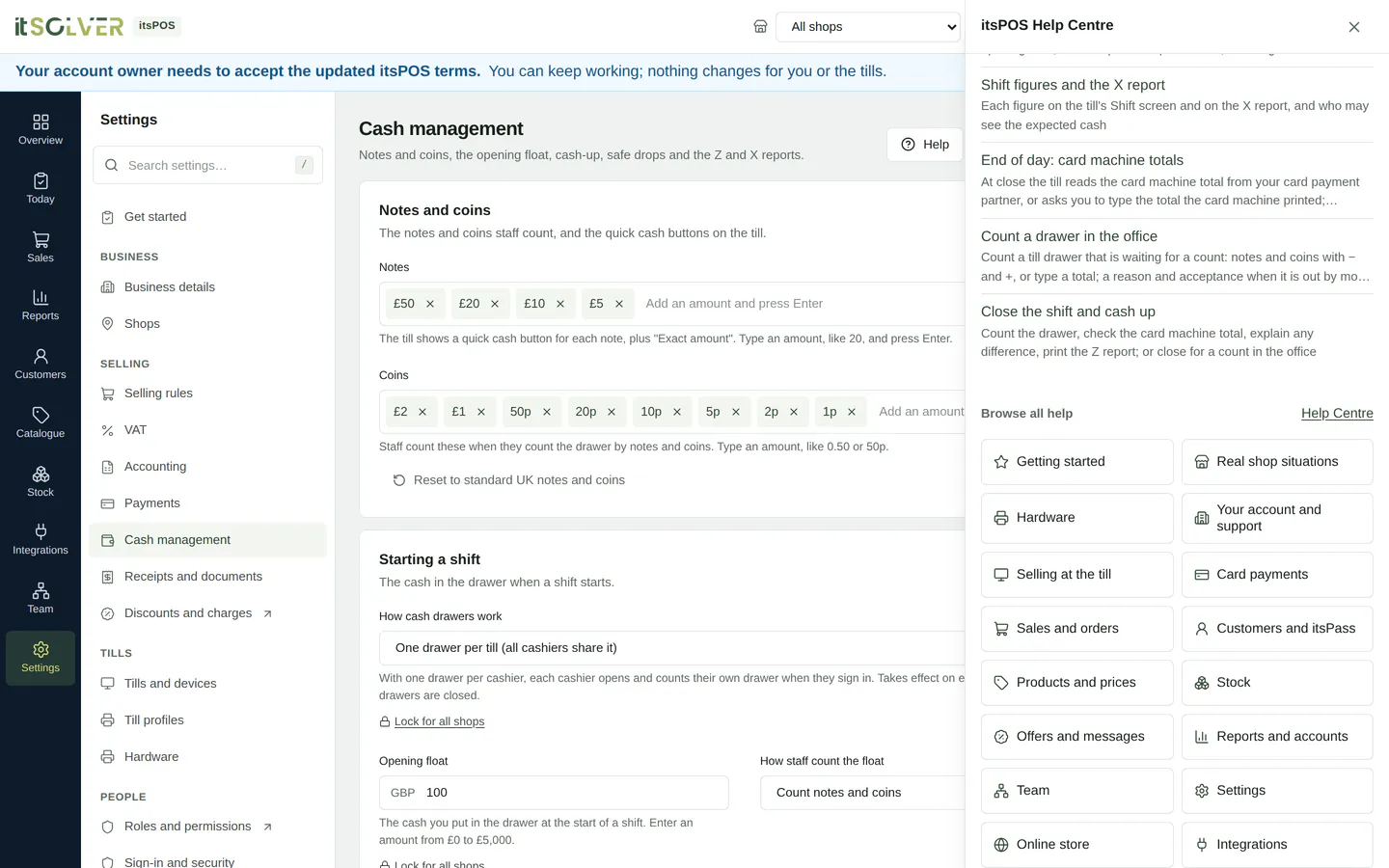
- Ask itsPOS and Search help.
- Help for this page: the guides for the page you're on.
- Browse all help: every section of the Help Centre. Tap Help Centre to open the Help page.
See Find your way round the back office for the rest of the top bar.
If you can't find it
At the bottom of the Help page, of each guide and of the Help panel, Still stuck? has Contact support, Report a problem, Your requests and our phone number. See Contact the itsPOS support team.
Still stuck?
The itsPOS support team is here 08:00 to 20:00 every day except Christmas Day.
- Call or WhatsApp: +44 7488 880320
- Email: support@itspos.io
- In the back office: Help › Contact support, or go to app.itspos.io/help/contact after you sign in
- On our website: itspos.io/contact
Tell us your shop's name and what you were trying to do. A screenshot of the screen helps.