

Getting started
itsPOS for your accountant
The Accountant role is for your accountant or bookkeeper. They sign in to the back office (app.itspos.io) with their own email, usually for all your shops, and see your figures without being able to sell or change your products. Invite them with Add staff and the role Accountant: see Adding staff.
For: Accountants2 min read
The figures
- Sales, Net sales, Not sales and VAT: what each figure means: one set of figures, the same on the till's Z report, the Overview and every report.
- Reports home: key figures and what you owe: any period, and what you owe and are owed on a date.
- Open a report: dates, shop, filters, Group by and Compare.
- Download CSV, Excel or PDF, and print.
VAT and the books
- Your VAT return boxes: the boxes for each VAT period, and the lines behind each box.
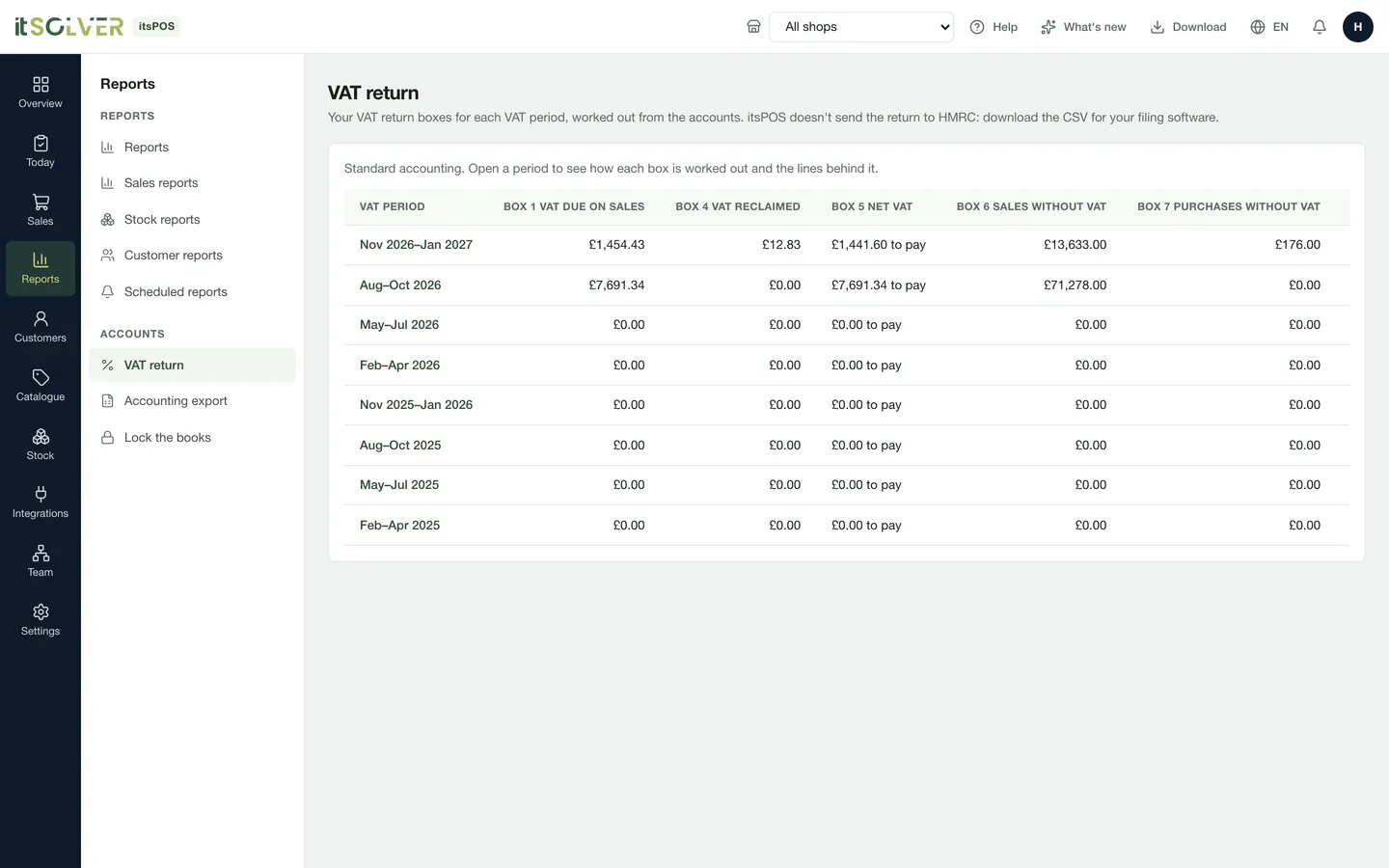
Reports › VAT return - Files for your accountant: Xero, QuickBooks and MTD: the accounting export.
- Lock the books after filing: stop changes to sales and stock before a date.
- VAT: rates with start dates, your VAT scheme and VAT invoices.
Money in and out
- Cash drawer shifts in the back office: each shift's count and difference.
- Office cash, safe drops and banking: what was paid in to the bank.
- Supplier invoices, payments and what you owe.
- Weekly and monthly trade invoices and Payments received, statements and Owed to us: customers who buy on account.
- How itsPOS values your stock: average cost or first in, first out.
What an accountant can and can't do
- Can: see sales, stock and money reports, export them, run the VAT return, lock the books, make and cancel trade invoices and record customers' payments, see supplier invoices and payments, and see and export staff hours.
- Can't: use the till, change products, prices or stock, or change your settings.
What each role can do, in full, is in the back office's Help when you're signed in.
Still stuck?
The itsPOS support team is here 08:00 to 20:00 every day except Christmas Day.
- Call or WhatsApp: +44 7488 880320
- Email: support@itspos.io
- In the back office: Help › Contact support, or go to app.itspos.io/help/contact after you sign in
- On our website: itspos.io/contact
Tell us your shop's name and what you were trying to do. A screenshot of the screen helps.