

Getting started
Your first shift as a cashier
Welcome to the till. Read these in order before your first shift, or go through them with your manager in the Practice shop. Cashiers use the till only: you don't need the back office.
For: Cashiers3 min read
Start of your shift
- The till: lock screen, clock and badges: sign in with your own PIN or badge, clock in, take breaks and clock out.
- The till at a glance: the menu on the left, the status bar and what its coloured dot means.
Serving customers
- The Sell screen: scan, search, tap a category or a quick key to add products.
- Change a line: change the quantity, remove a line or add a note.
- Sell by weight: loose fruit and veg on the scale.
- Taking payment at the till: Cash, Card and Pay, giving change, paying part by card and part by cash.
- Receipts: print, gift receipt, email, or none.
- Add a customer or itsPass member to a sale: so they get their points and members' prices.
- Park and recall a sale: put a sale to one side while you serve someone else.
When something is different
- Age-restricted sales and refusals: Challenge 25, and what to do when you refuse a sale.
- Refunds with a receipt: find the sale and refund it. Bigger refunds need a manager.
- Selling without the internet: the till keeps selling for up to 24 hours and sends the sales later.
- What each message on the till means: the words the till may show you, and what to do.
End of your shift
- My shift: your own figures for the shift, and Get a new PIN.
- Help on the till and Send logs: the guides on the till, and what to do when the itsPOS support team asks for logs.
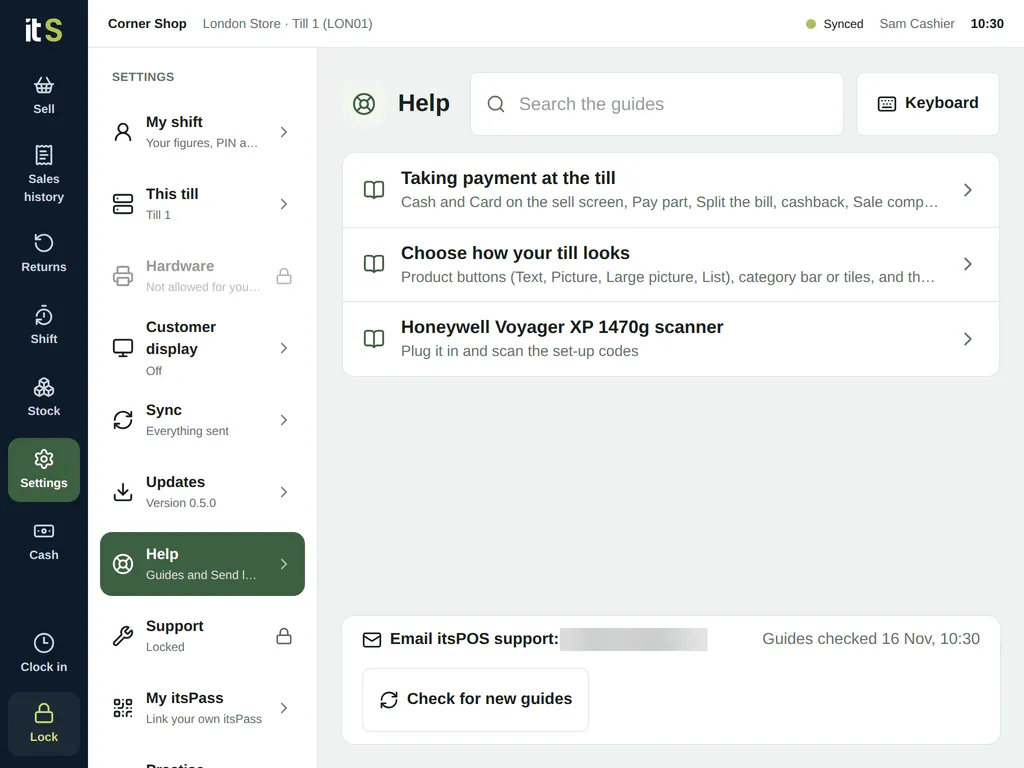
Settings › Help on the till
What you need a manager for
A manager (or a supervisor) approves with their PIN or badge when you need more than a cashier may do. To start with, a cashier may:
- refund up to £20 with a receipt (£100 a shift);
- give a manual discount up to 5% (£25 a shift);
- open the drawer without a sale 5 times a shift.
These are itsPOS's starting limits: your business can change them. The till says when something needs a manager and asks for their PIN or badge; it never needs you to know the rules by heart.
Practise first
Ask your manager to switch a till to the Practice shop: sell, refund and cash up as much as you like, and nothing is real. See Train staff in the Practice shop. New words? See Words itsPOS uses.
Still stuck?
The itsPOS support team is here 08:00 to 20:00 every day except Christmas Day.
- Call or WhatsApp: +44 7488 880320
- Email: support@itspos.io
- In the back office: Help › Contact support, or go to app.itspos.io/help/contact after you sign in
- On our website: itspos.io/contact
Tell us your shop's name and what you were trying to do. A screenshot of the screen helps.