

Online store
Delivery and collection: collection points, delivery methods and prices by weight
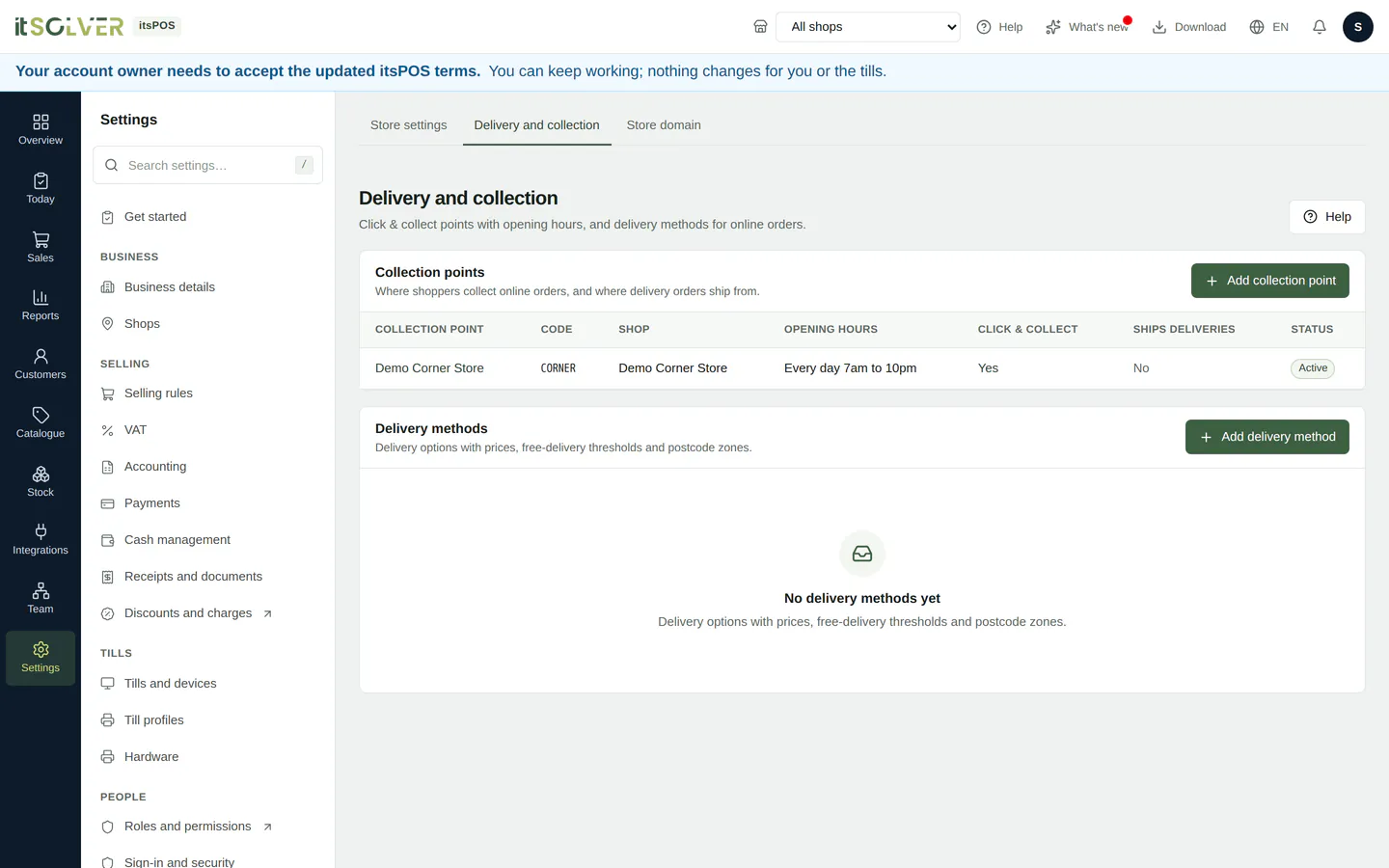
Settings › Online store › Delivery and collection decides how shoppers get their orders: from a collection point (click and collect) or by a delivery method. You need at least one of either before shoppers can order. This guide sets up Green Street Grocer's click and collect, a local delivery and Royal Mail Tracked 48.
For: Owners and AdminsOn some plans4 min read
Before you start
- Each collection point belongs to one of your shops (Settings › Shops), and takes its address and opening hours from it unless you type others.
- Decide your prices: what you charge to deliver, and from what order total delivery is free.
Add a collection point
Press Add collection point.
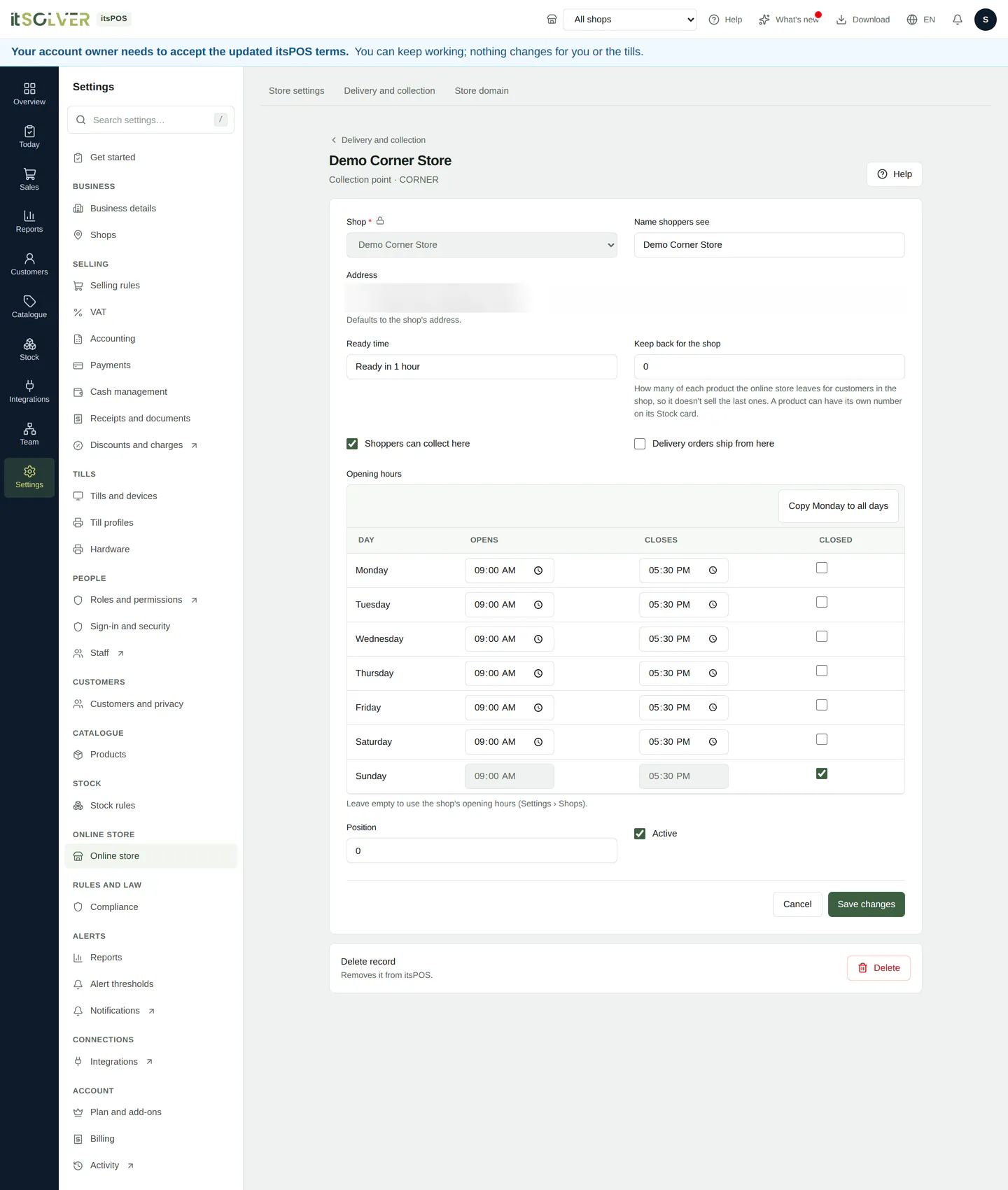
Add collection point Choose the Shop, for example Green Street Grocer.
Type the Name shoppers see, for example "Green Street Grocer". The Code is made for you if you leave it.
Address: leave it to use the shop's address, or type the first line and pick your address from the list. Typing the address by hand always works.
Ready time: what shoppers are told, for example "Ready in 2 hours".
Keep back for the shop: how many of each product the store leaves for customers in the shop, for example 2 (Stock online).
Leave Shoppers can collect here ticked. Tick Delivery orders ship from here on the one shop that sends deliveries.
Opening hours: they start as the shop's hours. Change a day, or use Copy Monday to all days. Empty uses the shop's hours (Settings › Shops).
Press Add collection point.
Add a delivery method
Press Add delivery method.
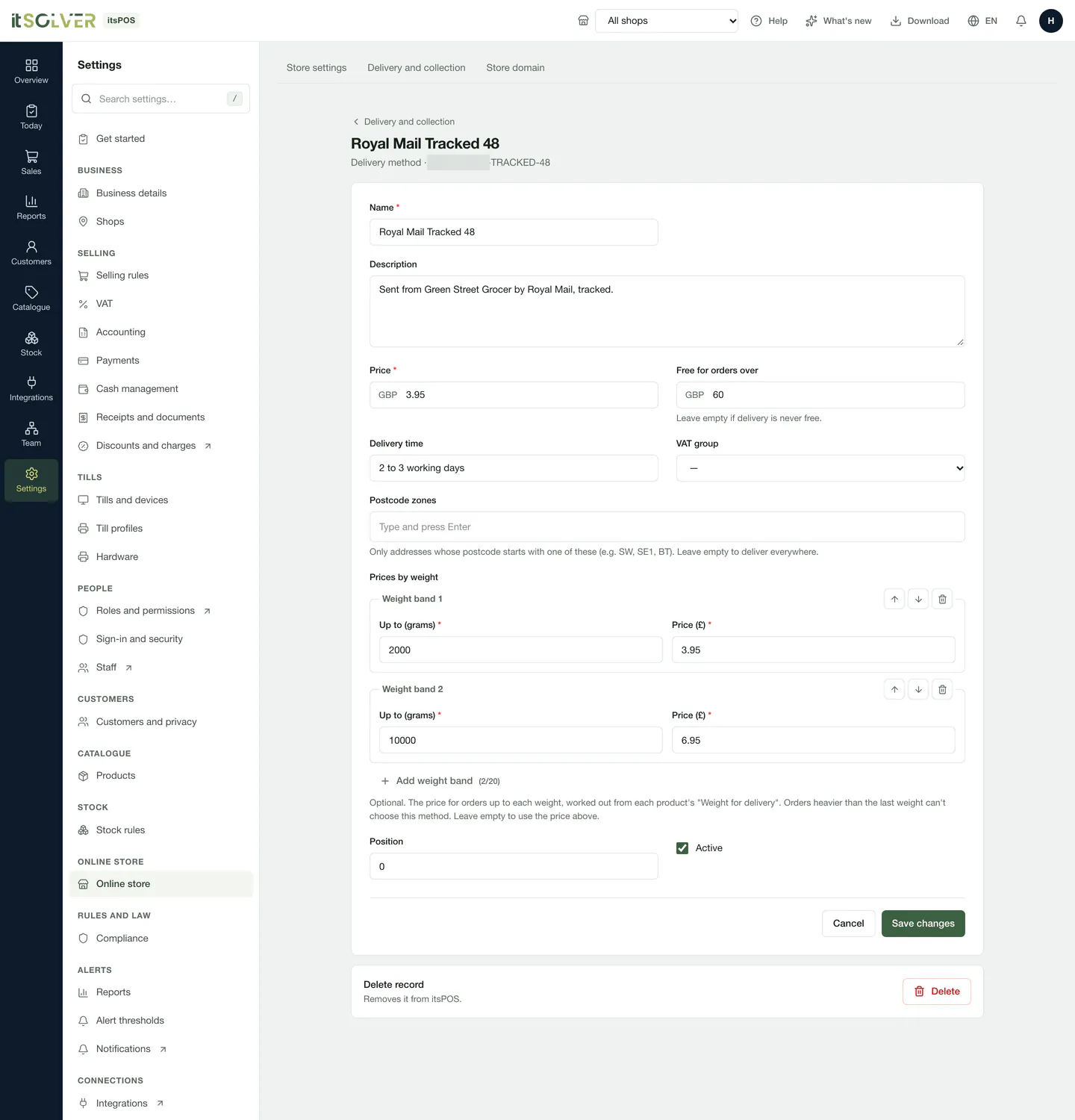
Add delivery method Name ("Local delivery") and a Description shoppers read.
Price (3.95) and Free for orders over (40). Leave the second empty if delivery is never free.
Delivery time, for example "Next working day".
Postcode zones: type the start of each postcode you deliver to and press Enter, for example M1, M2, M3, M4. Leave it empty to deliver everywhere.
Press Add delivery method.
Prices by weight
For a parcel service, press Add weight band under Prices by weight and type Up to (grams) and Price (£) for each band, for example up to 2000 g £3.95 and up to 10000 g £6.95. The order's weight is worked out from each product's Weight for delivery (g). Orders heavier than the last band can't choose this method. With no bands, the Price above is used.
What shoppers see
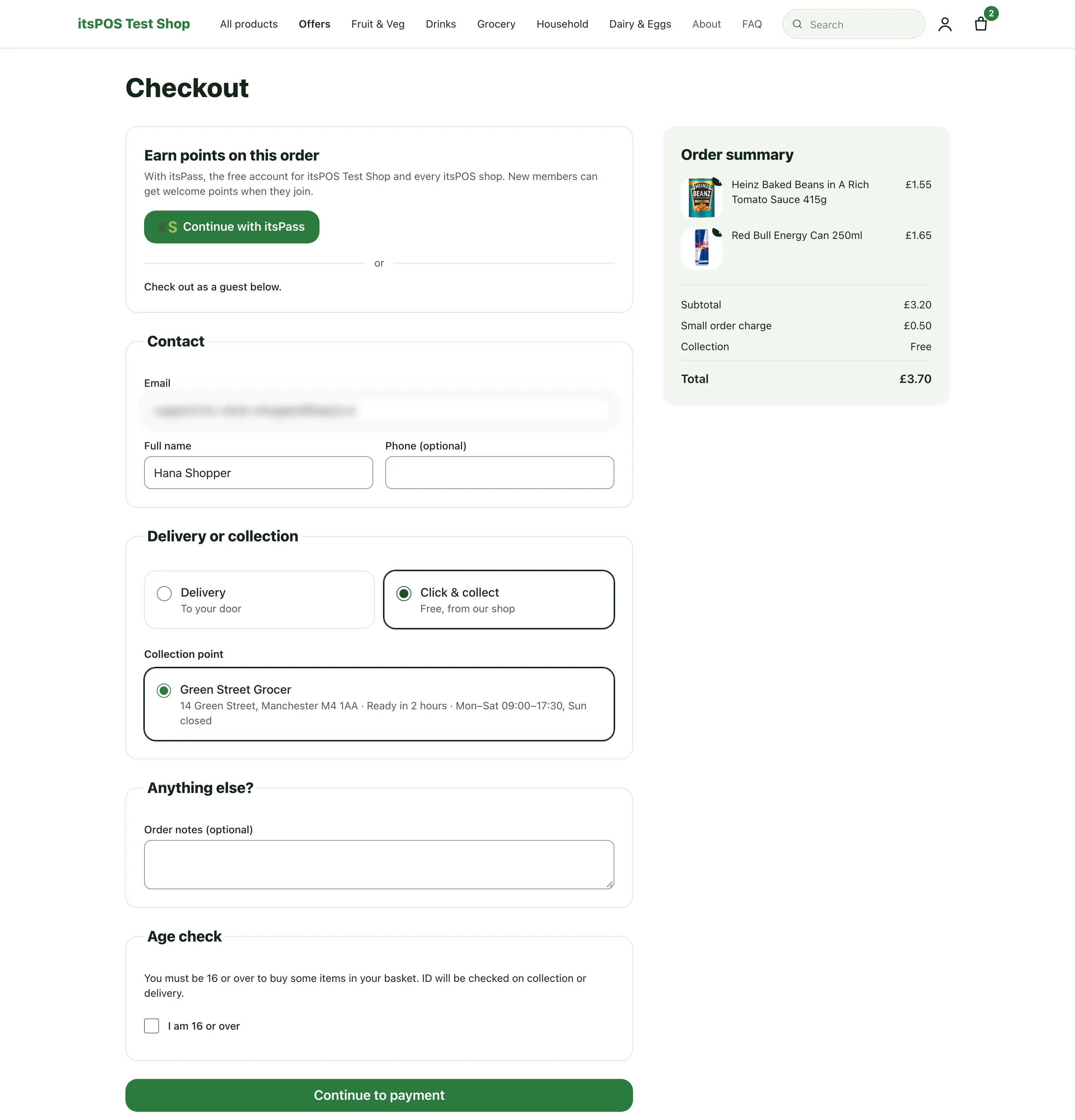
At checkout, under "Delivery or collection", shoppers choose "Delivery" (to your door) or "Click & collect" (free, from your shop). For delivery they see each method that reaches their postcode, with its price, delivery time and "Free over £40.00"; for collection each collection point with its address, ready time and hours.
Change or switch off
Open a collection point or delivery method from the list to change it. Untick Active to stop offering it without losing it, or delete it. Position sets the order shoppers see.
Scenarios
- Click and collect only: add a collection point and no delivery method. Checkout then offers only collection.
- A boutique sends by Royal Mail, free over £60: one delivery method "Royal Mail Tracked 48", Price 3.95, Free for orders over 60, no postcode zones, weight bands if heavy items cost more to send.
If something goes wrong
- "We can't deliver everything in your basket from one shop. Choose click & collect, or change your basket.": the shop marked Delivery orders ship from here doesn't have everything in stock.
- A shopper can't choose delivery: "Local delivery isn't available for this postcode" means their postcode isn't in the method's Postcode zones; "Your order is too heavy for this option" means the order is heavier than the last weight band.
- VAT on delivery: choose the VAT group for the delivery charge; ask your accountant which rate applies.
Still stuck?
The itsPOS support team is here 08:00 to 20:00 every day except Christmas Day.
- Call or WhatsApp: +44 7488 880320
- Email: support@itspos.io
- In the back office: Help › Contact support, or go to app.itspos.io/help/contact after you sign in
- On our website: itspos.io/contact
Tell us your shop's name and what you were trying to do. A screenshot of the screen helps.