

Online store
Sending delivery orders with tracking
A delivery order goes out from the collection point marked Delivery orders ship from here, by your own driver or a carrier such as Royal Mail. Marking it sent with the tracking number emails the shopper.
For: Owners, Admins and Shop managersOn some plans2 min read
Before you start
The order is in Sales › Online orders with Fulfilment Delivery. The delivery address and the shopper's notes are under Shopper and fulfilment.
Send it
Open the order and press Accept and pick, then pick it with the Pick list.
Pack it and press Mark packed.
Under Next step, type the Carrier (for example Royal Mail, or "Our van") and the Tracking number if there is one.
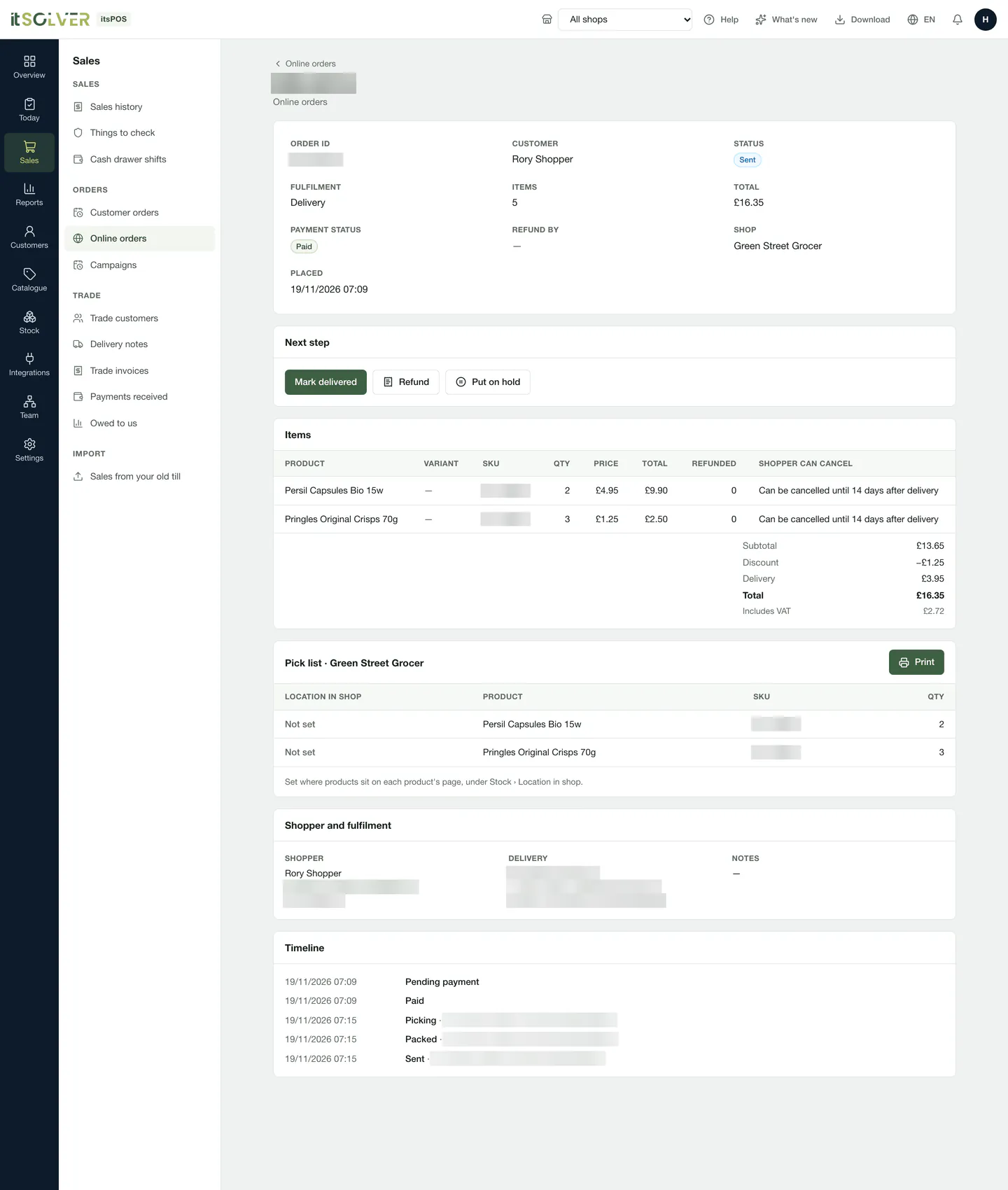
An order marked Sent Press Mark sent. The shopper is emailed "Your order is on its way" with the carrier and tracking number, and their order page says it is dispatched.
When it arrives, press Mark delivered. The shopper is emailed that it has been delivered.
What happens next
- The shopper's 14 days to cancel or return start from delivery (Refunds, cancellations and returns).
- If the order has age-restricted items, the driver checks ID on delivery: the order says Check ID.
Scenario: a boutique sends by Royal Mail, free over £60
Set up a delivery method "Royal Mail Tracked 48" with Free for orders over 60 (Delivery and collection). For each order: Accept and pick, pack, buy the label on Royal Mail's own site, then type Royal Mail and the tracking number and press Mark sent.
If something goes wrong
- No Mark sent button: the order is a collection order, or it is on hold. Release it first.
- Typed the wrong tracking number: tell the shopper by email; the order keeps the first one.
Still stuck?
The itsPOS support team is here 08:00 to 20:00 every day except Christmas Day.
- Call or WhatsApp: +44 7488 880320
- Email: support@itspos.io
- In the back office: Help › Contact support, or go to app.itspos.io/help/contact after you sign in
- On our website: itspos.io/contact
Tell us your shop's name and what you were trying to do. A screenshot of the screen helps.