

Sales and orders
Customer orders: orders to collect, special orders and pre-orders
Sales › Customer orders holds every order a customer will collect later, with its deposit and what is still to pay. Take orders here or on the till; the customer collects and pays the rest on the till.
For: Owners, Admins, Shop managers and AccountantsOn some plans3 min read
Which kind of order?
Press New order. "What kind of order is it?"
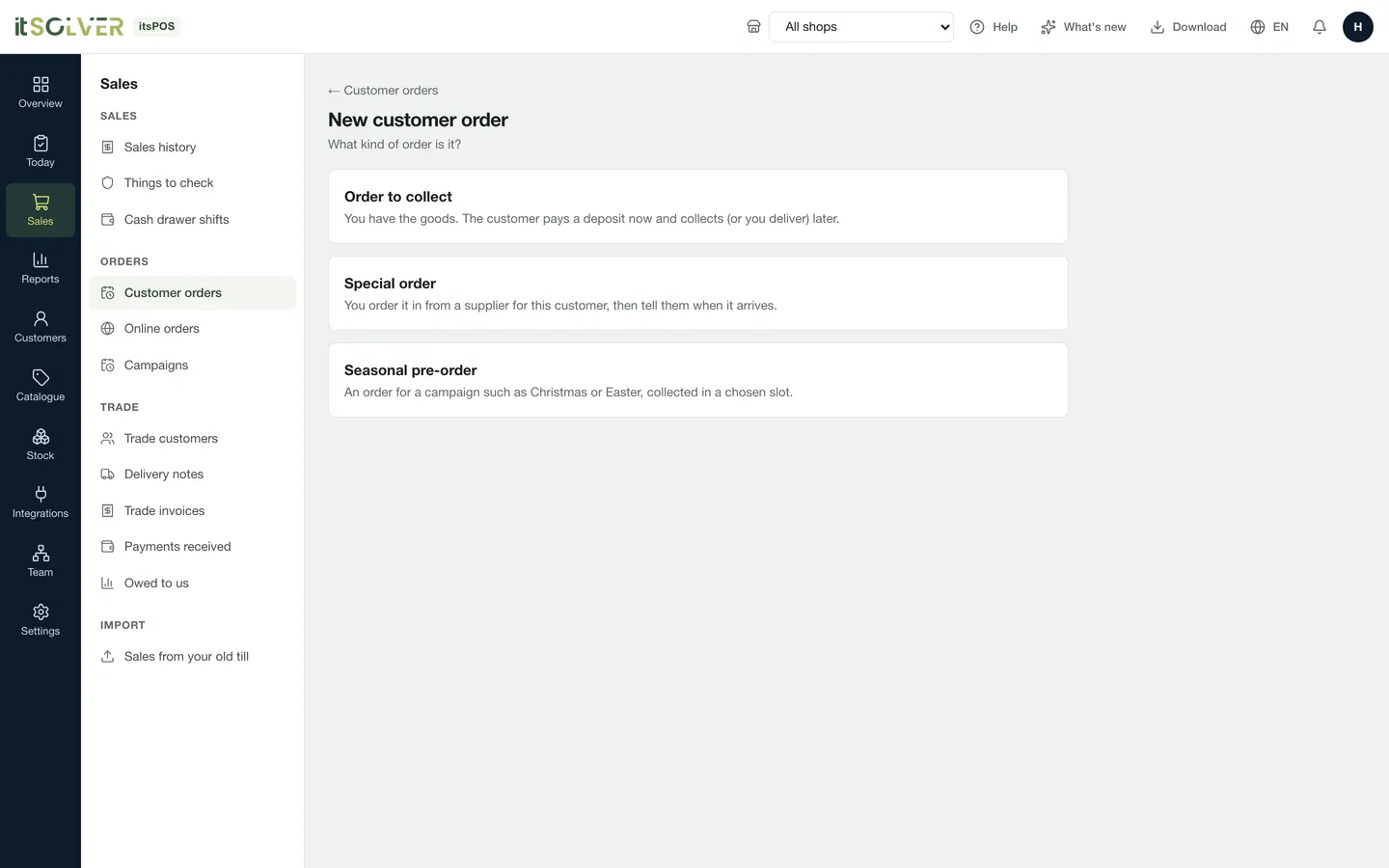
| Kind | Use it when | Guide |
|---|---|---|
| Order to collect | "You have the goods. The customer pays a deposit now and collects (or you deliver) later." A hamper for Christmas, a cake for Saturday | Take a deposit now, hand over later |
| Special order | "You order it in from a supplier for this customer, then tell them when it arrives." Something you don't stock, or more than you have | Order in something you don't stock |
| Seasonal pre-order | "An order for a campaign such as Christmas or Easter, collected in a chosen slot." Turkeys by weight band | Set up in Sales › Campaigns |
What you see
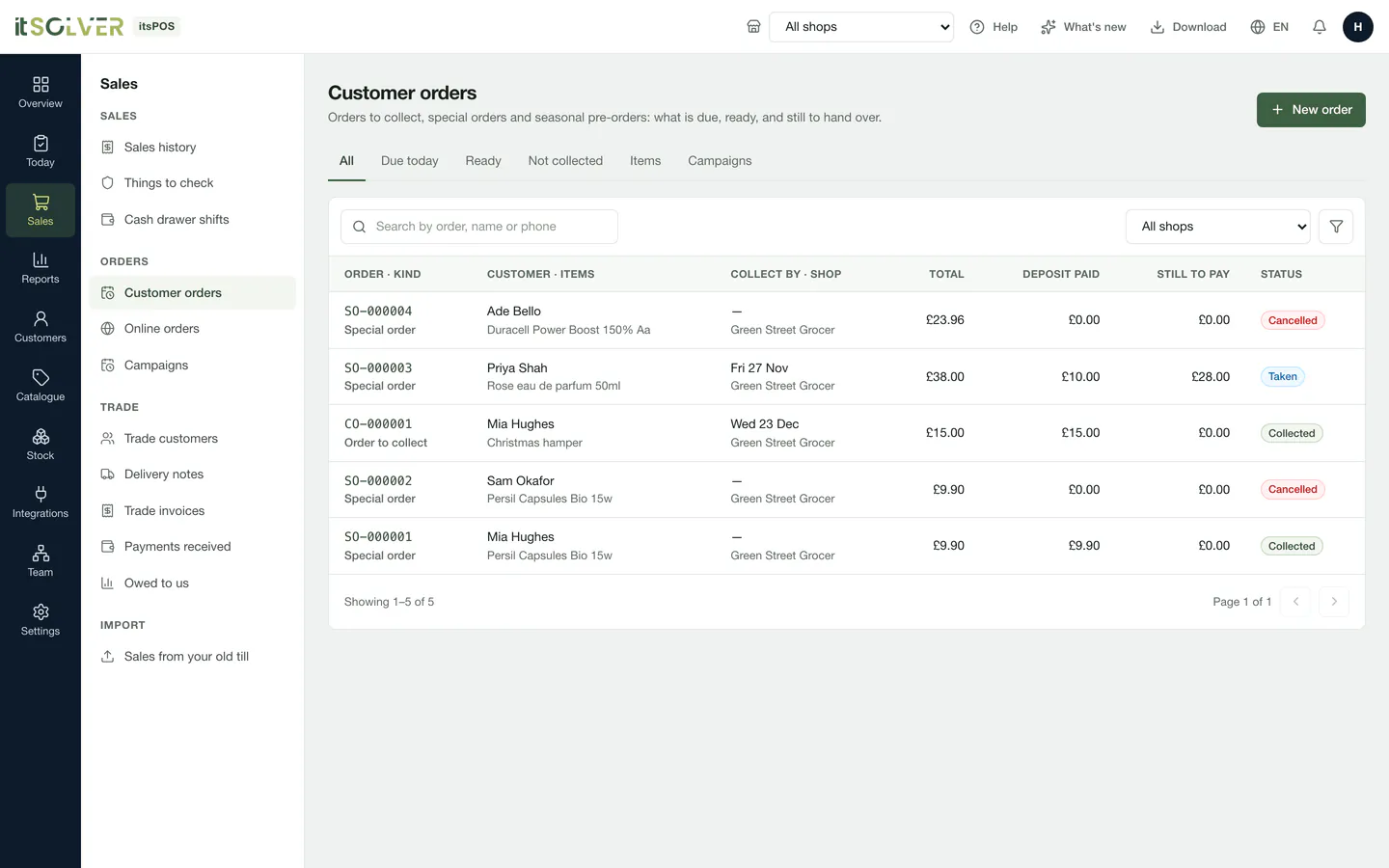
- Tabs: All, Due today, Ready, Not collected (past their collect-by date for longer than your Selling rules allow), Items (everything still to hand over, by product) and Campaigns.
- The search box ("Search by order, name or phone"), the shop, and Filters with Kind and Status.
- One row per order: Order and its kind, Customer and items, Collect by and shop, Total, Deposit paid, Still to pay and Status.
- Order numbers start CO- for orders to collect, SO- for special orders, and the campaign's own letters for pre-orders.
Tap an order to open it.
Deposits and when an order becomes a sale
- A deposit is money you hold for the customer, not a sale yet. It's on the shift (Not sales) and in your accounts as money held.
- When the last item is handed over and everything is paid, the order becomes a sale with the order's number (for example "Collected as sale CO-000001"), and its VAT and stock go on that day.
- If the order is cancelled, the deposit is given back, or kept when your Selling rules say so for special orders the customer cancels after you ordered.
- Cash taken in the back office goes in a till's open drawer or stays as Office cash: see Office cash, safe drops and banking.
On the till
Cashiers see the shop's orders on the till's Customer orders screen, take special orders and orders to collect, collect them and take the balance: see Customer orders at the till.
Who can do it
Owners, Admins, Shop managers and Accountants see orders. Owners, Admins and Shop managers take, change and cancel them in the back office. On the till, everyone who may sell takes and collects orders; refunding a deposit your rules keep needs a manager.
Scenario: a birthday cake ordered for Saturday
On Wednesday Mia Hughes orders a cake for Saturday and pays £5 now. Take an Order to collect for her, collect by Saturday, £5 deposit. On Saturday it's on Due today; the cashier finds it on the till, takes the rest and hands it over.
Still stuck?
The itsPOS support team is here 08:00 to 20:00 every day except Christmas Day.
- Call or WhatsApp: +44 7488 880320
- Email: support@itspos.io
- In the back office: Help › Contact support, or go to app.itspos.io/help/contact after you sign in
- On our website: itspos.io/contact
Tell us your shop's name and what you were trying to do. A screenshot of the screen helps.