

Sales and orders
Bring trade customers and what they owe
Moving to itsPOS from another till system? Export your account customers as a CSV file and import them in one go: each becomes a trade account, and what each one owes becomes an opening balance. In our test shop we brought Harbour Kitchen Ltd (owing £180.00) and Pennine Sandwich Co (owing £64.20) this way.
For: Owners, Admins and Shop managersOn some plans3 min read
Before you start
- Owners, Admins and Shop managers import trade accounts.
- Export from your old system a CSV file with one row per customer and a Company column. These columns are read too, if you have them: Contact, Email, Phone, Address, Town, Postcode, Company number, VAT number, Credit limit, Payment terms, Balance and Balance date. Other names many systems use work too, for example "Business name", "Outstanding" or "As at".
- Dates like 31/08/2026 are read day first. Amounts can have £ and commas.
Our test file, as a spreadsheet shows it:
| Company | Contact | Phone | Address | Town | Postcode | Credit limit | Payment terms | Balance | Balance date | |
|---|---|---|---|---|---|---|---|---|---|---|
| Harbour Kitchen Ltd | Jon Walsh | accounts@harbourkitchen.example.com | 0161 496 0712 | 2 Dock Road | Manchester | M50 3AA | 300 | 14 | 180.00 | 31/08/2026 |
| Pennine Sandwich Co | Bea Moss | orders@penninesandwich.example.com | 0161 496 0713 | 9 Mill Lane | Manchester | M4 6BB | 500 | 30 | 64.20 | 31/10/2026 |
Import them
Go to Sales › Trade customers and press Import from another system.
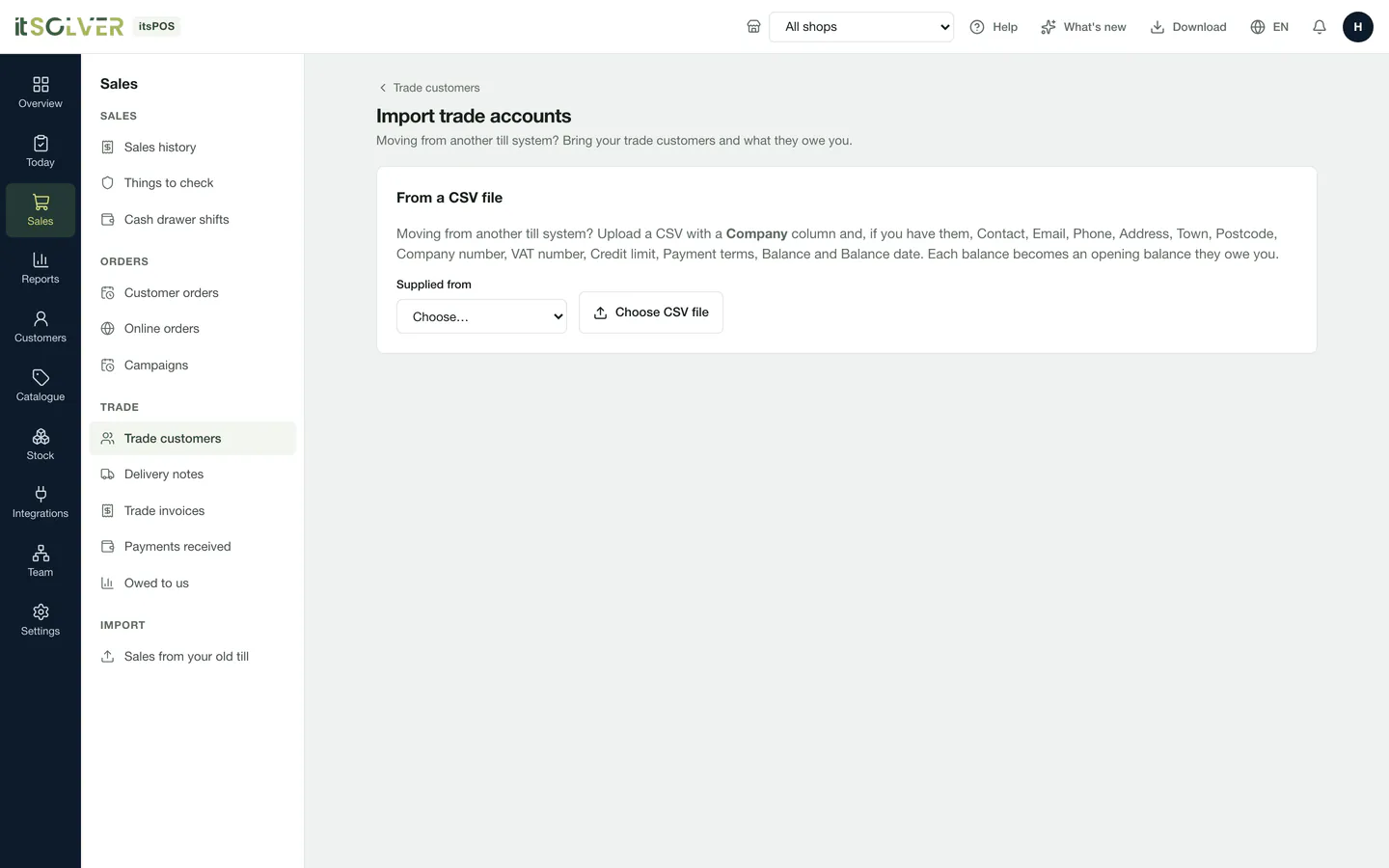
Import trade accounts With more than one shop, choose Supplied from.
Press Choose CSV file and pick the file. itsPOS checks every row first and adds nothing yet: "trade-accounts.csv: 2 trade accounts, £244.20 owed in all."
If a row has a problem, it's listed by its row in the file, for example "Row 3: Enter the company name." Fix the file and choose it again.
Press the add button, for example "Add 2 trade accounts". "2 trade accounts added, with £244.20 owed as opening balances."
All the rows are added, or none.
What happens next
- Each customer is on Sales › Trade customers with their credit limit and terms, and on the till's Trade accounts tab after the next sync.
- What they owed is an opening balance, due from the balance date plus their payment terms. It shows on their Account tab and on Sales › Owed to us, and payments pay it first: see Payments received, statements and Owed to us.
- Open each one to add what the file didn't have, for example their price list or round: see Trade customers on account.
If something goes wrong
- "Add a column called Company with each trade customer's name." The first row must name the columns, and one of them must be Company (or Business name, Customer name, Account name).
- "The file has no trade accounts under its column names." The file has only the heading row.
- "… is already a trade account (CUS-000034). Leave it out of the file." That company is in itsPOS already, maybe from an earlier import. Take its row out and choose the file again; to add what it owes, use Opening balance on its Account tab.
Still stuck?
The itsPOS support team is here 08:00 to 20:00 every day except Christmas Day.
- Call or WhatsApp: +44 7488 880320
- Email: support@itspos.io
- In the back office: Help › Contact support, or go to app.itspos.io/help/contact after you sign in
- On our website: itspos.io/contact
Tell us your shop's name and what you were trying to do. A screenshot of the screen helps.