

Reports and accounts
Money reports
How you were paid, what discounts and refunds cost, and whether the cash added up. How to open and filter a report: Open a report.
For: Owners, Admins, Shop managers and Accountants4 min read
Payments
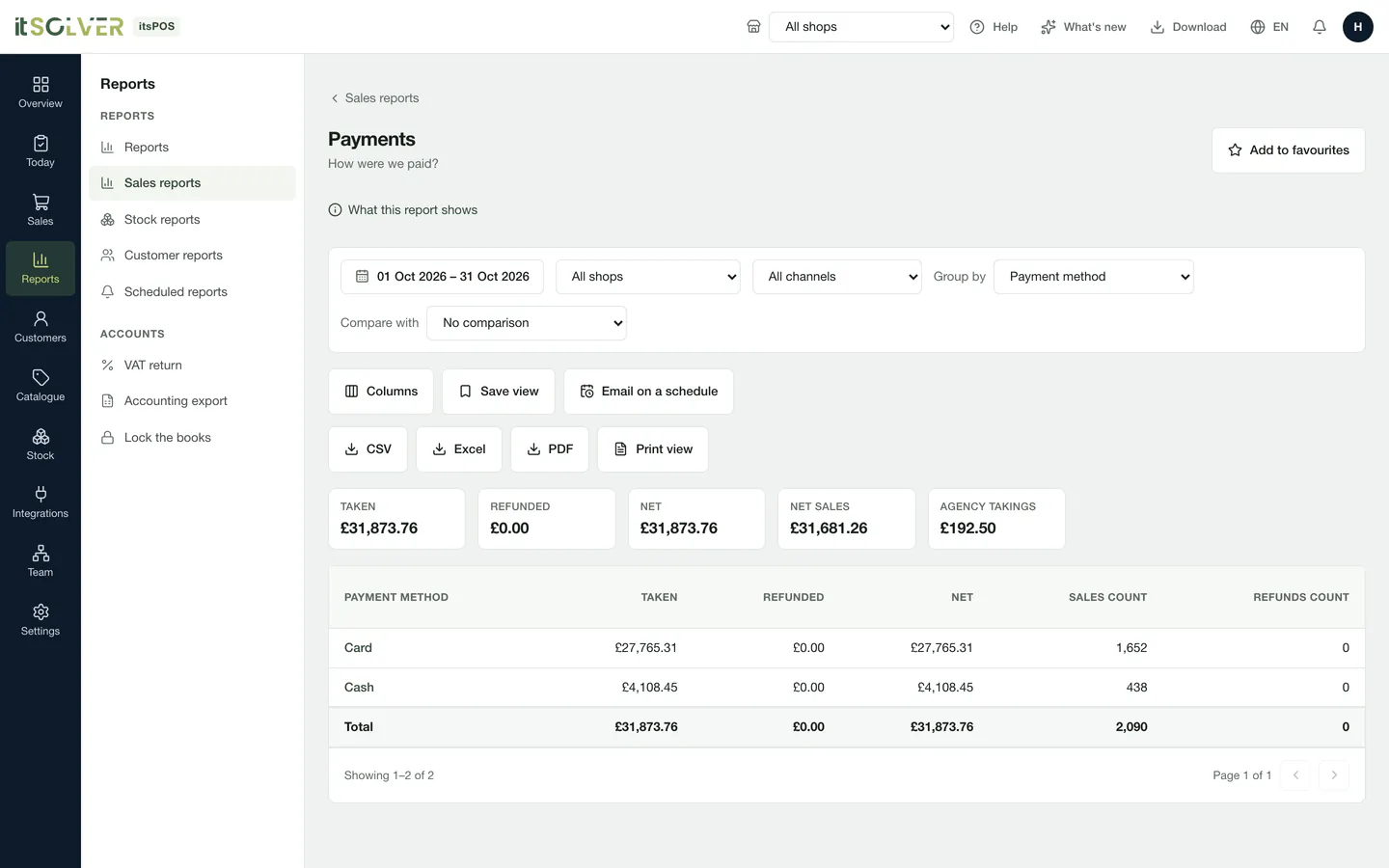
"How were we paid?" Per payment method: Taken, Refunded (refunds and deposits paid back), Net, Sales count and Refunds count, with Corrections when a payment was corrected. Group by Payment method, Shop or Day.
Net is Net sales plus Not sales (gift cards sold, tab payments, order deposits, trade payments) and cash rounding, so it matches the shifts' takings, the drawer and the bank. In October 2026, all shops: Card £27,765.31 and Cash £4,107.46, Net £31,872.77 = Net sales £31,680.27 + the lottery's £192.50. A sale paid two ways counts under each method; the Total row counts it once.
Use it to match your bank statement: card Net for a day is what your card machine pays in for that day (less its fees). See End of day card totals.
Discounts and promotions
"What did discounts cost?" Every discount with VAT by promotion, coupon, reason, points, stamps and staff: Discount, Applied to (Item or Order), Times applied and Total discount. Discounts that refunds gave back are one row, Given back with refunds, so the total is the Discounts figure on Sales summary and the Z. On 18 Nov 2026 at Green Street Grocer the discounts given came to £10.12 and Given back with refunds was −£3.09: total £7.03, the same as Discounts on Sales summary.
Offers flyers On some plans
How each offers flyer did: Views, Scans, Downloads, Shares, and the sales of its products against the days before. See Your offers flyer.
Markdowns
"What did reductions cost?" End-of-day markdowns and day-old products: Markdown, Units, At full price and Markdown cost, with Waste at cost beside them so you can see whether reducing beat throwing away.
Charges
"What did we charge for bags and delivery?" Each charge, Times applied and Total.
Refunds and returns
"What came back?" Every refunded line on the trading day the refund was paid: the refund and the sale it was against (or no receipt), the product, quantity, amount and reason, Refunded to (cash, card, store credit, gift card), Where it went (for example "Back on the shelf") and Over what was sold. Staff and Approved by show only for people who may see staff reports. Filters: Reason, Refunded to, Receipt (With a receipt or Without a receipt), Staff. Key figures: Refunded, Refunds, Refunds as % of sales. The total is the Refunds figure.
Cash-ups and differences
"Did the cash add up?" Per shift: Cash expected, Cash counted and Difference, cash only (cards are never counted), with the till, cashier, reason and who accepted it. Group by › Cashier gives each person's over and short (a staff report). In October 2026: 85 shifts, £15,507.46 expected and counted. See Cash drawer shifts.
Cash in and out
"What cash went in and out of the drawers?" Safe drops, cash paid in and paid out with the reason, the till, Staff, Approved by and the shift; Group by › Reason for petty cash totals. For example "Paid out: Shop supplies and cleaning −£18.00" or "Safe drop, bag 12345 −£50.00". See Paid-outs.
What you owe and are owed
"What do we owe customers, and what are we owed?" At the end date: gift cards outstanding, store credit, points owed, customer order deposits held and container deposits held; owed to you: trade accounts and members' tabs, with Added in the period, Used in the period and Expired in the period. The same lines as on Reports home. Each line needs its own permission.
Chargebacks
"Which card payments were disputed?" Card payments the customer's bank took back: opened, won and lost, with the Bank fee. Only lost chargebacks come off Net sales and VAT.
Donations
"What have we collected for charity?" Round-ups and donations collected at the till, Paid to the charity and Still owed, per shop. Record a payment to the charity when you pay it. Donations are not sales and carry no VAT.
Still stuck?
The itsPOS support team is here 08:00 to 20:00 every day except Christmas Day.
- Call or WhatsApp: +44 7488 880320
- Email: support@itspos.io
- In the back office: Help › Contact support, or go to app.itspos.io/help/contact after you sign in
- On our website: itspos.io/contact
Tell us your shop's name and what you were trying to do. A screenshot of the screen helps.