

Reports and accounts
Stock reports and their buttons
What to order, what isn't selling, what your stock is worth and what you bought. Stock staff see these reports too. Several have buttons on each row that take you straight to the job; the Stock guides explain each job. How to open a report: Open a report.
For: Owners, Admins, Shop managers, Stock staff and Accountants3 min read
What to do
| Report | Answers | Row buttons |
|---|---|---|
| Low stock and days of cover | "What do we need to order?" Products that are low, or will run out before the next delivery: Available, Reorder at, Incoming, Sold a day, Days of cover, Delivery takes (days), Main supplier, Why | Order |
| Overstock | "Where do we have too much?" More weeks of stock than your Stock rules allow, with Weeks of cover and Value at cost | Transfer, Reduce |
| Dead stock | "What isn't selling at all?" Stock that hasn't sold for 60, 90 or 180 days (No sale for), at cost | Reduce, Return, Write down |
| Shrink: known and unknown | "What stock did we lose?" Waste, theft, staff use, gifts, lost in transit, and count differences nobody can explain | Count, Investigate |
| Write-downs | "What stock is worth less than it cost?" Out of date, recalled, reduced or selling below cost; for the year end | Post a write-down journal (stock itself doesn't change) |
Suppliers
Supplier performance ("Which suppliers deliver well?") and Supplier rebates ("What money back are suppliers due to pay us?") have their own pages: choose and tap Show. See Supplier money and Supplier rebates.
Waste and legal records
Food waste (by where it went, why and category, in kg and at cost, for a WRAP-style return), Gifts by recipient (what stock was given away and the VAT due over £50) and Meat intake record (where your meat came from). See Waste and Trace a product.
Stock
| Report | Answers |
|---|---|
| Stock on hand | "What do we have, and what is it worth?" Opening, in, out and closing stock per product and shop, with Avg buying price, Avg selling price and Stock value |
| Expiry | "What is about to go out of date?" Batches expired or expiring within 7, 14 or 30 days (Expires), with Value at cost (batch and expiry tracking) |
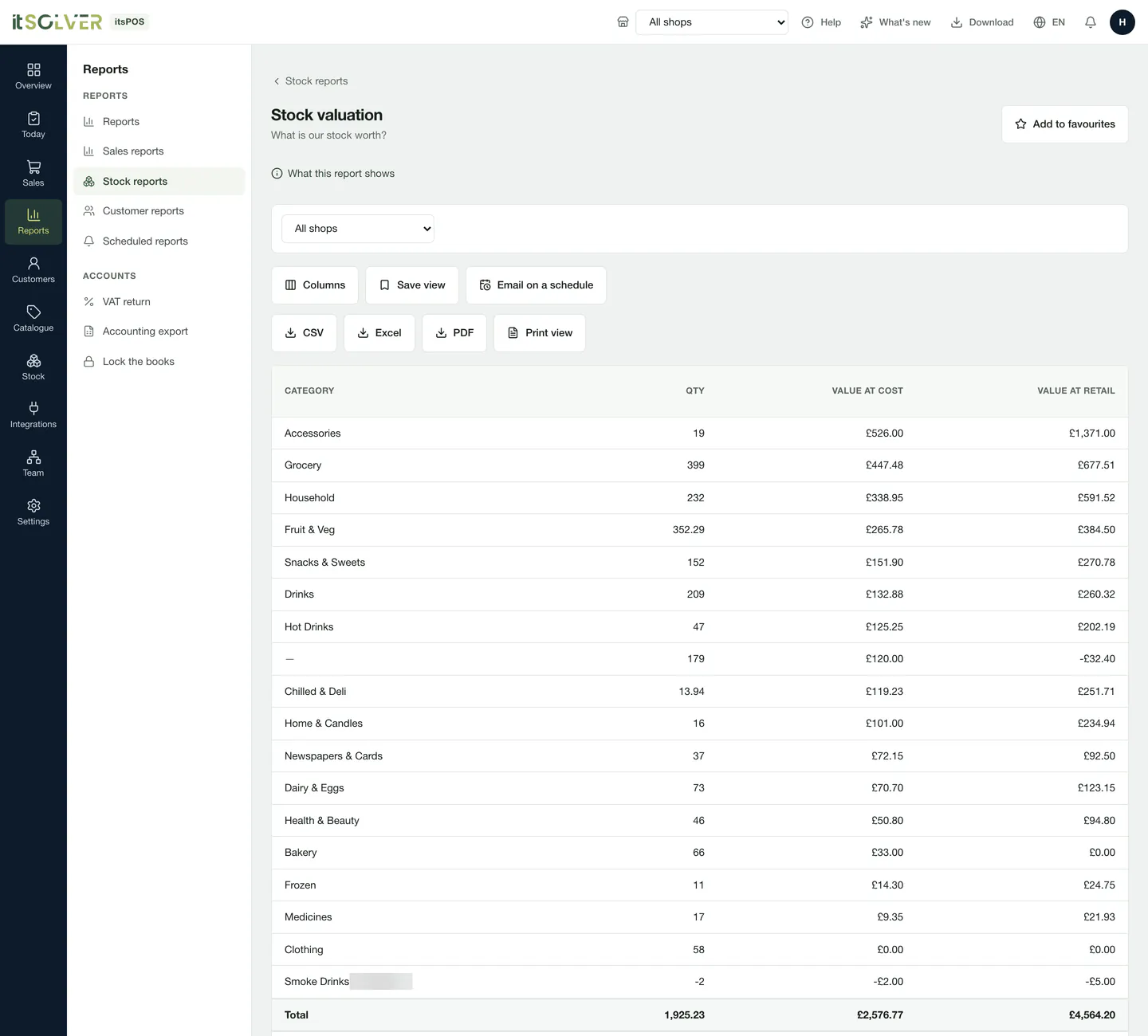
| Stock valuation | "What is our stock worth?" Per category: Qty, Value at cost, Value at retail. See Stock value |
| Stock by shop | "How much of each product do our shops have?" |
| Negative stock | "Which products show below zero?" with Count |
| Out of stock | "What have we run out of?" with Last sold |
| Stock movement | "How did stock move?" Opening, in, out and closing per product |
| Price changes | "Which prices changed?" Selling and cost prices, old and new, by whom |
Fast and slow movers On some plans
Fast movers ("What sells fastest?" with Days of cover) and Slow movers ("What sells slowest?" with On hand): the top 50 by quantity sold.
Cost of goods On some plans
Cost of goods by product and Cost of goods by month: Cost of goods, Sales without VAT and Margin, after refunds. They are the same as the Cost of goods sold in your accounts: in October 2026, £10,340.36 in both. For a bundle they count the products inside it, see Margin.
Purchasing
Purchase orders (ordered, received, still to come), Transfers, Waste (by reason, at cost), Supplier returns, Supplier credits and Supplier balance (invoiced, paid, still owed per supplier). See Purchase orders, Transfers and Supplier returns and credits.
Still stuck?
The itsPOS support team is here 08:00 to 20:00 every day except Christmas Day.
- Call or WhatsApp: +44 7488 880320
- Email: support@itspos.io
- In the back office: Help › Contact support, or go to app.itspos.io/help/contact after you sign in
- On our website: itspos.io/contact
Tell us your shop's name and what you were trying to do. A screenshot of the screen helps.