

Stock
Where it came from and the meat intake record
Food law asks you to know who supplied your food (one step back) and which businesses you sold it to (one step forward). itsPOS keeps both from your deliveries and trade sales.
For: Owners, Admins, Shop managers and Stock staff2 min read
Where it came from
Stock › Where it came from shows who supplied a product and when, and the business customers who bought it. Use it for a recall or an inspection.
- Tap Product and type its name or SKU, or scan its barcode, for example Free Range Eggs 6. Pick it: its deliveries show at once. Products you chose lately are at the top.
- Optional: From and To dates, then Show.
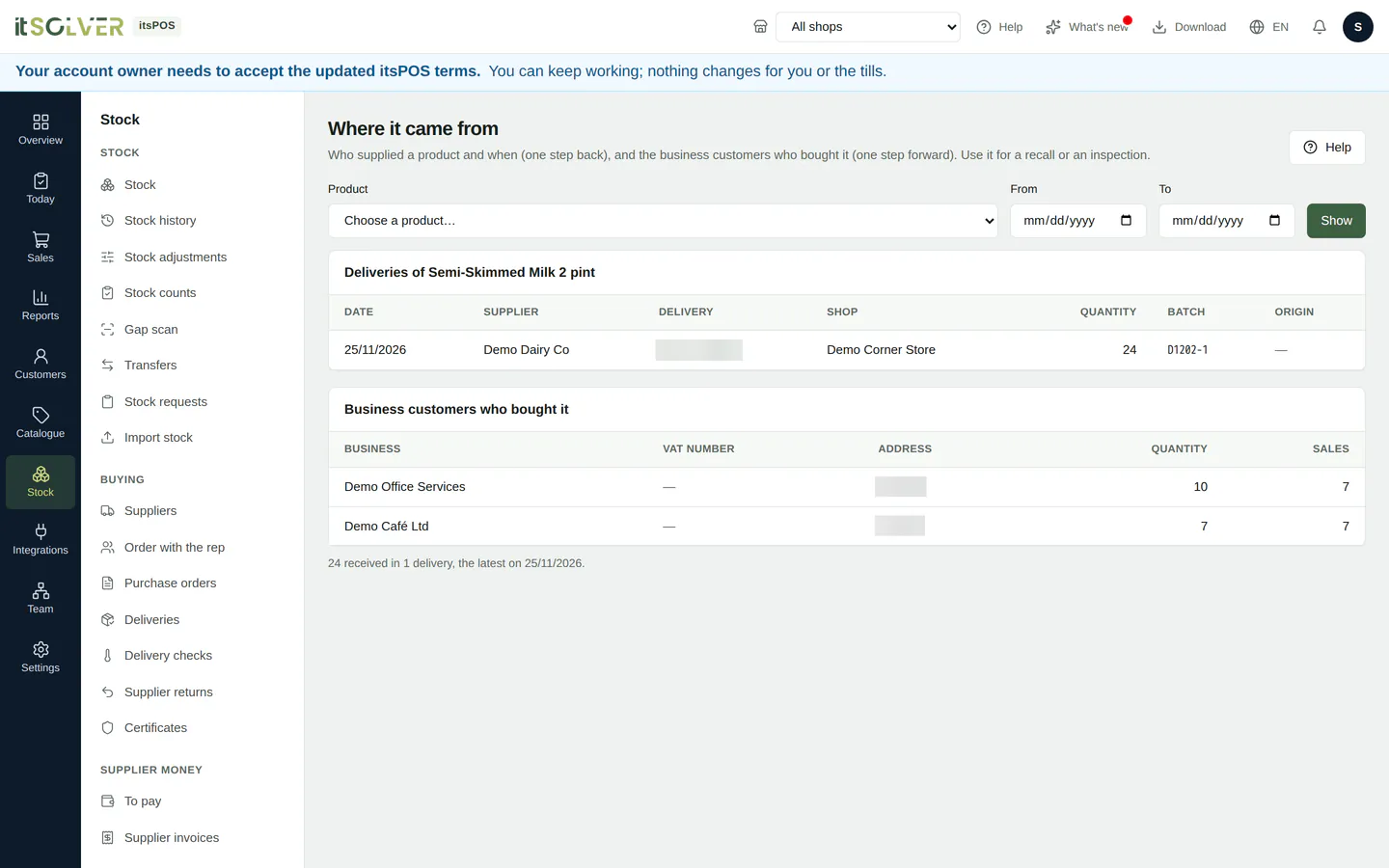
- Deliveries lists each delivery: Date, Supplier, Delivery, Shop, Quantity, Batch and Origin. For example "18 received in 2 deliveries, the latest on 18/11/2026."
- Business customers who bought it lists trade customers. Mark a trade buyer as Business customer on their customer page so they show here.
For one batch (a recall), open the batch on Stock › Batches instead: it shows where that batch went, with the receipts and customers (see Batch and expiry tracking).
Meat intake record
Stock › Meat intake record lists every delivery of meat by day: the supplier's reference, slaughterhouse, cutting plants, kill date and when it was first sold. Keep it for inspections.
- Meat: All meat, Beef and minced beef or Other meat, with From and To, then Show.
- The details come from the delivery: when you receive meat, the delivery asks for its intake details.
- No meat delivered yet? It says "No meat deliveries".
Beef labels use the same details (see Label designs in Products and prices).
Scenario: environmental health asks where our beef came from
The inspector asks about the beef mince on your shelf. Open Where it came from, choose the mince and show the last month: you see each delivery and supplier. Then open Meat intake record with Beef and minced beef for the slaughterhouse, cutting plant and kill date of each delivery.
Still stuck?
The itsPOS support team is here 08:00 to 20:00 every day except Christmas Day.
- Call or WhatsApp: +44 7488 880320
- Email: support@itspos.io
- In the back office: Help › Contact support, or go to app.itspos.io/help/contact after you sign in
- On our website: itspos.io/contact
Tell us your shop's name and what you were trying to do. A screenshot of the screen helps.