

Real shop situations
End of day: the cash is short
At closing time the drawer has £7 less than it should. This is what happens on the till and in the back office, and how to find out why.
For: Owners, Admins, Shop managers, Supervisors and Cashiers4 min read
Needs itsPOS Till 0.5.37 or later.
The situation
It's 6pm at Green Street Grocer. Sid, a supervisor, closes the till. After the day's cash sales and refunds, the till expects £100.00 in the drawer, but Sid counts £93.00. The shop's allowed difference is £5.00 (Settings › Cash management › Allowed difference), so £7.00 is too much for Sid to accept alone.
Cash is the only thing counted. Card payments are checked against the card machine's own total, not counted.
Count the drawer on the till
Tap Shift, then Close shift (Z).
Close shift: count the drawer. Count each note and coin with + and −, or tap Type a total instead and type the total, here £93.00. Tap Done.
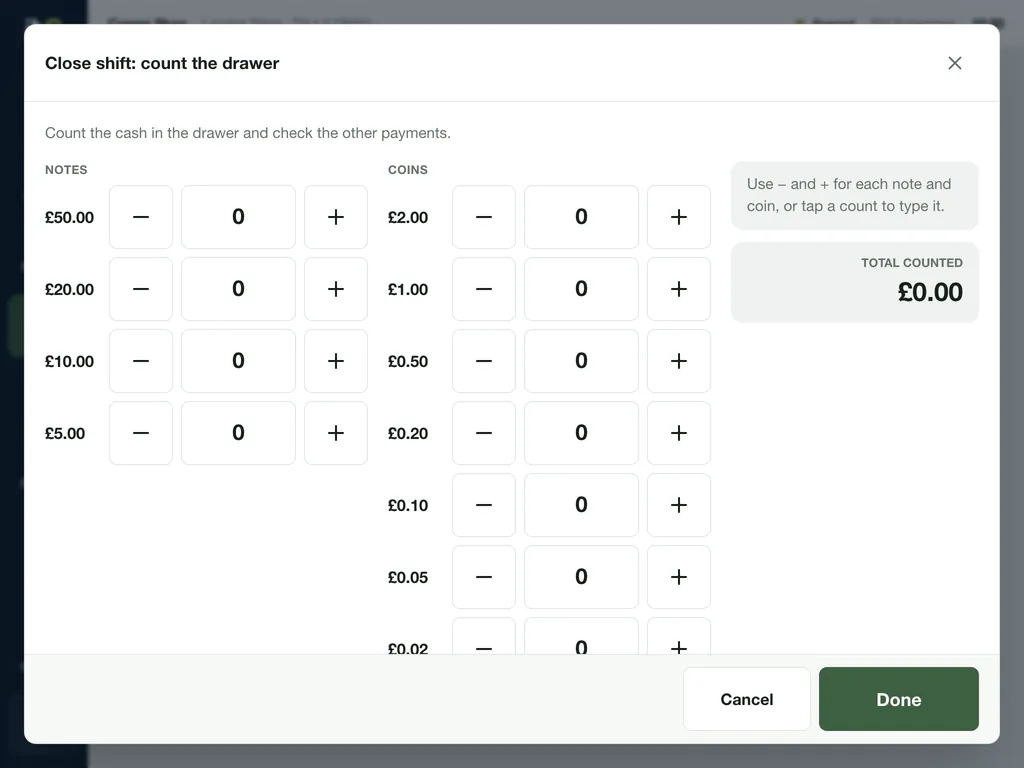
Close shift Card machine total: with a card machine the till usually gets it by itself. Otherwise type the total the card machine printed, or tap Skip.
Check the count shows Cash counted £93.00, Cash expected £100.00 and "Cash is £7.00 short". Under it: "This is more than £5.00. A manager must accept it."
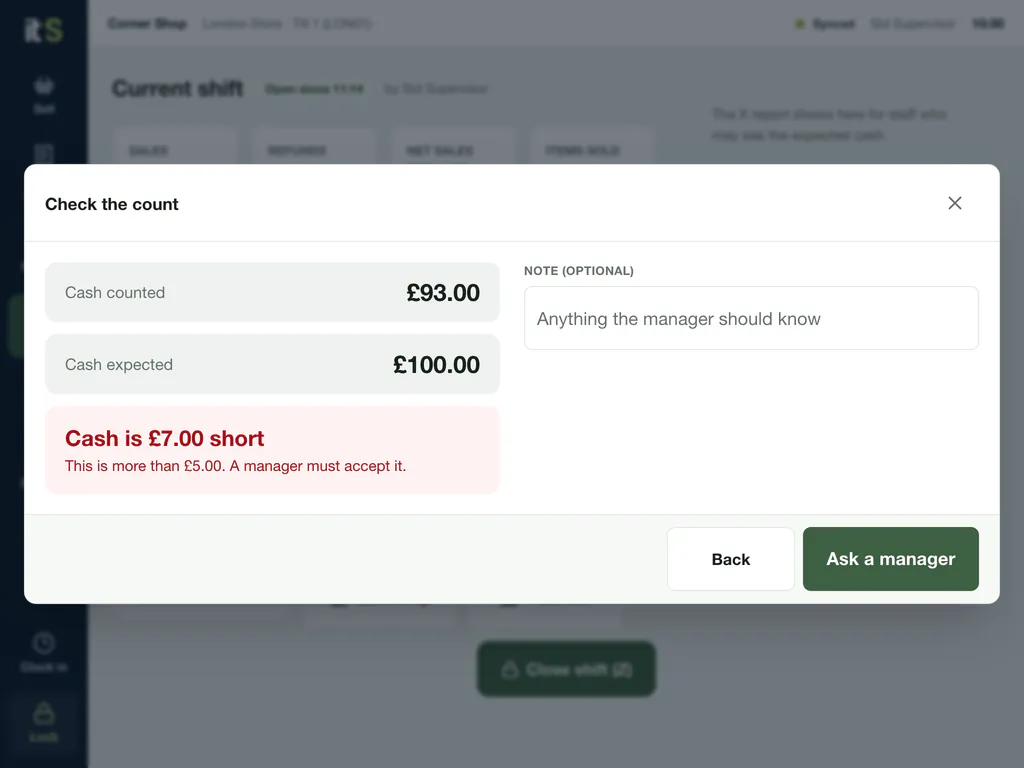
Check the count Add a Note (optional) if you know something, for example "Gave a £10 note as change for a £20?".
Tap Ask a manager.
With Count cash before seeing the expected amount on (the starting setting), cashiers count first and see the expected cash only on Check the count, so nobody can just match the total. Cashiers also need a manager to close a shift to start with.
A manager accepts the difference
The till shows "Cash is £7.00 short" and "Accept the cash difference of £7.00". The manager first recounts the drawer with the cashier.
If it's still short, the manager types their PIN or taps their badge. This works without the internet.
The till asks "Why is the cash different?". The manager picks the reason, for example "Wrong change given".
Shift closed. The Z report shows on the screen and prints, with the difference and the reason. Tap Open the next shift, or leave the till.
Look into it the next morning
In the back office, go to Sales › Cash drawer shifts. The shift shows Cash expected, Cash counted, Difference, Reason and Accepted by. A difference over your allowed difference says "(over the allowed difference)".
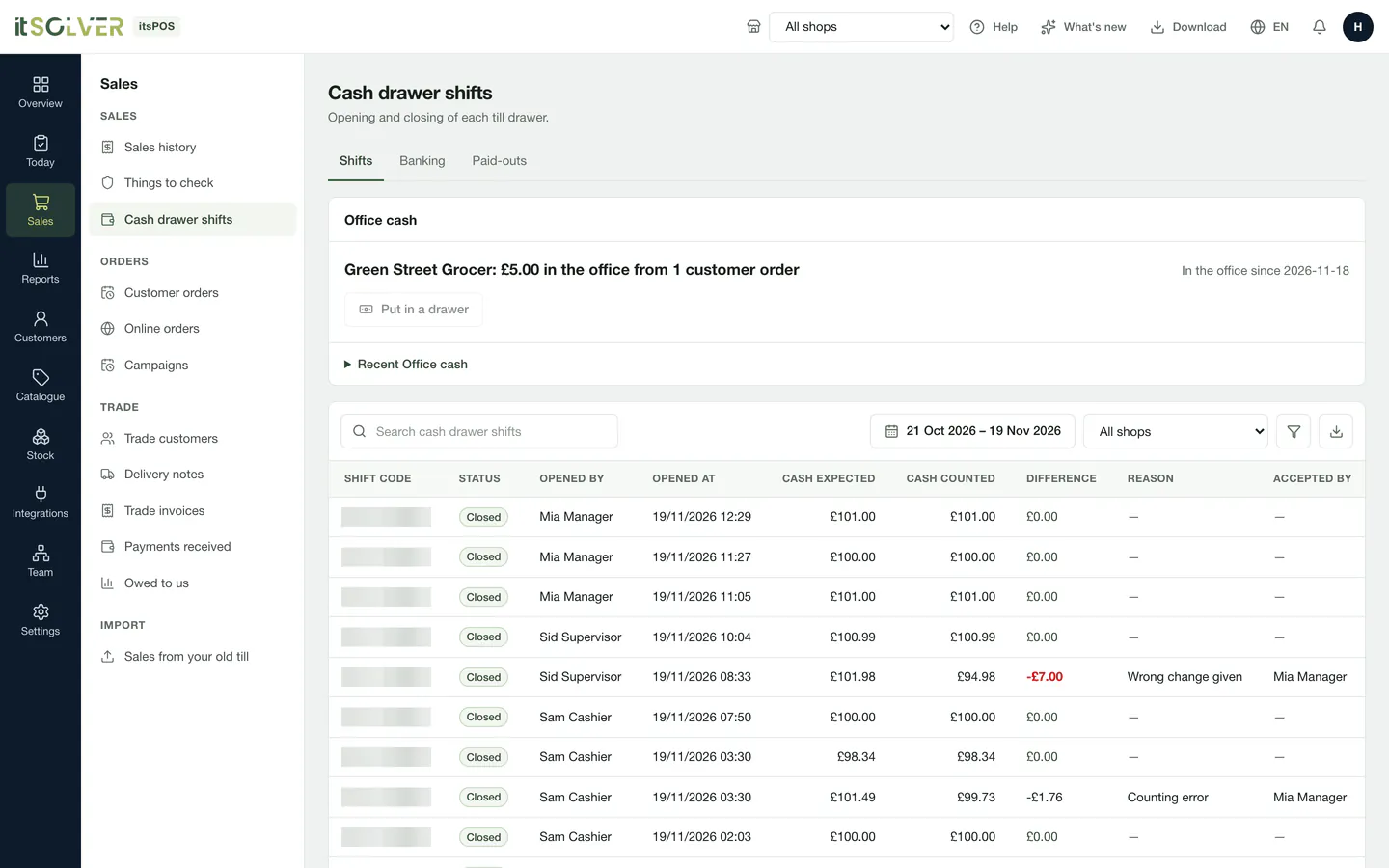
Sales › Cash drawer shifts Open the shift. Cash expected is the float, plus cash sales and cash put in, minus cash refunds, safe drops and paid-outs.
Look for the usual reasons:
- a paid-out or safe drop that wasn't recorded on the till;
- a card payment keyed as Cash (the card machine total is higher than the till's card payments);
- a cash refund nobody expected, under Cashiers on this shift.
The difference is also on the morning's list of things to check as "Drawer difference" (in the back office, Sales › Things to check). Mark it done when you know what happened.
What you'll see afterwards
- The shift stays Closed with its £7.00 difference, the reason and who accepted it. The Z report is final.
- Reports › Cash-ups and differences shows every shift's difference. Group by › Cashier shows each person's over and short over time, so a pattern stands out.
- Nothing is taken from anyone's pay: what to do about a difference is up to you.
Guides used
- Close the shift and cash up: every step of the close, and closing for a count in the office.
- Cash drawer shifts in the back office: a shift's page and what each figure means.
- Cash management: the allowed difference, blind counts and who may see the expected cash.
- Money reports: Cash-ups and differences.
- End of day card totals: when the card machine's total doesn't match.
Still stuck?
The itsPOS support team is here 08:00 to 20:00 every day except Christmas Day.
- Call or WhatsApp: +44 7488 880320
- Email: support@itspos.io
- In the back office: Help › Contact support, or go to app.itspos.io/help/contact after you sign in
- On our website: itspos.io/contact
Tell us your shop's name and what you were trying to do. A screenshot of the screen helps.