

Real shop situations
Opening a second shop in Scotland
A Manchester grocer opens a second shop, Leith Larder in Edinburgh. Scottish law is different for alcohol, so the new shop needs Scotland's rules from its first sale, and a till of its own.
For: Owners and Admins3 min read
The situation
The business already has Green Street Grocer in England. Leith Larder opens on Monday at 14 Demo Wynd, Edinburgh EH6 7AA, Monday to Saturday 09:00 to 17:30, closed on Sundays. It sells alcohol, so in Scotland the till must ask Challenge 25 for every alcohol sale, and no drink may sell below the minimum price per unit of alcohol.
Check your plan has room
Go to Settings › Plan and add-ons. What you use shows, for example, "4 of 5 shops" and "1 of 10 tills".
If you need another shop or till, press Ask us to add a shop or Ask us to add a till: we change your plan for you. How many shops each plan includes is in "What's on each plan" in the back office's Help.
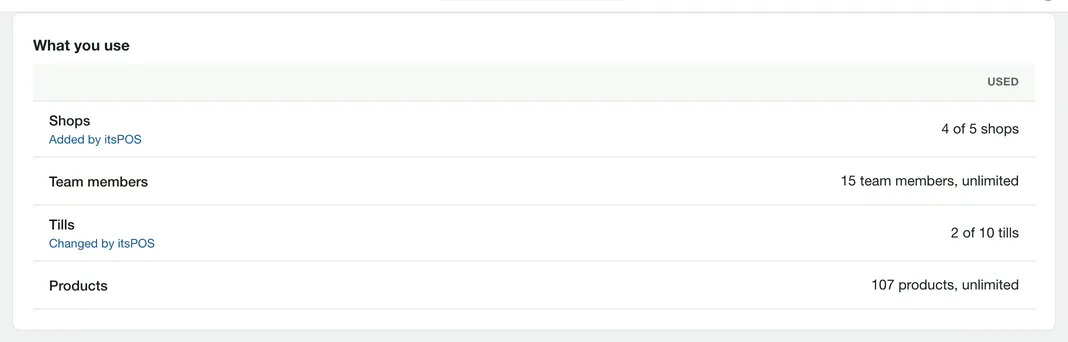
Settings › Plan and add-ons
Add the shop
Go to Settings › Shops and press Add shop.
Type the Shop name, Leith Larder.
Start typing the address and pick it from the list. Nation becomes Scotland from the postcode (Work out from the postcode).
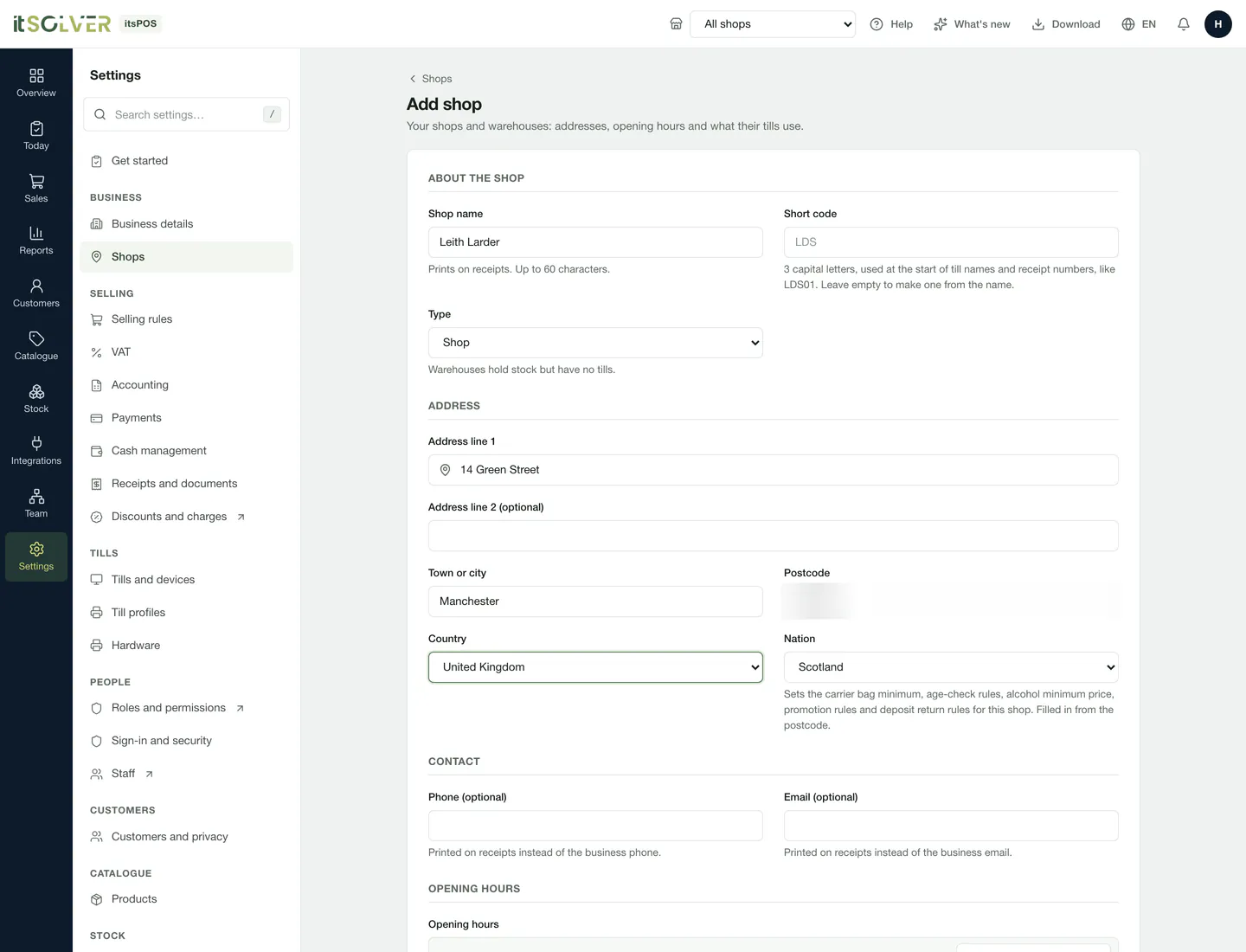
Set the Opening hours: Monday to Saturday 09:00 to 17:30, Sunday Closed.
Leave End of the trading day at 04:00. Under This shop is licensed to sell, tick Alcohol, and Tobacco only if it holds a tobacco licence: tills in a shop without one hide tobacco.
Press Save changes.
Scotland's rules switch on by themselves
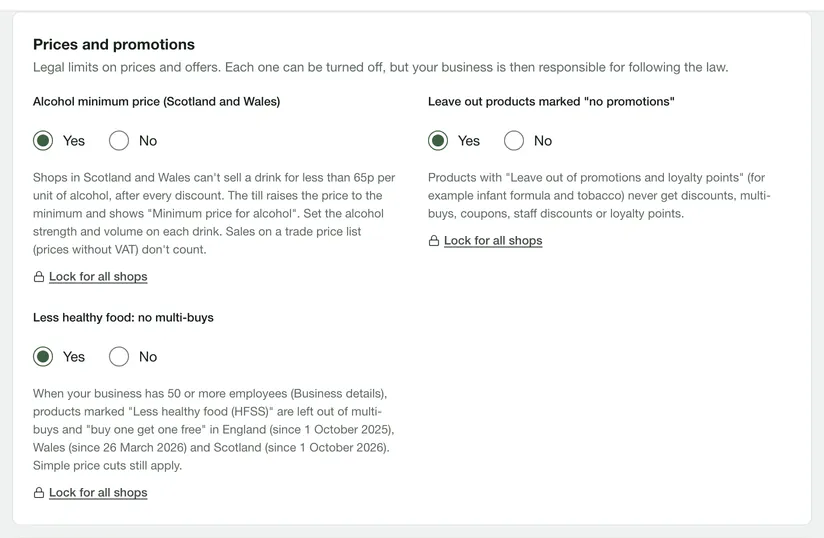
Open Settings › Compliance. Because the shop's nation is Scotland:
- Challenge age: Scottish shops always use Challenge 25 for alcohol, whatever the business chooses. The till asks for every alcohol sale.
- Alcohol minimum price (Scotland and Wales) is on: no drink sells for less than 65p per unit of alcohol, after every discount. If a promotion would take it lower, the till raises the price to the minimum and shows "Minimum price for alcohol". Set the alcohol strength and volume on each drink so itsPOS can work it out.
- Scotland's carrier bag charge and deposit return rules follow the nation too.
Add its till
- Go to Settings › Tills and devices, press Add a till and Get activation code.
- On the new till's computer, install itsPOS Till from app.itspos.io/downloads, type the code, sign in and choose the shop, Leith Larder.
- Connect its printer, drawer, scanner and card machine, and run a test sale: see Opening day: two tills and all the hardware.
- Give the shop's staff access: in Team › Staff, add Leith Larder to each person's shops.
What you'll see afterwards
- Leith Larder's receipts carry its own address. Reports, stock and shifts can be seen for each shop or both together.
- Products sell at the same prices in both shops unless you give Leith Larder its own price list or shop prices.
- At the Leith Larder till, the first can of beer asks "Challenge 25".
Guides used
- Shops: add a shop, opening hours, trading day and licences.
- Compliance: the UK rules for your shops.
- Age checks: Challenge 25 and refusals.
- Tills and devices: adding a till.
- Set up a new till.
Still stuck?
The itsPOS support team is here 08:00 to 20:00 every day except Christmas Day.
- Call or WhatsApp: +44 7488 880320
- Email: support@itspos.io
- In the back office: Help › Contact support, or go to app.itspos.io/help/contact after you sign in
- On our website: itspos.io/contact
Tell us your shop's name and what you were trying to do. A screenshot of the screen helps.