

Real shop situations
A customer returns a gift without a receipt
A customer brings back a silk scarf they were given as a present. They have no receipt. Here's a fair way to take it back without opening the door to abuse.
For: Owners, Admins, Shop managers, Supervisors and Cashiers4 min read
Needs itsPOS Till 0.5.33 or later.
The situation
It's the week after Christmas at Atelier. A customer brings a Silk scarf (£45.00) with the tags still on. It was a present, so there's no receipt and nobody knows what was paid: maybe it was bought in the sale. The owner's rule: no receipt means store credit, at the lowest price the scarf sold for in the last 90 days, and a manager always approves.
Choose your rule once
In the back office, go to Settings › Selling rules and find Refunds without a receipt.
Choose Store credit, lowest price in 90 days (the usual choice). The other choices are Original payment method (today's price, paid back the way the customer chooses) and Not allowed.
Save. Tills get the change within a minute.
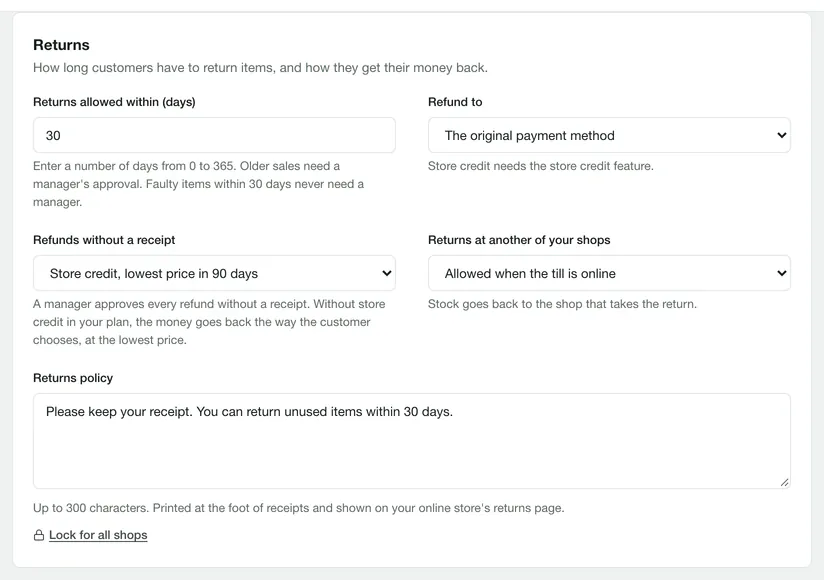
A manager approves every refund without a receipt, whatever you choose. Your returns policy for receipts (how many days, which items can't come back) is in the same place: see Returns policy.
At the till
Tap Returns. Under "No receipt?", tap Refund without a receipt.
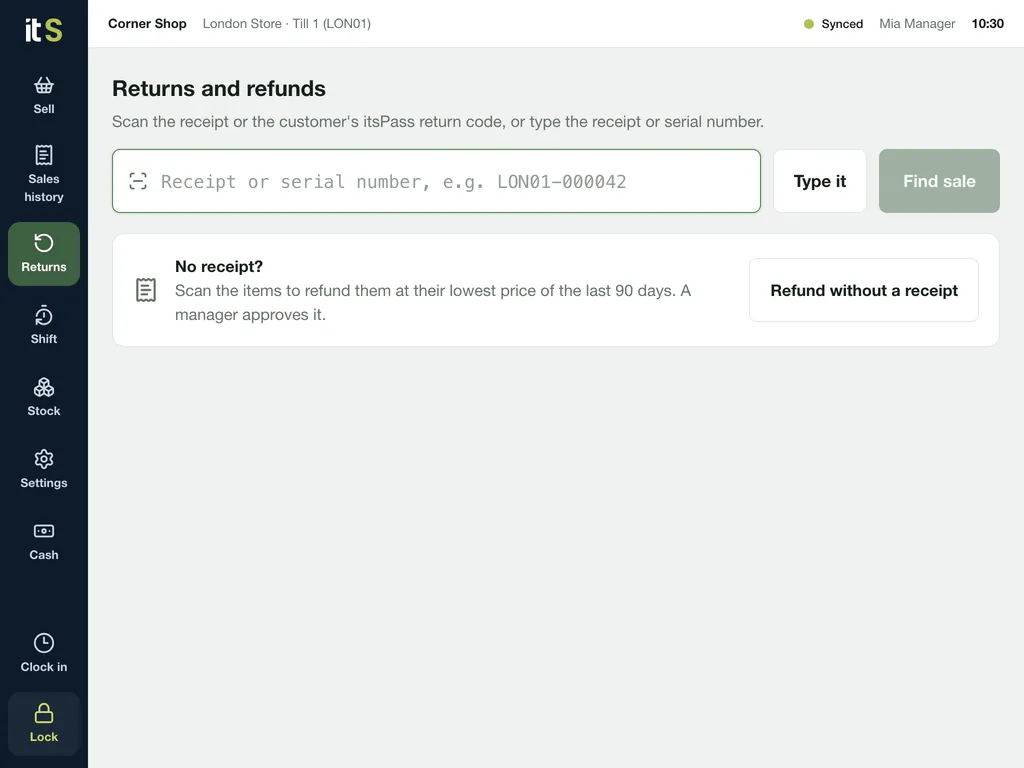
Returns and refunds on the till "Refund without a receipt: why is it coming back?" Tap the reason, for example Changed mind, then Scan the items.
Scan the scarf. The basket says "No receipt: lowest price of 90 days". The till asks itsPOS for the lowest price the scarf sold for in the last 90 days, so it needs the internet. Our scarf hadn't been reduced, so it's £45.00.
Tap Refund £45.00. A manager types their PIN or taps their badge to approve "Refund £45.00 without a receipt".
Add the customer to the sale: find them by mobile number or itsPass, or add them as a new customer. Store credit always belongs to a customer.
Complete the refund as store credit. The customer can spend it straight away, here or next time.
Items marked as can't be returned, such as pierced earrings, show the reason on the till ("Pierced jewellery can't be returned for hygiene reasons"), receipt or not.
Or swap it for something else
If the customer would rather have a different colour or size, an exchange is often simpler. Without a receipt, refund the scarf as above, then sell the new item and pay with the store credit. With a receipt, use Exchange: see Exchanges.
Check it later
In the back office, Sales › Sales history › Refunds lists every refund, with its reason and who approved it.
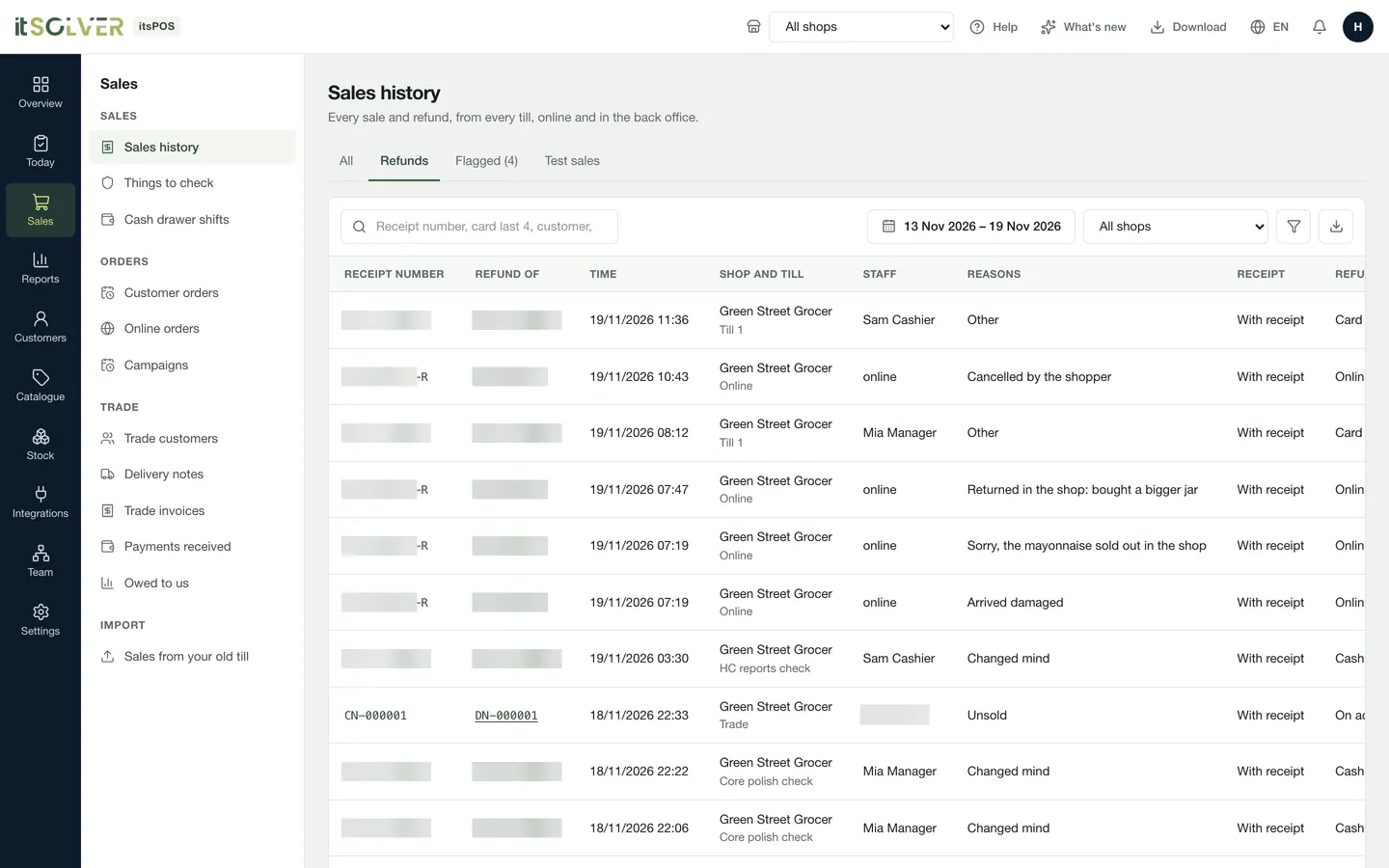
Sales › Sales history with the Refunds tab open A refund without a receipt over £20 also makes a line on the list of things to check, so a manager sees each one. Change the amount in Settings › Alert thresholds › Refund without a receipt over.
Customers › Store credit shows the credit given, what's been spent and what's still to spend.
What you'll see afterwards
- The scarf goes back into stock at Atelier.
- The customer's store credit balance shows on their customer page and on the till when they're on a sale.
- If your shop doesn't offer store credit, the till still uses the lowest price and pays it back the way the customer chooses; the back office then lists it to check as "Refund without a receipt not given as store credit".
Guides used
- Returns policy: your rules for returns, with and without a receipt.
- Exchanges.
- Store credit.
- Sales history: the Refunds tab.
- Add a customer or itsPass member to a sale.
Still stuck?
The itsPOS support team is here 08:00 to 20:00 every day except Christmas Day.
- Call or WhatsApp: +44 7488 880320
- Email: support@itspos.io
- In the back office: Help › Contact support, or go to app.itspos.io/help/contact after you sign in
- On our website: itspos.io/contact
Tell us your shop's name and what you were trying to do. A screenshot of the screen helps.