

Stock
Crates, kegs and cages: returnable containers with your suppliers
Milk crates, bread trays, gas cylinders, kegs and pallets come with a deposit from the supplier and go back empty. itsPOS keeps count of how many you hold from each supplier, puts the deposits on their invoices, and keeps them out of your stock value. This guide sets up a Milk crate with a £3.00 deposit for Demo Dairy Co, then receives 2 full crates with a delivery of Arla Uht Milk Semi Skimmed 1l.
For: Owners, Admins, Shop managers, Stock staff and Accountants3 min read
This is between you and your supplier. Bottle and can deposits that shoppers pay under the deposit return scheme are a different thing, handled at the till.
Set up a container type
Go to Stock › Suppliers, open the supplier and go to its Containers tab.
Press Add a container type.
Type the Container (for example "Milk crate") and the Deposit each (£3.00).
Under VAT, choose Deposit only, refunded when returned (outside the scope of VAT: the usual choice for crates, trays and pallets you give back) or Hire or use charge (VAT at 20%, for example gas cylinder or pallet hire).
Press Save. You see "Milk crate saved." The table shows each type with You hold and Deposit value.
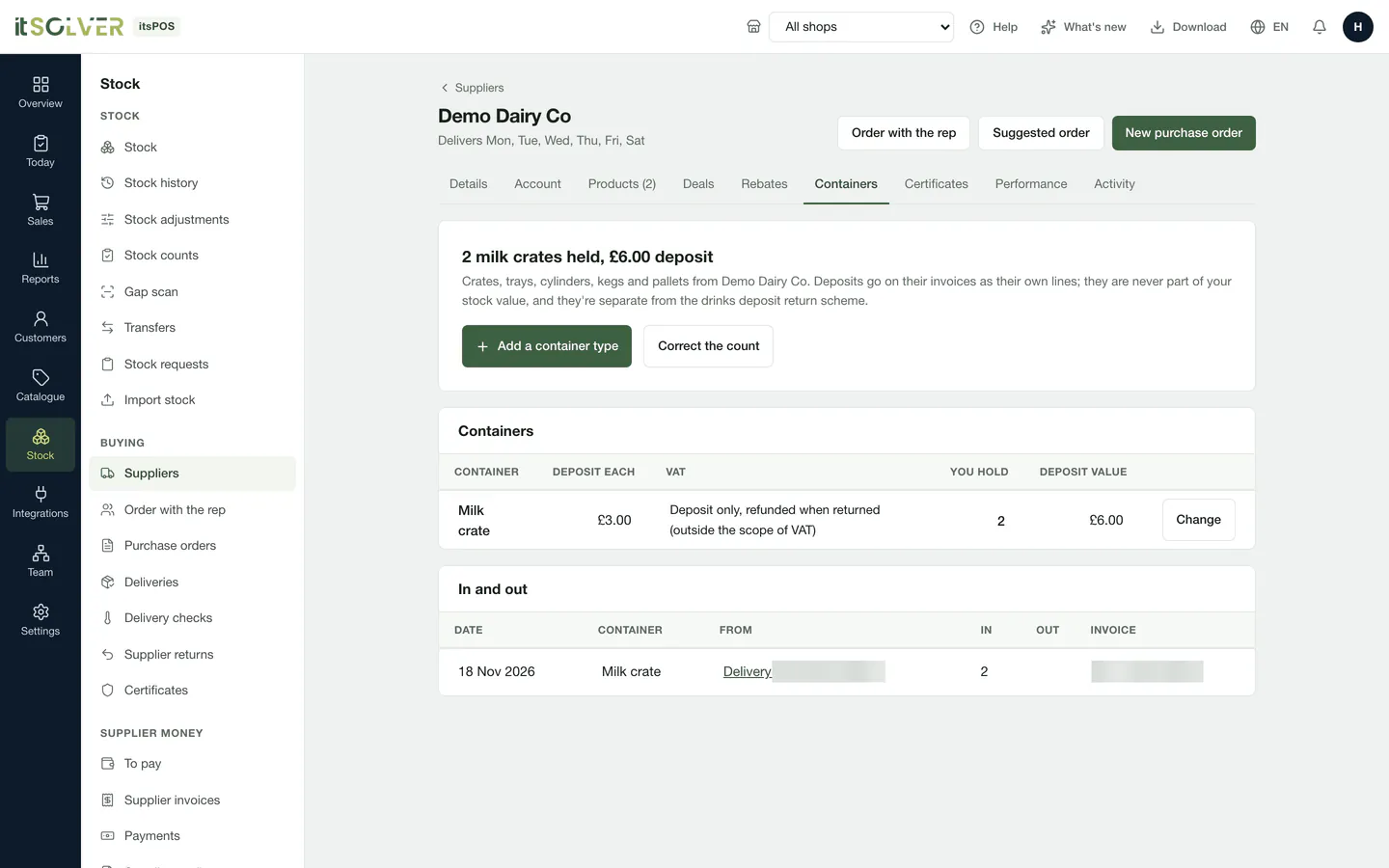
Demo Dairy Co's Containers tab
Record containers on a delivery
When you receive a delivery from that supplier, the Returnable containers card lists their container types. Type the full containers that came In and the empties handed back to the driver Out. When you finish, the delivery says, for example, "Milk crate: 2 in · 0 out", and the deposits go on the supplier's invoice as their own lines: our delivery's invoice DD-7781 is £14.40, £8.40 of milk and £6.00 of crate deposits.
Send empties back on a supplier return
Empties that go back on their own (not with a delivery) go on a supplier return: its containers card has the same Out box. The deposit comes back as a credit or money back.
Correct the count
If the count on the Containers tab doesn't match what is in your yard, press Correct the count, type what you hold and say Why, and save.
What happens next
- You hold on the Containers tab goes up with full containers in and down with empties out.
- Deposits are never part of your stock value; they show on the supplier's invoices and their Account tab (Rebates and containers).
- Stock › Supplier invoices shows the deposit lines on each invoice.
Still stuck?
The itsPOS support team is here 08:00 to 20:00 every day except Christmas Day.
- Call or WhatsApp: +44 7488 880320
- Email: support@itspos.io
- In the back office: Help › Contact support, or go to app.itspos.io/help/contact after you sign in
- On our website: itspos.io/contact
Tell us your shop's name and what you were trying to do. A screenshot of the screen helps.