

Stock
What happens to items customers return
When a customer brings something back, itsPOS puts it back into stock and then sends it where you want: back on the shelf, to waste, or back to the supplier. Food that can't be resold never comes back as stock you can sell.
For: Owners, Admins and Shop managers2 min read
Needs itsPOS Till 0.5.15 or later.
The rule for the whole business
In Stock › Stock rules › Returned items, What happens to returned items applies when the product and its category don't say:
- Automatic (food to waste, the rest back on the shelf) (the default): food with a use-by date, chilled and frozen food, meat and food sold by weight go to waste; everything else goes back on the shelf.
- Back on the shelf
- Waste
Staff can change it at the till (on by default): tills from version 0.5.15 ask on each refunded line, with your choice already picked.
A category or a product of its own
Go to Stock › Returned items. "When nothing else says" shows the business rule.
Under By category, choose When a customer returns it for a category: As the default, Back on the shelf, Waste or Return to supplier. Press Save on that category.
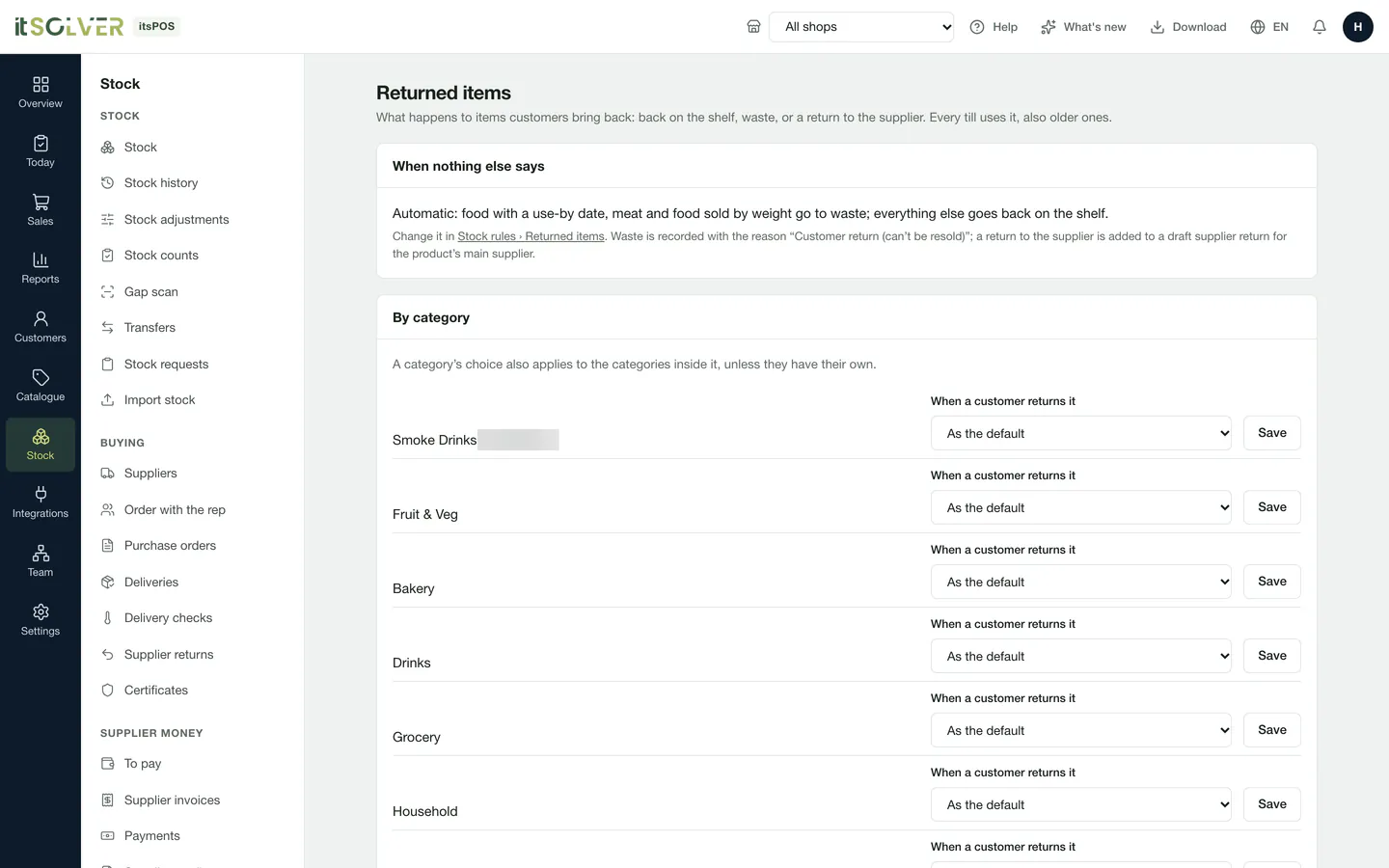
Stock › Returned items A category's choice also applies to the categories inside it, unless they have their own.
Choose As the default and Save to remove a category's own choice: "Removed: the category or the Stock rules default applies."
A product can have its own choice too; it wins over its category.
What happens when it's refunded
- Back on the shelf: the item is back in stock and can be sold again.
- Waste: it comes back into stock and goes straight out as waste with the reason "Customer return (can't be resold)". Stock history shows "Returned by a customer" and then "Wasted".
- Return to supplier: it is added to a draft supplier return for the product's main supplier (no main supplier: waste).
Every till uses the rule, also older ones that don't ask.
Scenario: a customer returns a chilled item
A customer returns a Fruit Pot 250g, some Strawberries 400g and a box of Free Range Eggs 6 with the receipt. With Automatic: the fruit pot (use by, chilled) and the strawberries (use by) are recorded as waste "Customer return (can't be resold)"; the eggs (best before, not chilled) go back on the shelf and back into their batch.
Still stuck?
The itsPOS support team is here 08:00 to 20:00 every day except Christmas Day.
- Call or WhatsApp: +44 7488 880320
- Email: support@itspos.io
- In the back office: Help › Contact support, or go to app.itspos.io/help/contact after you sign in
- On our website: itspos.io/contact
Tell us your shop's name and what you were trying to do. A screenshot of the screen helps.