

Stock
Waste reasons
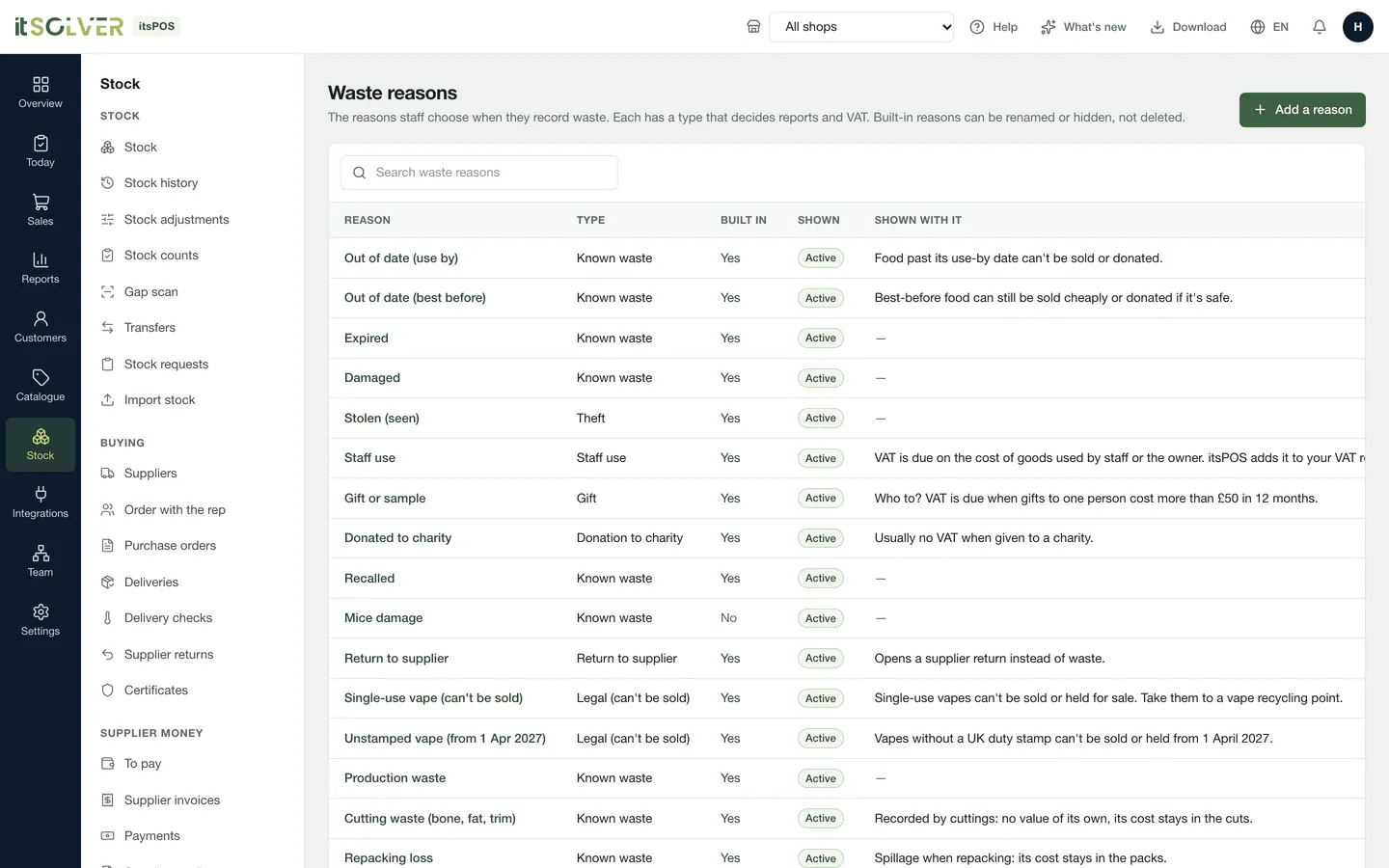
Stock › Waste reasons lists the reasons staff choose when they record waste, in the back office and on the till. Each reason has a type that decides how reports and your VAT return treat it.
For: Owners, Admins and Shop managers2 min read
What you see
The list shows each Reason, its Type, whether it is Built in, whether it is Shown to staff, and the hint Shown with it on the till and in the back office.
| Type | What it means | What else happens |
|---|---|---|
| Known waste | Out of date, damaged, recalled, spoiled | Reports › Waste |
| Theft | Stock you saw stolen | Counted as theft, apart from waste |
| Staff use | Used in the shop or by staff or the owner | VAT on the cost goes on your VAT return |
| Gift | Given away | Asks who it was for; adds up on Gifts by recipient for the £50 VAT rule |
| Donation to charity | Given to a charity | Asks for the charity |
| Legal (can't be sold) | Stock the law says you can't sell, such as single-use vapes | Reports › Waste |
Built-in reasons include Out of date (use by), Out of date (best before), Expired, Damaged, "Stolen (seen)", Staff use, Gift or sample, "Donated to charity", Recalled, Return to supplier (opens a supplier return instead of waste), the two vape reasons, Production waste, "Cutting waste (bone, fat, trim)", "Repacking loss", Customer return (can't be resold), Tester used up and Other (needs a note).
Add your own reason
- Press Add a reason.
- Type the Name, for example "Mice damage".
- Choose the Type, for example Known waste.
- Leave Show it to staff ticked.
- Save. "Saved Mice damage." It is on the tills the next time they update their stock jobs.
Rename or hide a reason
Open a reason to change its name, or untick Show it to staff to hide it. Built-in reasons can be renamed or hidden, not deleted, and their type can't change. Your own reasons can be deleted.
Where it shows up
- Stock › Waste and the till's Stock › Waste list the reasons that are shown.
- Stock adjustments of the type Remove use the same loss reasons.
- Reports › Waste groups waste by reason.
Still stuck?
The itsPOS support team is here 08:00 to 20:00 every day except Christmas Day.
- Call or WhatsApp: +44 7488 880320
- Email: support@itspos.io
- In the back office: Help › Contact support, or go to app.itspos.io/help/contact after you sign in
- On our website: itspos.io/contact
Tell us your shop's name and what you were trying to do. A screenshot of the screen helps.