

Stock
Stock requests between shops
A stock request is one shop asking another shop or the warehouse for stock. A manager approves it, and the supplying shop sends it with a transfer. This guide has Leith Larder asking Green Street Grocer for 12 Arla Uht Milk Semi Skimmed 1l.
For: Owners, Admins, Shop managers and Stock staffOn some plans3 min read
Stock requests are on Professional and above. You need a second shop or a warehouse.
Before you start
- Who: Owners, Admins, Shop managers and Stock staff ask for stock. Owners, Admins and Shop managers approve; asking for stock doesn't let you approve it.
- Someone other than the person who asked must approve it, unless that person is an Owner. An Owner may approve their own request, so a business where only the Owner uses the back office can use stock requests.
Ask for stock
Go to Stock › Stock requests and press New stock request.
Shop asking: Leith Larder. Supplied by: Green Street Grocer.
Optional: Needed by, a date. For a customer, choose For a customer order or the Customer.
Scan or search for each product and type the Qty.
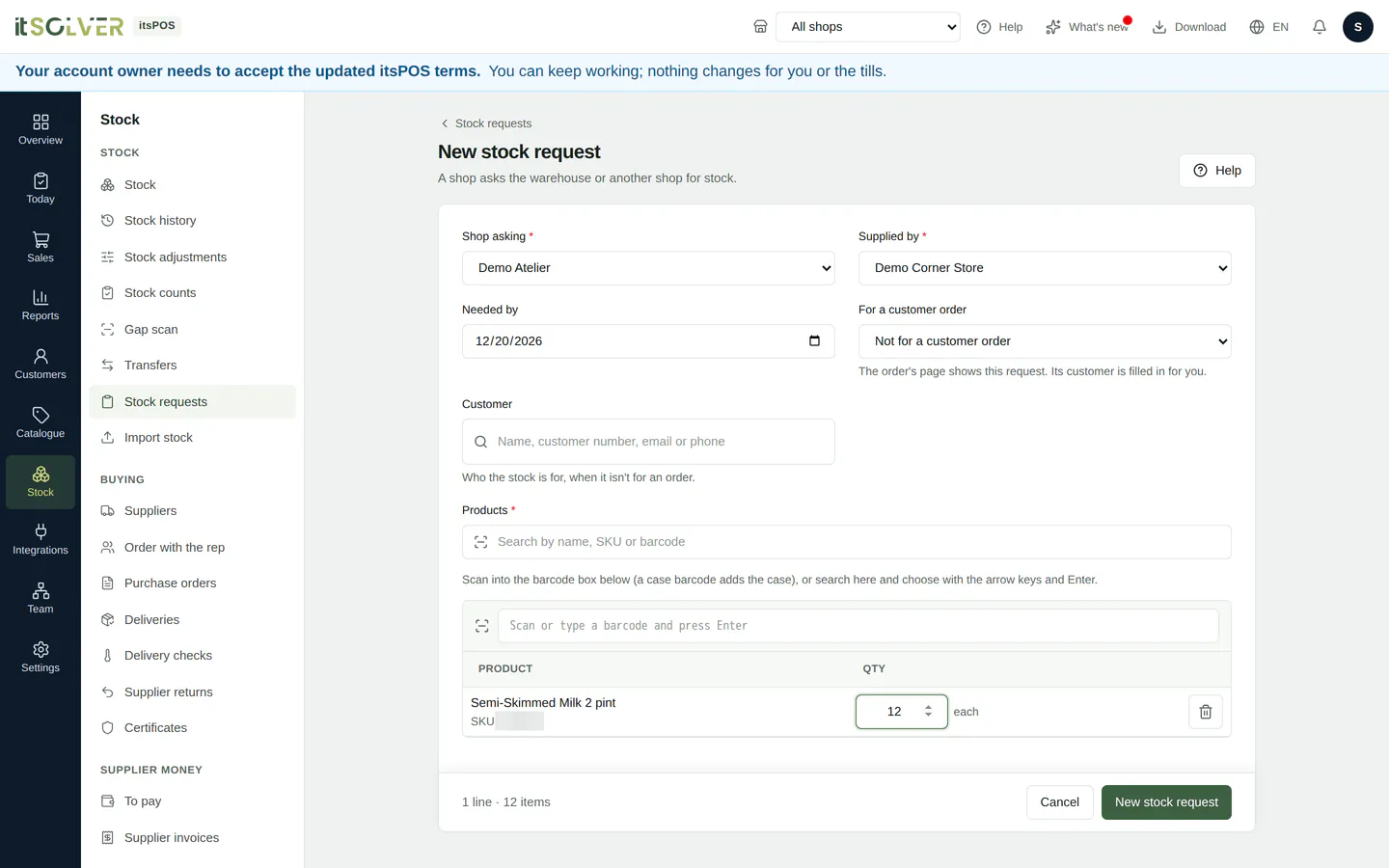
New stock request Press New stock request. It is saved as a draft: "Not sent yet."
Open it and press Send stock request under Send for approval. "Stock request sent for approval." Fulfilment says "Leith Larder asked Green Street Grocer for this stock. Waiting for approval."
Approve or reject
A manager of either shop opens the request (the Today list shows requests waiting for them; an Owner's own requests show there too).
- In Approve or reject, press Approve request or Reject request.
- An Owner sees these buttons on their own request too. Anyone else who asked sees "You asked for this stock, so someone else who may approve stock requests needs to approve it." instead of the buttons.
A rejected request can be changed and sent again.
Send it
Once it's approved:
- In the card "Send it from Green Street Grocer", Create transfer drafts a transfer from the supplying shop with these products, linked to the request. Check it and send it (see Move stock between shops).
- Or Order from a supplier › Draft purchase order when the supplying shop doesn't have it: choose the Supplier and Deliver to.
With Make a transfer when a stock request is approved on in Stock rules, approving drafts the transfer for you.
The request's Fulfilled by shows the transfer, and the transfer's For request shows the request.
Scenario: the second shop ran out of milk
On Wednesday morning Leith Larder has 2 litres of milk left. The manager asks Green Street Grocer for 12, needed by Friday. Green Street Grocer's manager approves it and presses Create transfer, sends it with the van, and Leith Larder receives it on its till.
Still stuck?
The itsPOS support team is here 08:00 to 20:00 every day except Christmas Day.
- Call or WhatsApp: +44 7488 880320
- Email: support@itspos.io
- In the back office: Help › Contact support, or go to app.itspos.io/help/contact after you sign in
- On our website: itspos.io/contact
Tell us your shop's name and what you were trying to do. A screenshot of the screen helps.