

Stock
The Stock section: what each page is for
Stock in the back office is where you see what you have at each shop, count it, order it from your suppliers, take deliveries in and pay for them. This page tells you which page does what, so you can find the right one quickly.
For: Owners, Admins, Shop managers, Stock staff and Accountants3 min read
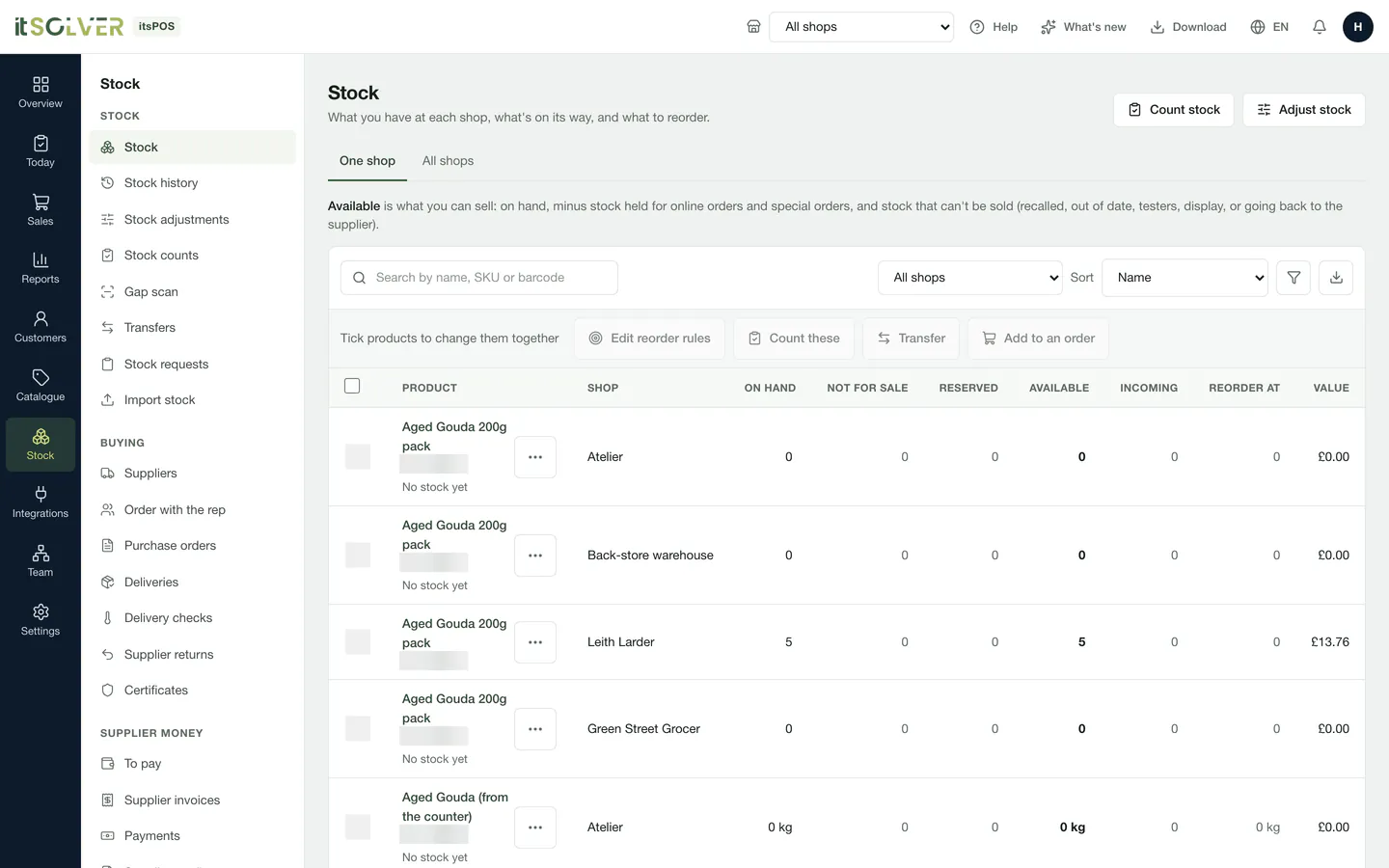
Stock
- Stock: how many you have of each product at each shop, what is on its way and what is running low. See Stock levels.
- Stock history: every time stock went up or down, and why. See Stock history.
- Stock adjustments: correct stock when you find more, or when paperwork was missed. See Correct stock with an adjustment.
- Stock counts and Gap scan: count what is on the shelves, and walk the shop for empty spaces. See Count your stock and Gap scan.
- Transfers (Essentials and above) and Stock requests (Professional and above): move stock between your shops.
- Import stock: load opening stock or a count from a spreadsheet. See Import opening stock.
Buying
- Suppliers: who you buy from, how you order and pay, their products and certificates. See Add and manage your suppliers.
- Order with the rep and Purchase orders: what to order, and the orders you send. See Order with the rep and Suggested orders and purchase orders.
- Deliveries and Delivery checks: check each delivery against the supplier's invoice, and keep your temperature records. See Receive a delivery and Temperature checks.
- Supplier returns and Certificates: send stock back, and keep halal, organic and other certificates. See Return stock to a supplier.
Supplier money
To pay, Supplier invoices, Payments and Supplier credits: what you owe each supplier, what you paid and the credits they gave you. itsPOS records payments; it never sends money. See Supplier invoices, payments and what you owe.
The rest of the menu
- Dates and safety: batches and use-by dates, where a product came from, the meat intake record and vapes to clear.
- Waste and returns: waste, what happens to items customers bring back, testers and display stock, gifts.
- Making: production, cutting and repacking.
- Range: new product trials and the range review.
- Setup: Stock rules (how your stock works, including how it is valued) and Waste reasons.
Some pages are only on some plans, for example Stock requests (Professional and above). Each guide shows its plan.
Who sees the Stock section
Owners, Admins and Shop managers see all of it. The Stock role sees the stock, buying and delivery pages but not supplier money. Accountants see stock, suppliers and supplier money. Supervisors and Cashiers don't sign in to the back office by default; they do their stock jobs on the till (see Stock jobs on the till).
Still stuck?
The itsPOS support team is here 08:00 to 20:00 every day except Christmas Day.
- Call or WhatsApp: +44 7488 880320
- Email: support@itspos.io
- In the back office: Help › Contact support, or go to app.itspos.io/help/contact after you sign in
- On our website: itspos.io/contact
Tell us your shop's name and what you were trying to do. A screenshot of the screen helps.