

Customers and itsPass
Visit feedback and your Google review link
After a visit, itsPass asks your members "How was your visit?": 1 to 5 stars and a comment that only your shop sees. Read the answers on Customers › Feedback, reply to unhappy ones, and offer your Google review link to everyone who answers.
For: Owners, Admins and Shop managersOn some plans2 min read
Before you start
- Owners and Admins change the feedback settings. Owners, Admins and Shop managers read and reply.
- Feedback comes from itsPass members only.
Set it up
Go to Customers › Feedback and press Settings.
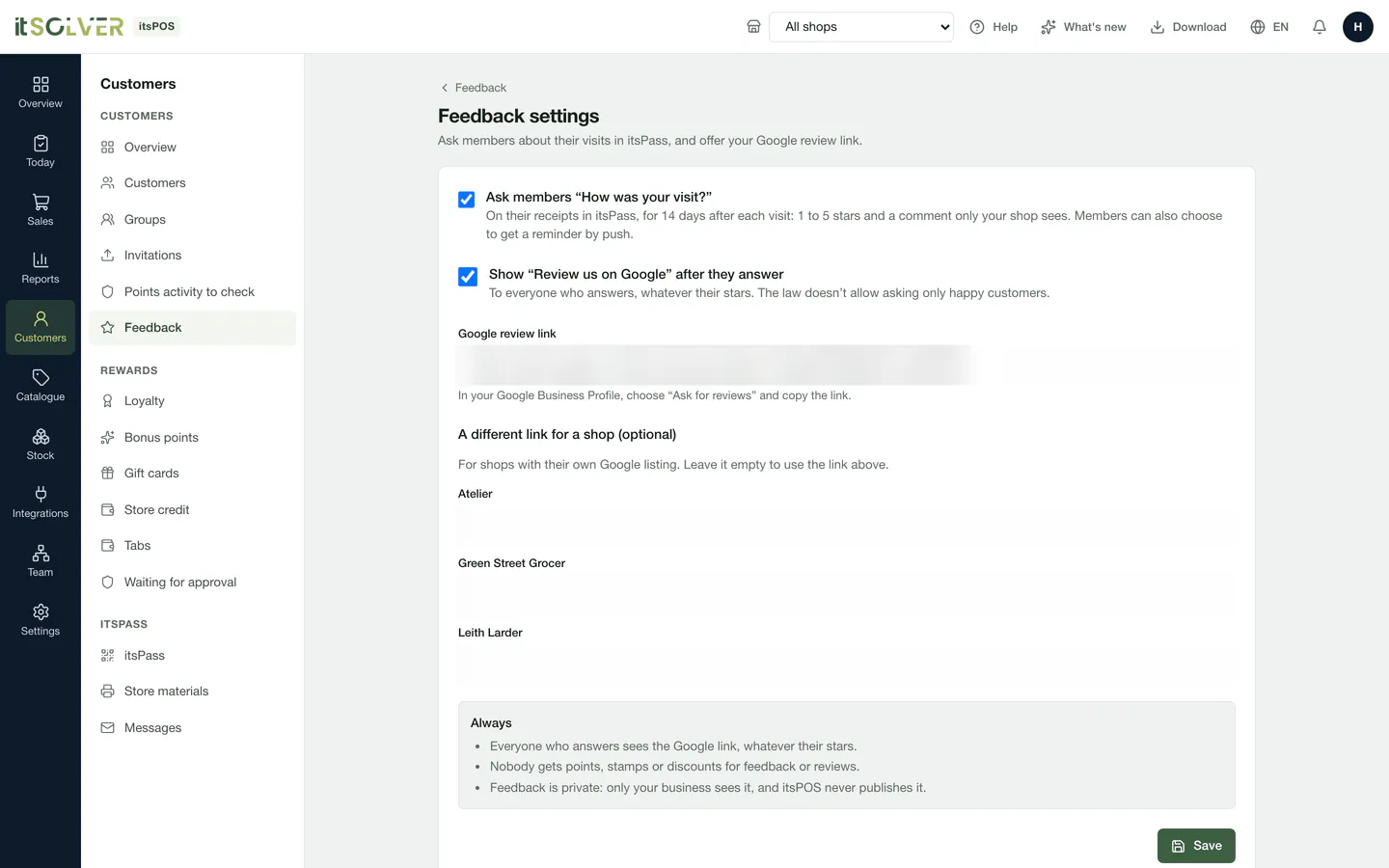
Feedback settings Tick the first box, Ask members “How was your visit?”: "On their receipts in itsPass, for 14 days after each visit: 1 to 5 stars and a comment only your shop sees."
Tick Show “Review us on Google” after they answer: "To everyone who answers, whatever their stars. The law doesn’t allow asking only happy customers."
Google review link: "In your Google Business Profile, choose “Ask for reviews” and copy the link." Shops with their own Google listing can have A different link for a shop (optional).
Press Save: "Feedback settings saved."
"Nobody gets points, stamps or discounts for feedback or reviews." "Feedback is private: only your business sees it, and itsPOS never publishes it."
Read and reply
Customers › Feedback shows Answers, Average stars, 1 or 2 stars and Not replied (1 or 2 stars) for the shop you choose, then each answer: the member, shop, stars, comment and receipt, newest first, from the last 8 weeks. Filter by All, 1 or 2 stars, 4 or 5 stars or 1 or 2 stars, not replied. Open an answer, type your reply and press Send reply.
With no answers yet: "No feedback here yet. Members' answers show here, newest first, from the last 8 weeks." (Our test shop has none yet: its only member joined at the till without the app.)
What members see
For 14 days after a visit, the receipt in itsPass asks How was your visit to your shop, with 1 to 5 stars and an optional comment: "Only Ali's Deli sees this. They're never published." After Send to your shop: "Thanks for telling Ali's Deli", your reply when you send one, and Review us on Google when you added your link.
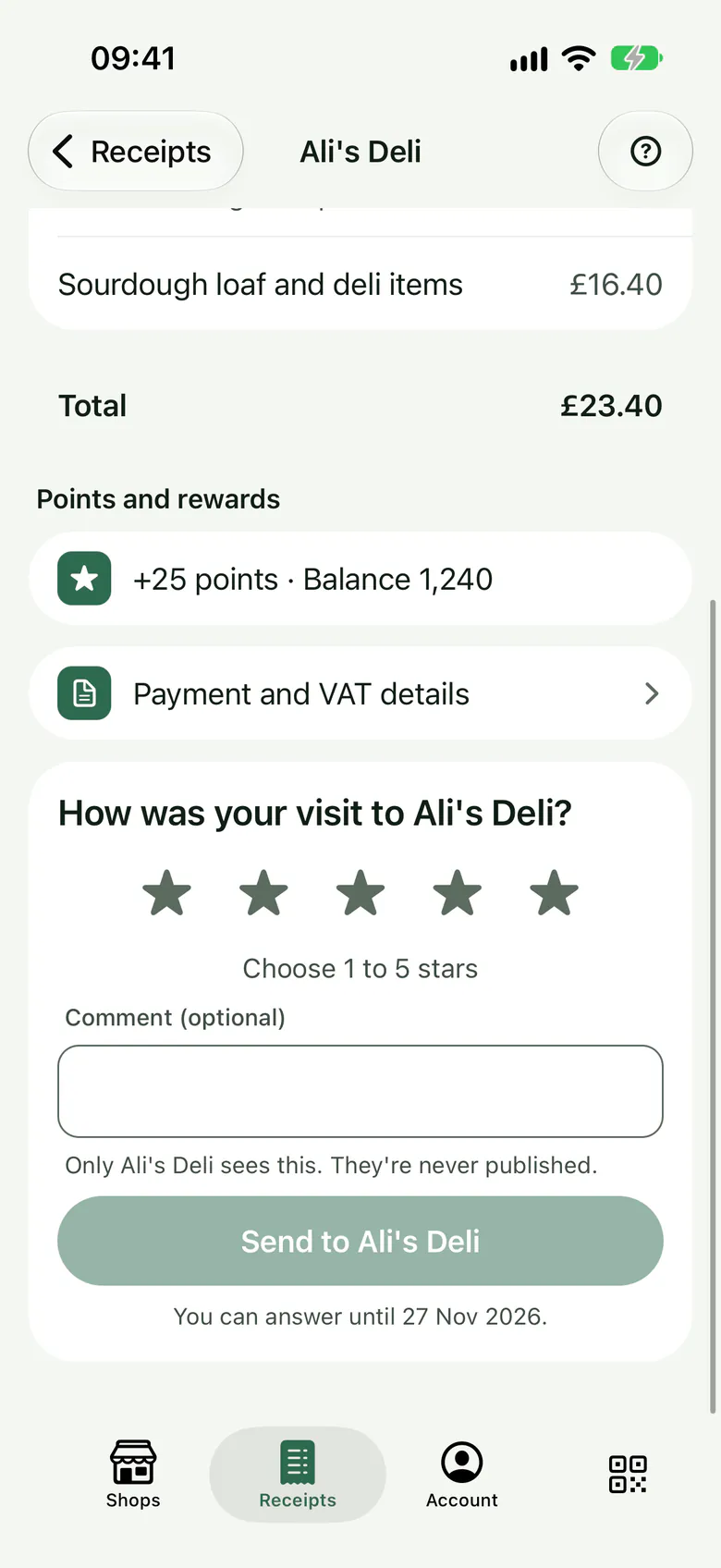
A member can stop being asked: Ask me about my visits in your shop's Choices in itsPass.
Still stuck?
The itsPOS support team is here 08:00 to 20:00 every day except Christmas Day.
- Call or WhatsApp: +44 7488 880320
- Email: support@itspos.io
- In the back office: Help › Contact support, or go to app.itspos.io/help/contact after you sign in
- On our website: itspos.io/contact
Tell us your shop's name and what you were trying to do. A screenshot of the screen helps.