

Customers and itsPass
Waiting for approval: big credits, free gift cards and points
Big gestures need a second person. "Store credit and free gift cards over £50.00, and points changes over 1,000 points, wait here until someone else approves them." The limits are your shop's: Store credit and free gift cards need approval over and Points changes need approval over in Settings › Selling rules.
For: Owners, Admins and Shop managers2 min read
Before you start
- Owners, Admins and Shop managers can approve or refuse.
- "The person who asked can't approve their own request (an Owner can)." Trying says "Someone else needs to approve your own request."
Approve or refuse
Go to Customers › Waiting for approval. Each request shows Request (for example WAP-2026-00003), What, Customer, Amount, Points, Why, Asked by, Asked and Status.
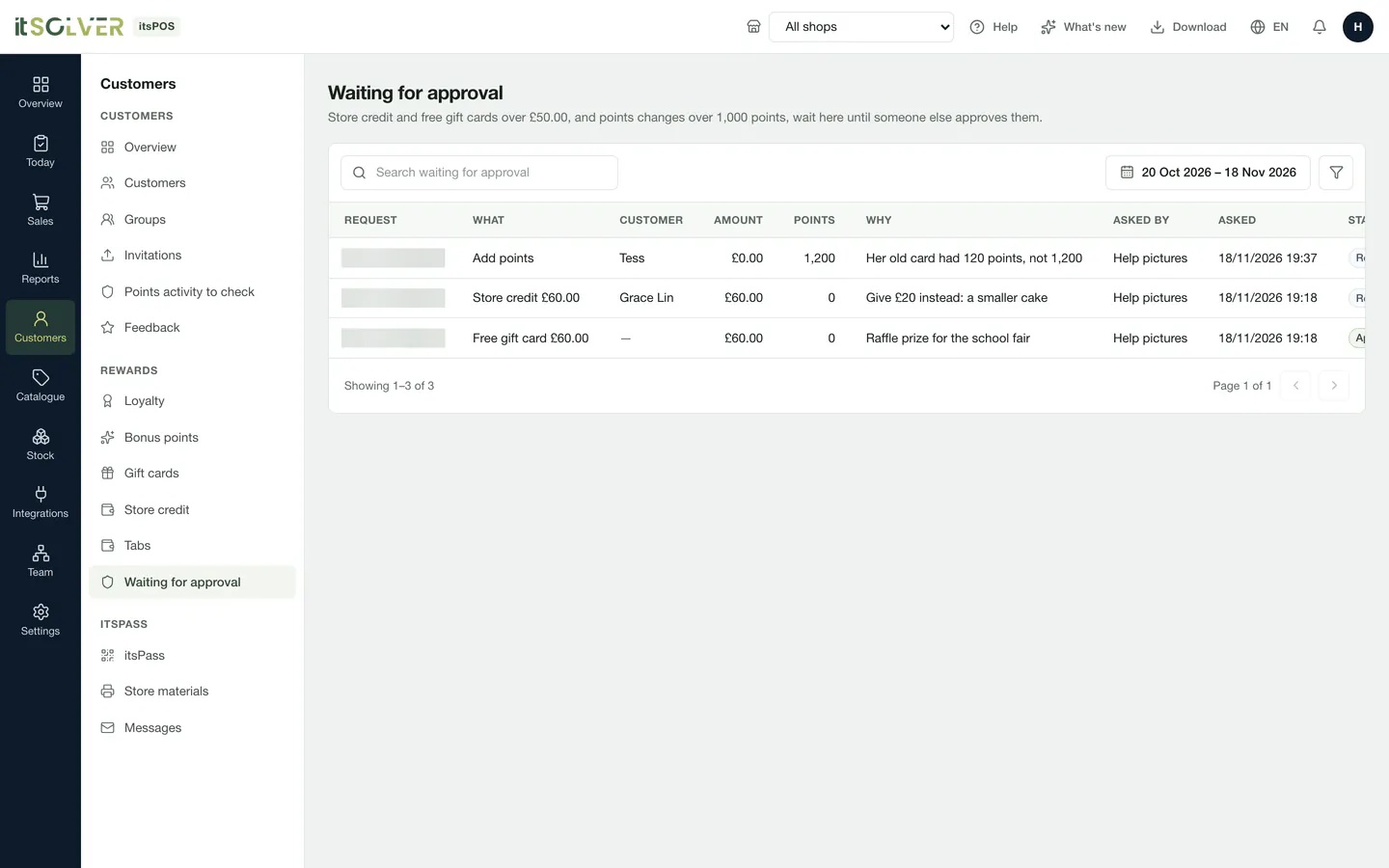
Customers › Waiting for approval Open the request. "Nothing is given until someone else who may approve it approves it."
Press Approve, or type Why (optional) and press Refuse: "Refused. Nothing was given."
An approved free gift card shows its number and PIN once: "Approved. Gift card … is live. PIN …: give it to the customer now, it isn't shown again."
What happens next
- Approved store credit and points reach the customer's wallet and the till straight away.
- Filter by Status (Waiting for approval, Approved, Refused) and What (Store credit, Free gift card, Points).
Still stuck?
The itsPOS support team is here 08:00 to 20:00 every day except Christmas Day.
- Call or WhatsApp: +44 7488 880320
- Email: support@itspos.io
- In the back office: Help › Contact support, or go to app.itspos.io/help/contact after you sign in
- On our website: itspos.io/contact
Tell us your shop's name and what you were trying to do. A screenshot of the screen helps.