

Customers and itsPass
Refer a friend
Your members are your best advert. With Refer a friend on, members see "Invite a friend" on your shop card in itsPass and share their own link. When the friend joins and spends, you both thank them: in our test shop, 100 points each.
For: Owners, Admins and Shop managers2 min read
Before you start
- Owners, Admins and Shop managers can switch it on, on Customers › Loyalty.
- itsPass never messages the friend: the member shares the link themselves.
Switch it on
Go to Customers › Loyalty and scroll to Refer a friend.
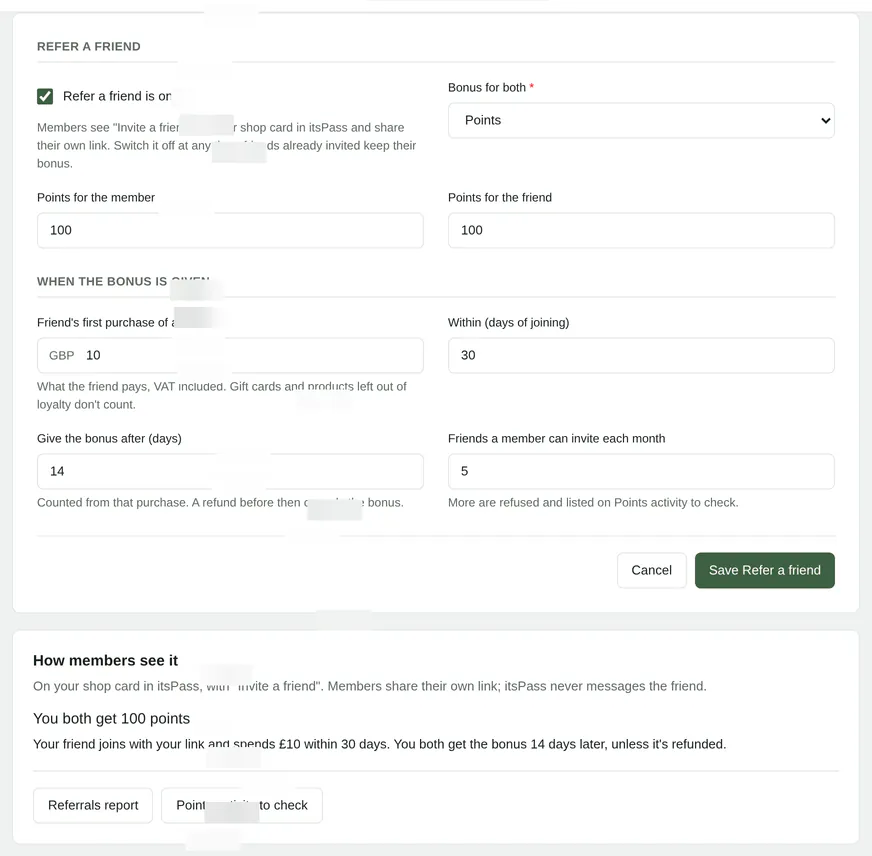
Refer a friend is on Tick Refer a friend is on.
Bonus for both: Points (Points for the member and Points for the friend, 100 each to start), Stamps, or A money-off voucher (a value and how many days it lasts).
When the bonus is given:
- Friend's first purchase of at least: £10 to start. "What the friend pays, VAT included. Gift cards and products left out of loyalty don't count."
- Within (days of joining): 30.
- Give the bonus after (days): 14. "A refund before then cancels the bonus."
Friends a member can invite each month: 5. "More are refused and listed on Points activity to check."
Press Save Refer a friend.
The card shows how members see it: "You both get 100 points. Your friend joins with your link and spends £10 within 30 days. You both get the bonus 14 days later, unless it's refunded."
What happens next
- The Referrals report shows who invited whom and the bonuses given.
- A member's page shows their referrals.
- itsPOS stops a bonus for someone inviting themselves, a second account on the same phone, a friend who was already a member, or more than the monthly limit. The friend stays a member; the stopped referral is listed on Customers › Points activity to check.
- Switch it off at any time; friends already invited keep their bonus.
In itsPass
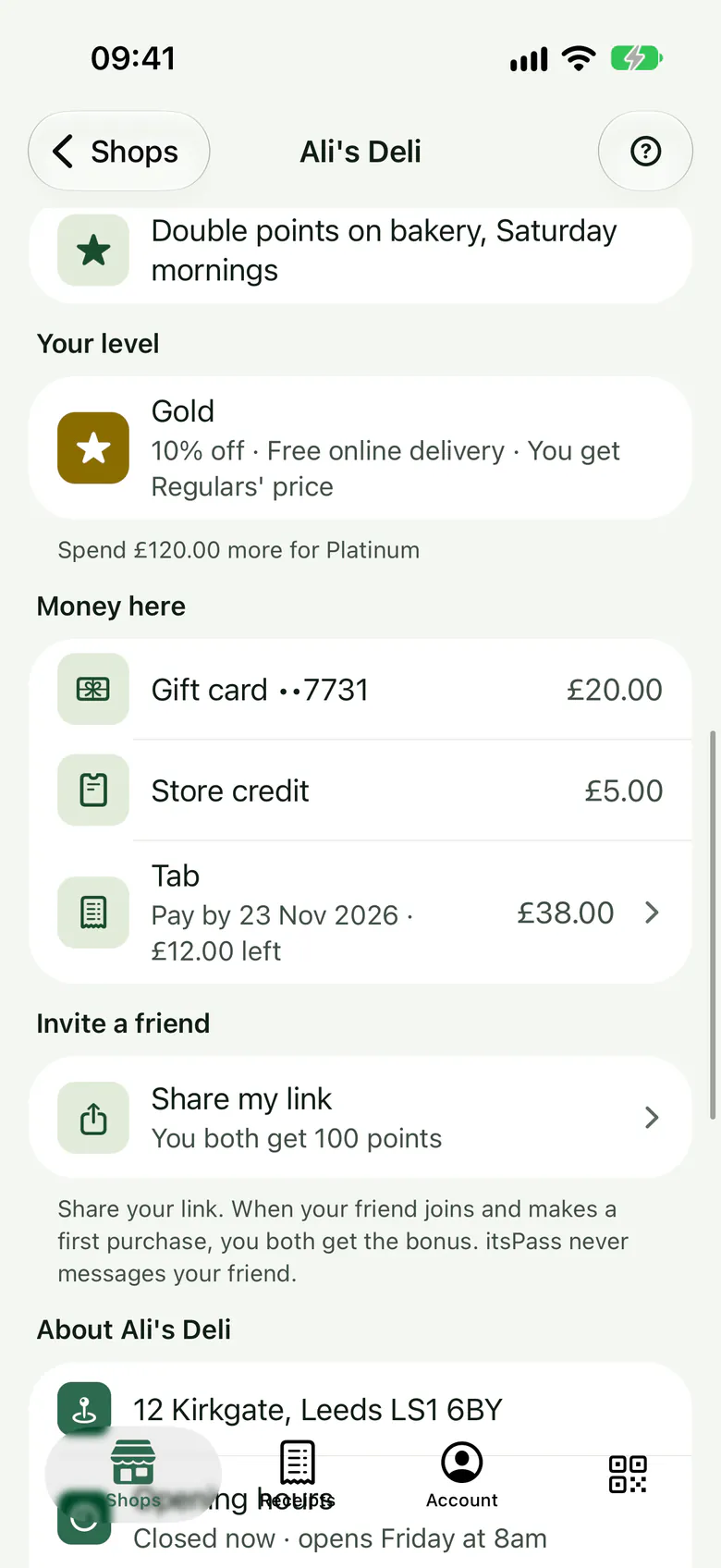
- Your shop's page has Invite a friend: "Share your link. When your friend joins and makes a first purchase, you both get the bonus. itsPass never messages your friend." Share my link opens the phone's share sheet.
- The friend's join page says who invited them, for example "Sam invited you. Join and spend £10 to get 100 points."
- The member's bonus arrives as a voucher under Ready to use, with a message behind the bell.
- With Refer a friend off: "Ali's Deli isn't running Refer a friend at the moment."
Still stuck?
The itsPOS support team is here 08:00 to 20:00 every day except Christmas Day.
- Call or WhatsApp: +44 7488 880320
- Email: support@itspos.io
- In the back office: Help › Contact support, or go to app.itspos.io/help/contact after you sign in
- On our website: itspos.io/contact
Tell us your shop's name and what you were trying to do. A screenshot of the screen helps.