

Customers and itsPass
What members share with you, leaving and deleting
Shoppers own their itsPass account. For each shop they join, they choose what that shop sees and whether it may send them offers, and they can change their mind, leave a shop or delete itsPass at any time. This is what they see and what reaches your shop.
For: Owners, Admins and Shop managers5 min read
What your shop sees
Each shop has a Choices page at the bottom of its page in itsPass: Choices for your shop.
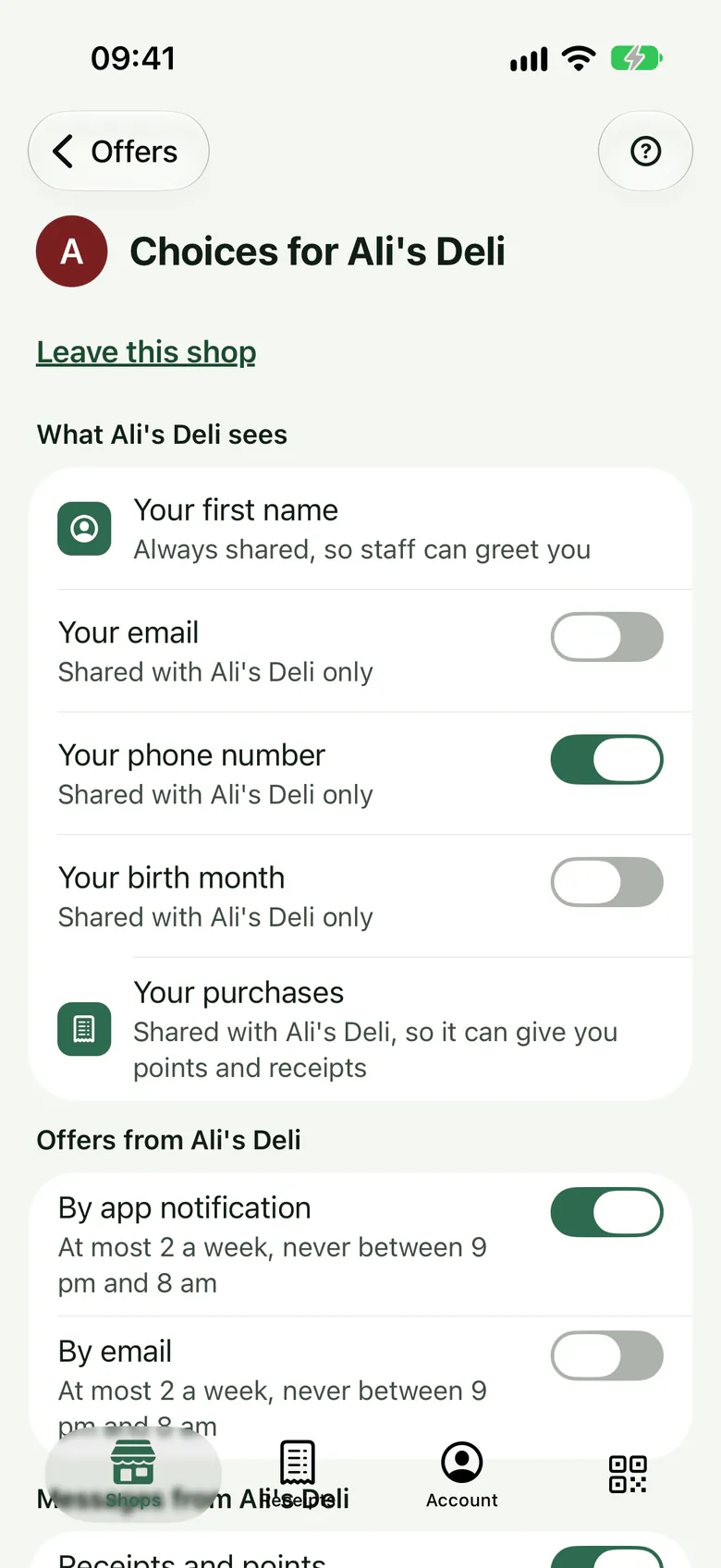
| What | Shared with your shop | Where you see it |
|---|---|---|
| Your first name | Always, so staff can greet them | The customer page and the till's member panel |
| Your purchases | Always, at your shop only, so you can give points and receipts | Their history on the customer page |
| Your email, Your phone number, Your birth month | Only if the member switches it on, for your shop only | The customer page's Shared with you card ("Not shared" otherwise) |
| Use my visits for groups | Their choice: your shop may put regular shoppers in a group with their own prices or offers | Automatic groups: see Automatic groups |
Your shop never sees which other shops they use. itsPass never sells or shares their shopping data.
Offers and messages
Offers from your shop: By app notification and By email, each a switch. "At most 2 a week, never between 9 pm and 8 am."
Messages from your shop: they can turn off Receipts and points, Rewards and reminders and Ask me about my visits. Tab statements, changes to the rules and orders ready to collect always come.
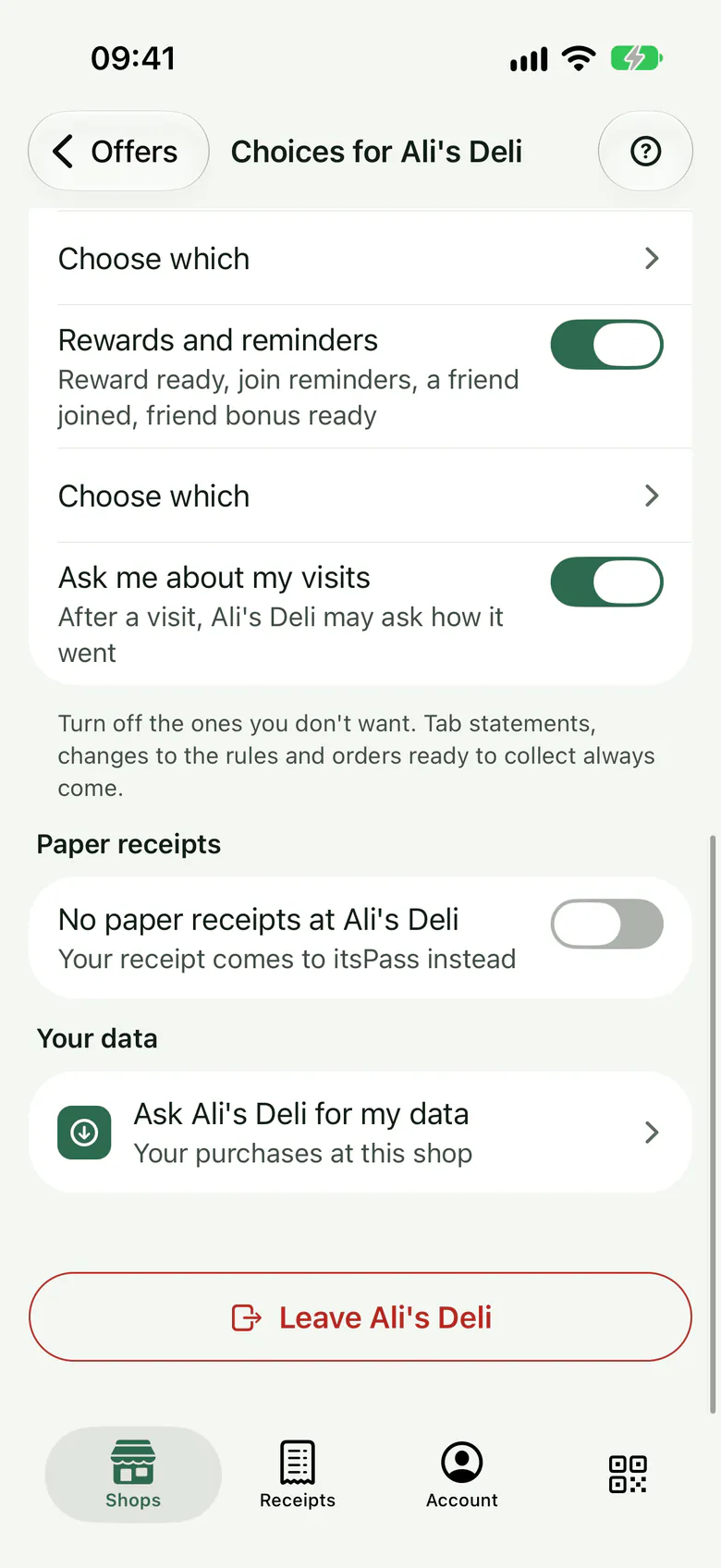
Choices, further down Stop offers in one tap: every offer has Stop offers from this shop in Messages: "Offers from Ali's Deli are off. Receipts and service messages still come." To get them back, they turn the switches on again in Choices (Messages › Choose what shops send me).
An offer email's stop link opens a page on pass.itspos.io: Stop emails from your shop.
Their choices reach the consent history on the customer's page (Privacy card) at once, marked as made in itsPass.
Paper receipts
- No paper receipts at your shop, in Choices: their receipt comes to itsPass instead.
- No paper receipts for every shop, in Account › Privacy and your data. They can still ask for paper at the till.
Your till follows their choice and your settings: see Paper receipts for members and the join QR on receipts.
Their data
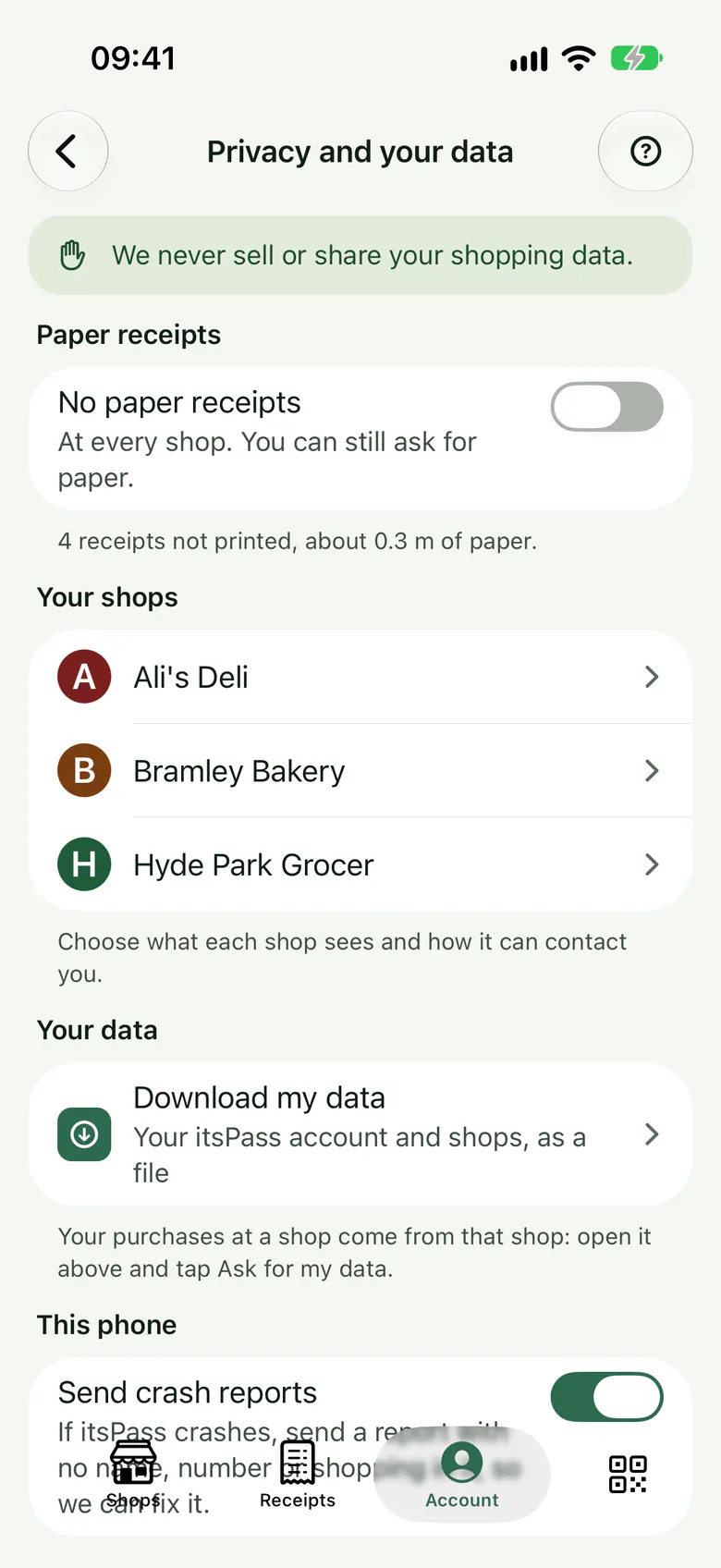
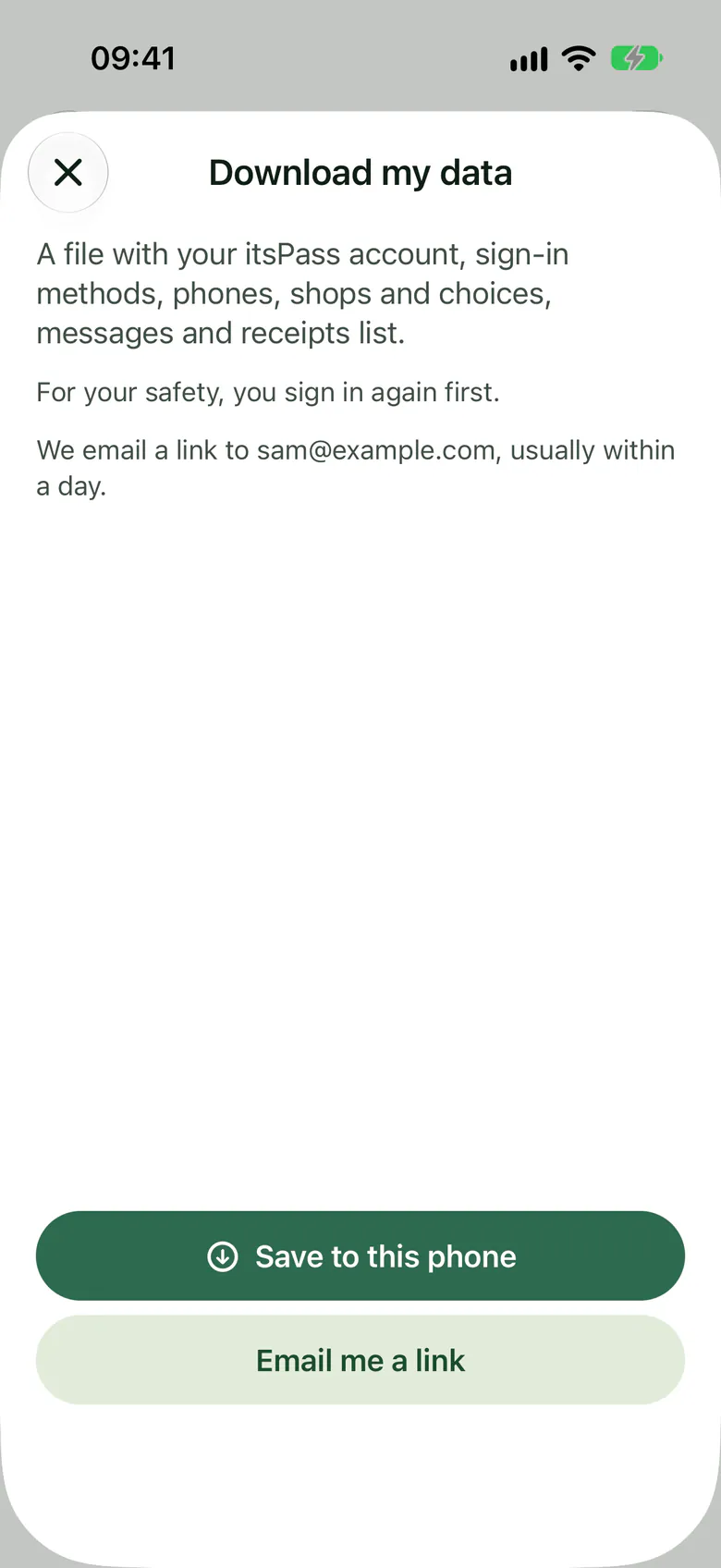
Account › Privacy and your data › Download my data: a file with their itsPass account, sign-in methods, phones, shops and choices, messages and receipts list. Save to this phone (after signing in again) or Email me a link (usually within a day).
Download my data Their purchases at your shop are your records. Ask your shop for my data, in Choices, sends you a data request (they see the day you must answer by and your shop's contact details). It shows in your Today list and on the customer's Privacy card; answer it there with Download this customer's data, then Mark as answered.
Leaving your shop
- In Choices, they tap Leave this shop: "Your receipts from Ali's Deli go at once. Rejoin within 30 days to get your points and balances back."
- They confirm with Leave and your shop's name.
What happens:
- They no longer get anything from your shop, and its receipts leave their itsPass.
- In your back office, their offers consent is withdrawn and their record is kept for 30 days in case they rejoin. Rejoining within 30 days brings their points and balances back.
- Owing on a tab? They can't leave: Pay off your tab first. "You owe £38.00 on your tab at Ali's Deli. Pay it at the shop by card or cash, then you can leave." See Member tabs.
Deleting itsPass
A member deletes their whole itsPass in Account › Delete account, or on the web at pass.itspos.io/delete (they sign in there first).
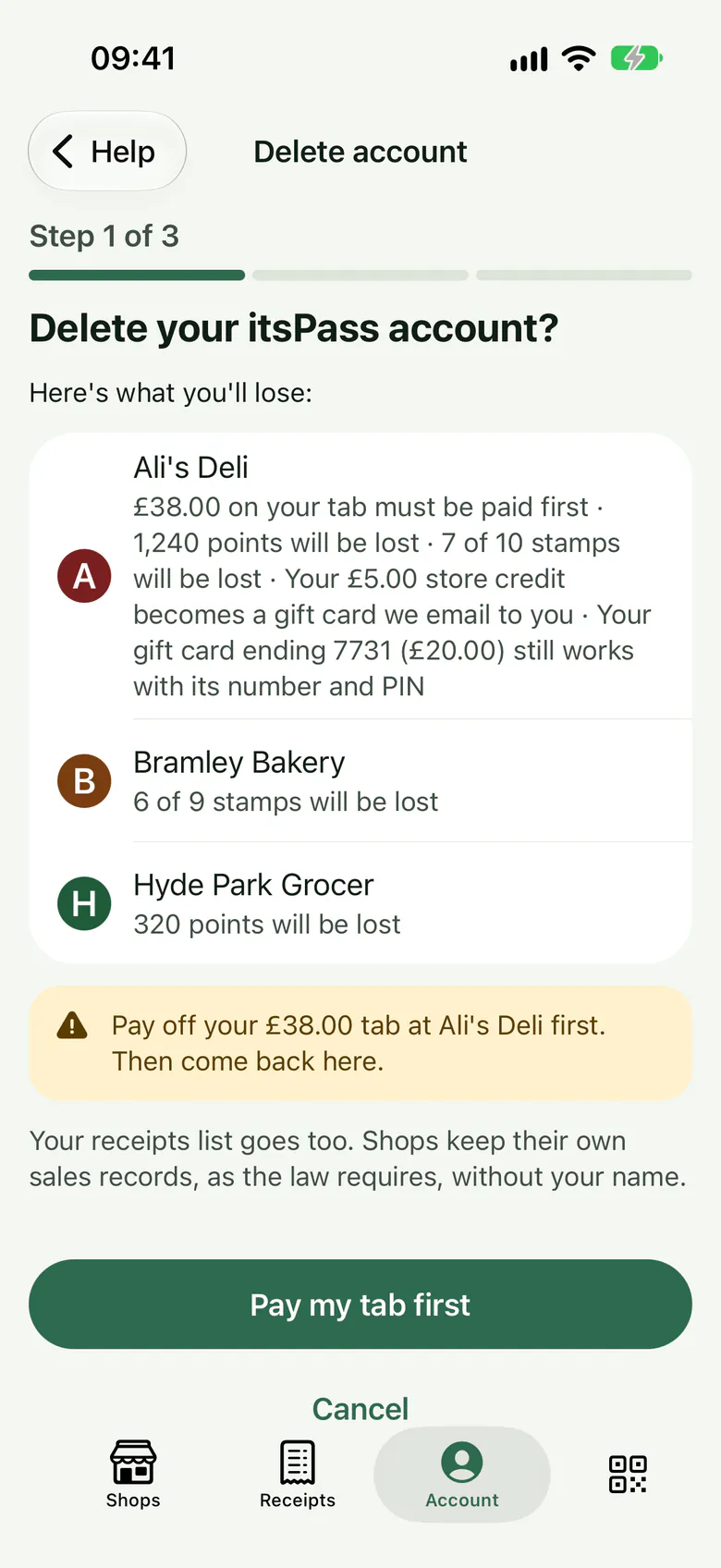
- Delete your itsPass account? (step 1 of 3) lists what they'll lose at each shop: "1,240 points will be lost", "7 of 10 stamps will be lost". Their store credit becomes a gift card emailed to them, and a gift card still works with its number and PIN.
- Next, then they sign in again (for safety). They then have 5 minutes.
- This can't be undone. Delete everything: "Your itsPass account has been deleted. We've told the shops you joined."
What happens:
Their account, codes, receipts list and Wallet card stop at once, on every phone.
Your shop is told. Your sales records stay, as the law requires, without their name.
On the web, the steps are the same after Sign in to delete.
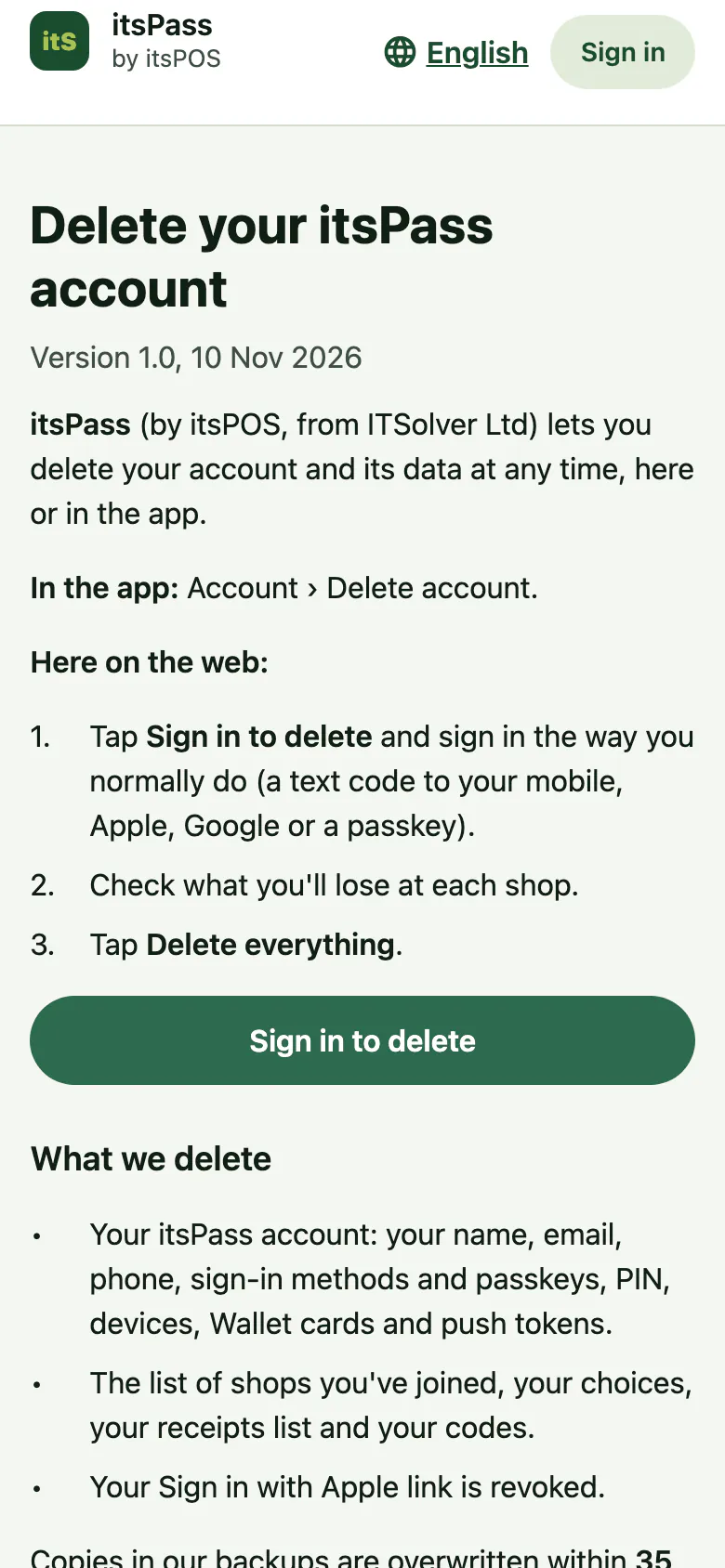
Delete your itsPass account on pass.itspos.io Owing on a tab? Deleting waits: "Pay off your £38.00 tab at Ali's Deli first. Then come back here." with Pay my tab first.
Who to contact
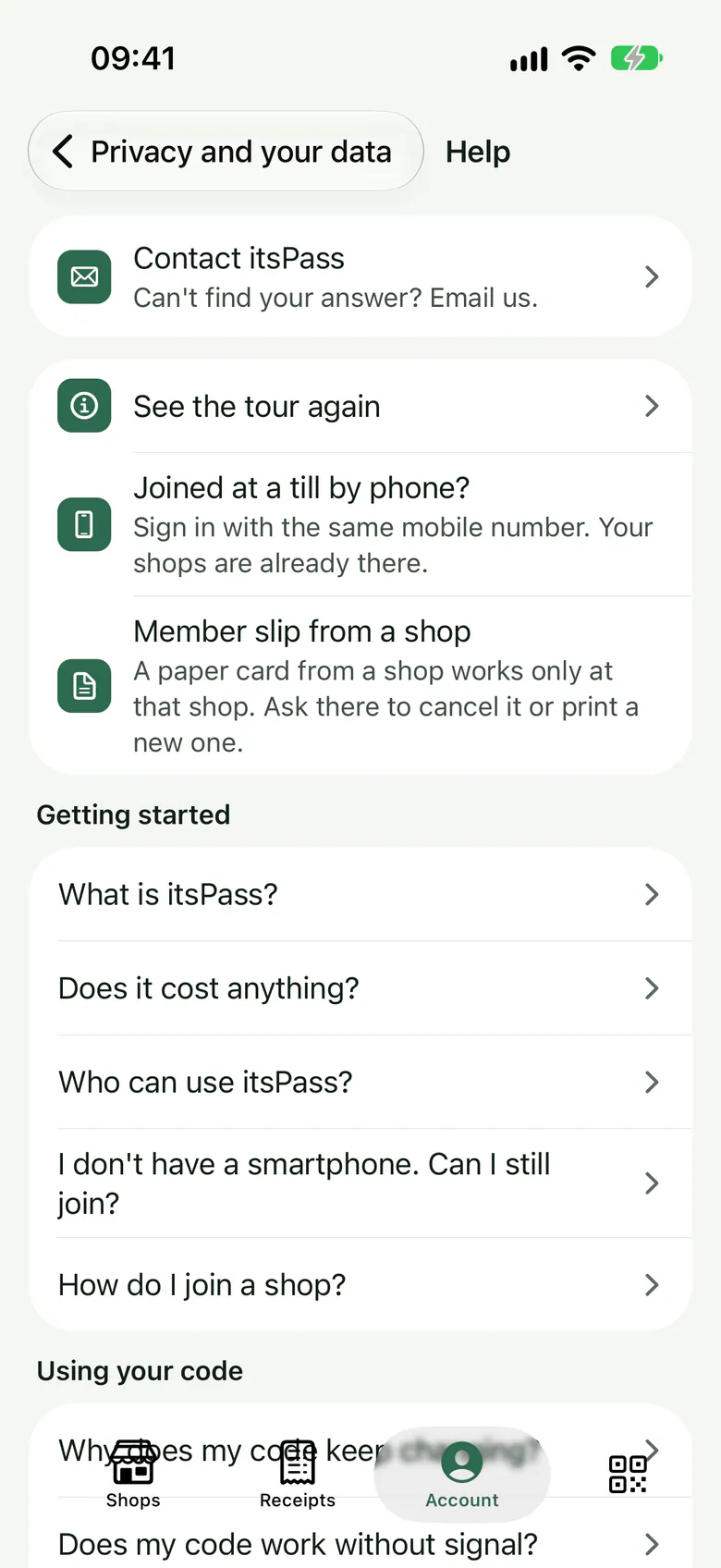
Account › Help sends shoppers to the right place: Contact itsPass (support@itspos.io) for their account, signing in, the app, their code and PIN; Contact a shop for purchases, points, returns and offers, with your phone and website. Complaints about how itsPass uses their data go to privacy@itspos.io.
Still stuck?
The itsPOS support team is here 08:00 to 20:00 every day except Christmas Day.
- Call or WhatsApp: +44 7488 880320
- Email: support@itspos.io
- In the back office: Help › Contact support, or go to app.itspos.io/help/contact after you sign in
- On our website: itspos.io/contact
Tell us your shop's name and what you were trying to do. A screenshot of the screen helps.