

Customers and itsPass
itsPass for your shop: what it is
itsPass is itsPOS's free app and website for your shoppers. One itsPass works at every itsPOS shop they join. With it, a member collects your points and stamps, gets your members' prices, keeps your receipts on their phone and hears about your offers if they agreed to.
For: everyone5 min read
Where shoppers get it
- The itsPass app in the App Store and Google Play (UK), and the website pass.itspos.io, since 17 November 2026.
- It's free for anyone aged 16 or over.
- A member can add a card for your shop to Apple Wallet or Google Wallet and show that at the till instead of the app.
- Someone with no smartphone can still join at your till by their mobile number, or with a printed member slip if they have no mobile at all. See Join itsPass at the till.
itsPass is on every itsPOS plan.
What members get
- Points, stamps and rewards from your loyalty programme, with welcome points when they join. See Set up your loyalty programme and A stamp card like a paper coffee card.
- Members' prices: itsPass prices and group prices at the till and in your online store. See itsPass prices.
- Receipts on their phone, and no paper receipt if they choose. See Paper receipts for members and the join QR on receipts.
- Offers and news from your shop, only if they agreed, and they can stop them in one tap.
- Their gift cards, store credit and tab with you, if you use them.
What your shop gets
- People who come back: a member shows their code, earns and sees what they have to spend.
- Your offers in their pocket: your offers flyer on your shop in itsPass, and messages to members who agreed. See Send news and offers to members.
- One list of members in Customers › Customers, with how they joined, their visits and spend, and which offers they agreed to.
- Less paper at the till, and receipts that can't get lost when they bring something back.
What your shop sees about a member
Shoppers own their itsPass account. Your shop sees their first name and member number, and what they buy from you. Anything else (their mobile, email, birth month) only if they choose to share it with your shop. They choose offers for each shop, and they can leave your shop or delete itsPass at any time. These promises are in the itsPass terms that your business accepts before taking members. See Get your shop ready for itsPass.
What the till does with members
- Find the member: scan My code in the app, or their card in Apple Wallet or Google Wallet, or look them up by mobile number. See Add a customer or itsPass member to a sale.
- Ask for itsPass: the till can remind staff at Pay, and show your join QR on the customer display after a sale. You choose both in Customers › itsPass. See Welcome points and joining at the till: every option.
- Join by phone: staff type a shopper's mobile and itsPass texts them a link to finish joining.
- Earn and spend: points, stamps and members' prices go on the sale. A Wallet card or a member slip earns; spending needs My code in the app or the member's itsPass PIN, typed by them on the till.
- Receipt: goes to their itsPass; paper only if they want it.
The till's settings come from the back office. Change something in Customers › itsPass and your tills get it within a minute.
Cards in Apple Wallet and Google Wallet
From your shop's side there's nothing to set up: a member adds the card from itsPass and your till scans it like any barcode. One card works at every shop the member joined. It earns points at once; to spend, the member shows My code in the app, or you find them by mobile number and they type their PIN. If a card won't scan, ask for their mobile number.
Offers and messages: the rules that protect members
- Only members who agreed to hear from your shop get your offers, and only by the way they chose (app notification or email).
- At most 2 offers a week for each member, and nothing between 9pm and 8am: offers wait until 8am.
- Every message has "Stop offers from this shop".
- Every message is checked before it goes.
These rules can't be changed. See Send news and offers to members.
What shoppers see
From itsPass 1.1, members have four tabs: My code (the code your till scans, with Messages behind the bell), Shops (your shop's page with their points, rewards, offers and money with you), Receipts and Account. They sign in inside the app with their mobile number and a text code, and can add Face ID, a fingerprint, Apple or Google for next time. The website pass.itspos.io has the same screens.
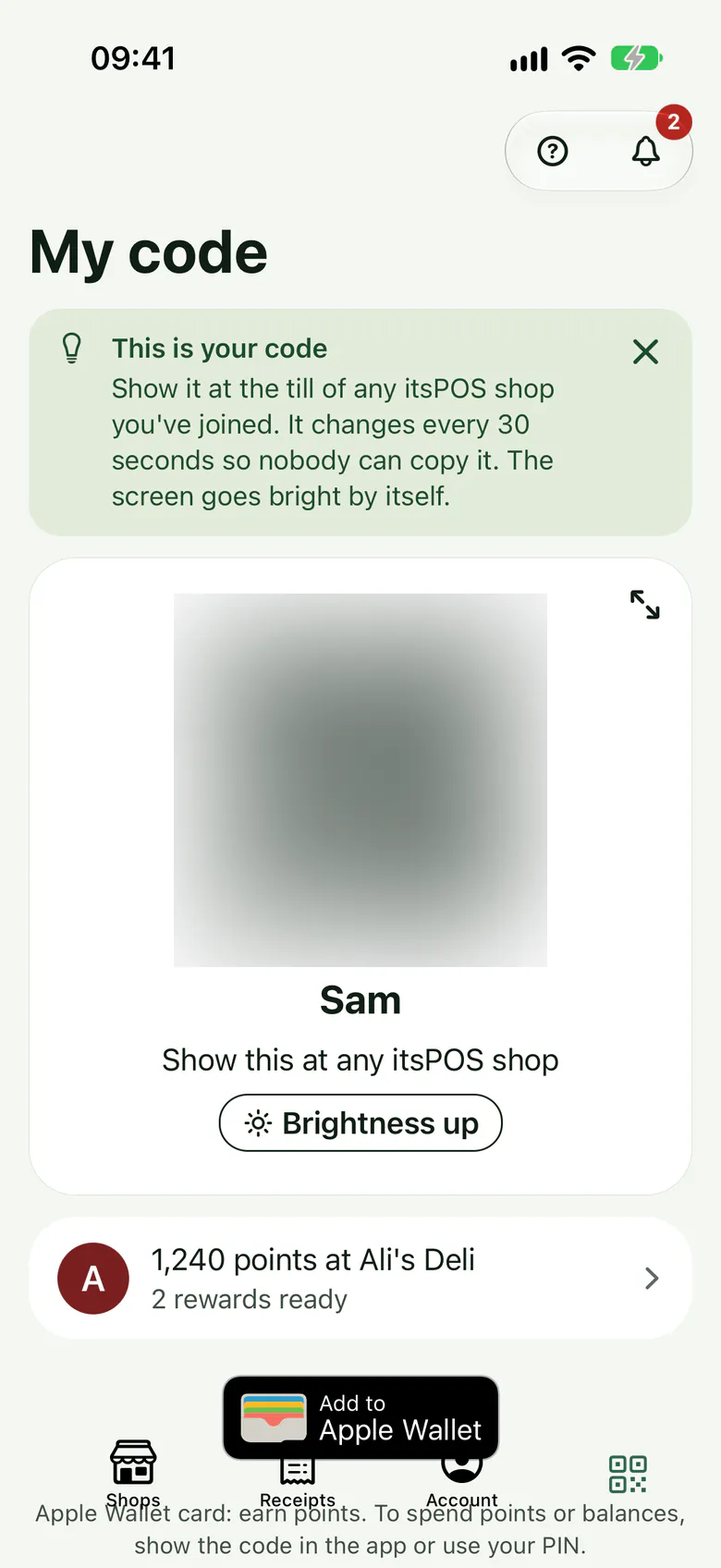
Shoppers use itsPass in English, Welsh, Polish, Romanian, Punjabi, Urdu, Bengali or Arabic. Your shop's own words (your shop's name and description, your offers and receipt lines) always show as you wrote them.
The whole tour, screen by screen: What your shoppers see in itsPass.
Next steps
- Get your shop ready for itsPass: accept the terms and work through the checklist.
- Your join code and QR and Store materials: put your join QR up.
- Telling staff about itsPass: so everyone asks at the till.
Still stuck?
The itsPOS support team is here 08:00 to 20:00 every day except Christmas Day.
- Call or WhatsApp: +44 7488 880320
- Email: support@itspos.io
- In the back office: Help › Contact support, or go to app.itspos.io/help/contact after you sign in
- On our website: itspos.io/contact
Tell us your shop's name and what you were trying to do. A screenshot of the screen helps.