

Customers and itsPass
Receipts in itsPass: return codes, PDFs and VAT invoices
When a member shows their code at your till, the receipt goes to their itsPass. It's your shop's own receipt, with VAT, so it counts as their receipt even when nothing is printed.
For: everyone4 min read
What this page is for
The Receipts tab keeps every receipt from the shops a member joined, newest first. Receipts from a shop go when the member leaves it. Your shop keeps its own sales records as usual.
What you see
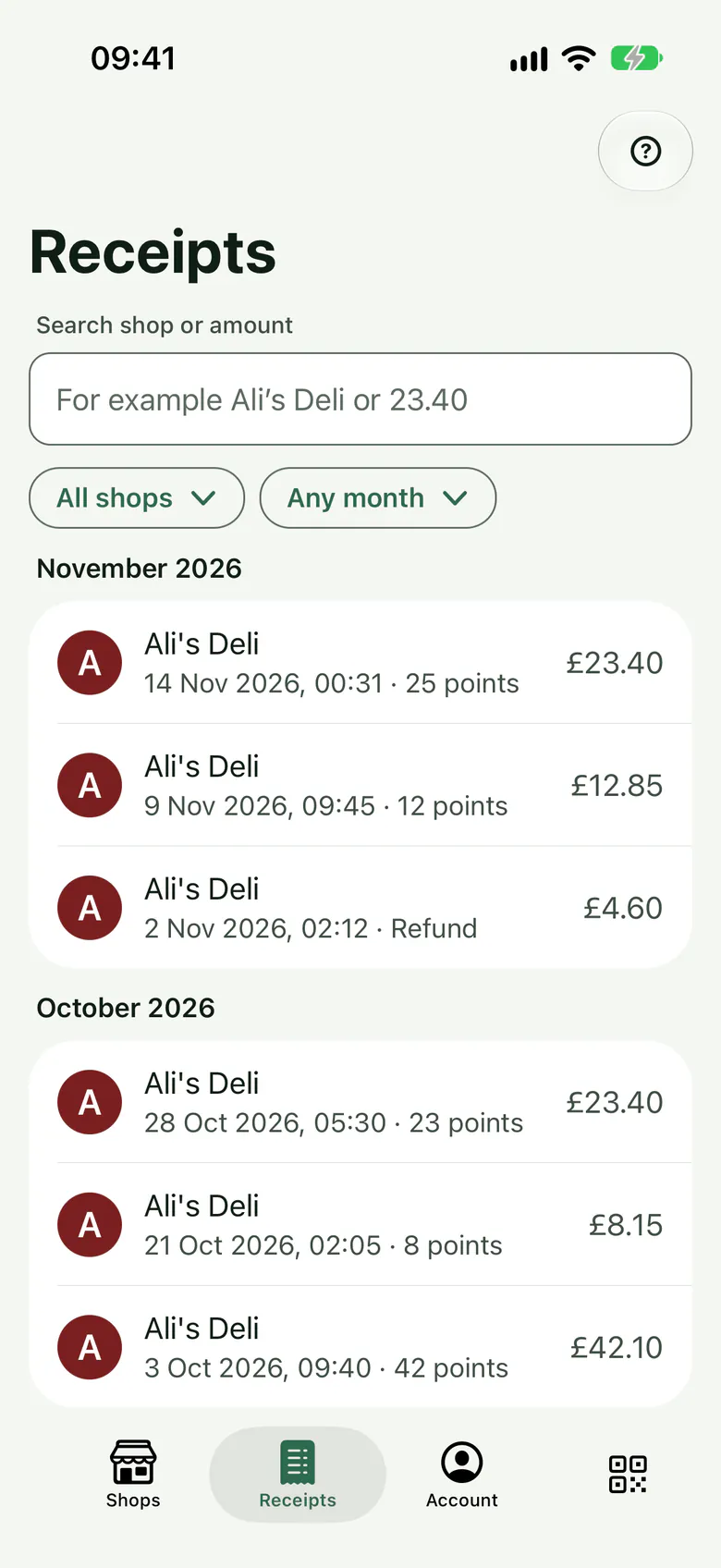
- Each row shows the shop, the date and time, the total and the points earned. A refund says Refund, an online order Online order, and a receipt not opened yet is marked Not read.
- Search shop or amount finds a receipt by the shop's name or the amount paid, for example 23.40.
- Choose a shop and Choose a month narrow the list; Show all receipts clears them. Show older receipts loads more.
One receipt
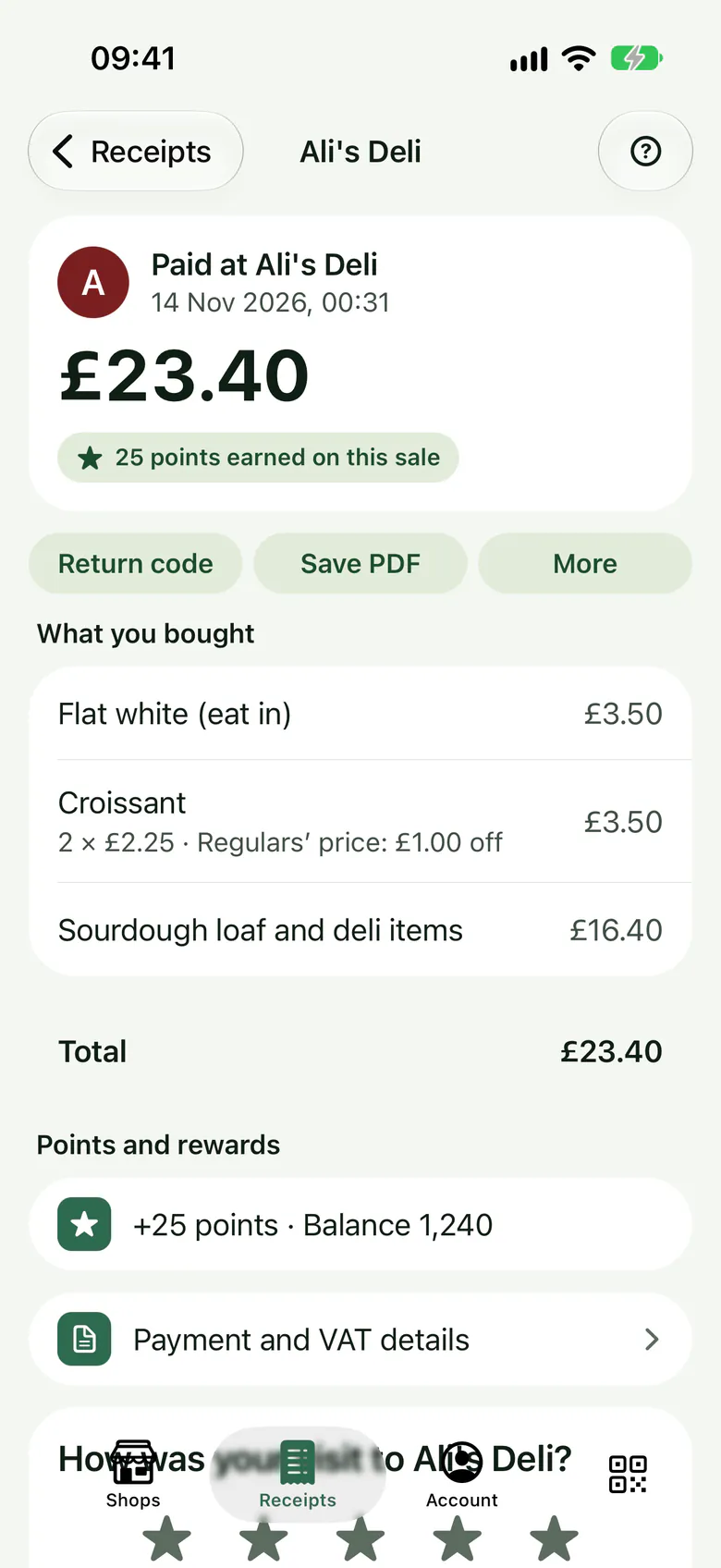
A receipt shows Paid at your shop, the total, "12 points earned on this sale", What you bought with each line as your till printed it, and Savings. Payment and VAT details opens how they paid, the change, VAT by rate, your VAT number and the receipt number.
For a member who chose no paper receipts, the receipt says "No paper was printed for this sale. This is your receipt."
Offline, the member sees the copy saved on their phone, with when it was saved.
What members can do
| Button | What happens | At your till |
|---|---|---|
| Return code | A code for this receipt fills the screen, and the screen brightens: "Show this to return an item. The shop scans it to find your sale." | On the till's Returns screen, scan it to open the sale, as you would a paper receipt (the till needs to be online). See Refunds with a receipt. |
| Save PDF (under More on some receipts) | Makes a PDF of the receipt and opens the phone's share sheet, to save, print or send it | — |
| Full VAT invoice (under More) | Asks for the business name and address, then makes a full VAT invoice. If your shop doesn't make them in itsPass: "Full VAT invoice: not available", with "This receipt counts as a VAT invoice up to £250." | — |
| See the full receipt | When your shop shows receipts on its own page, this opens it | — |
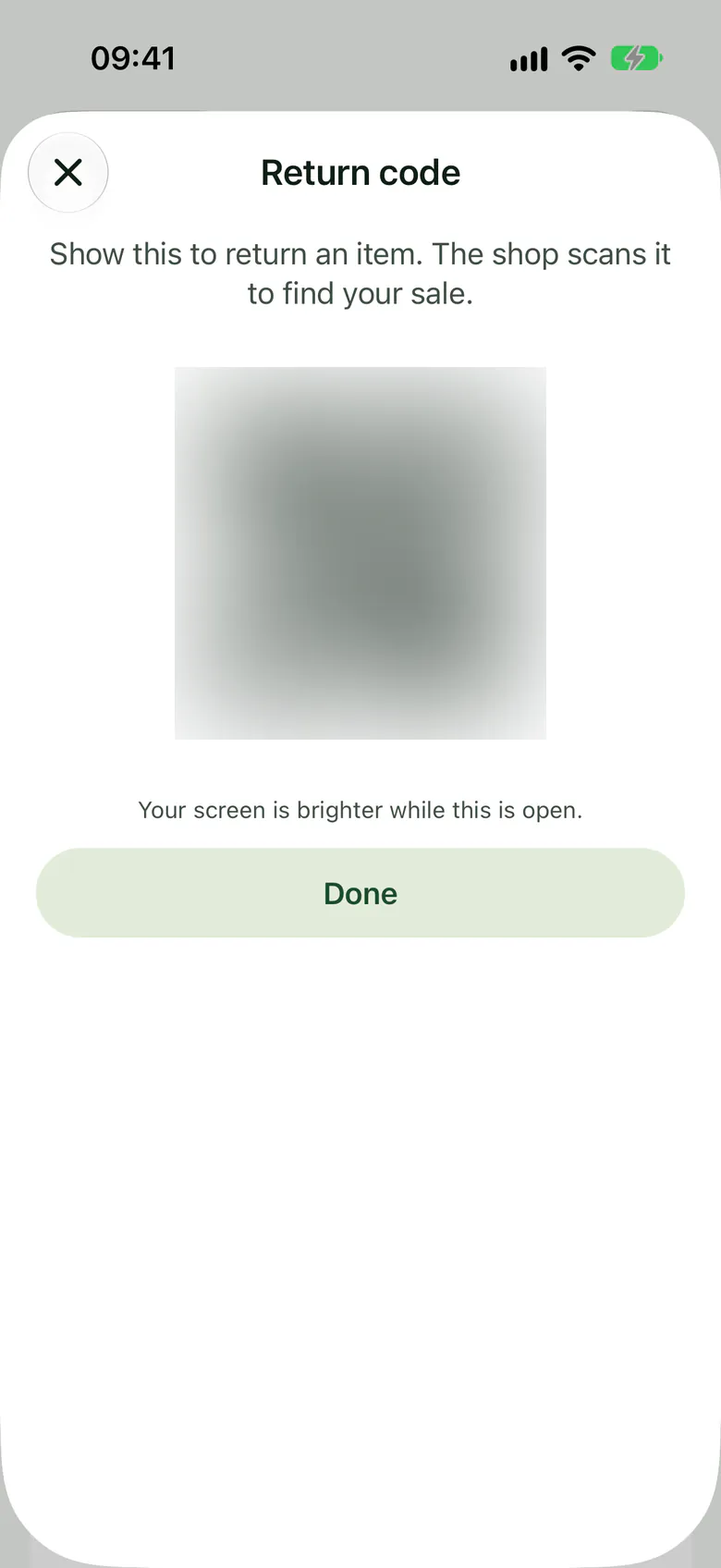
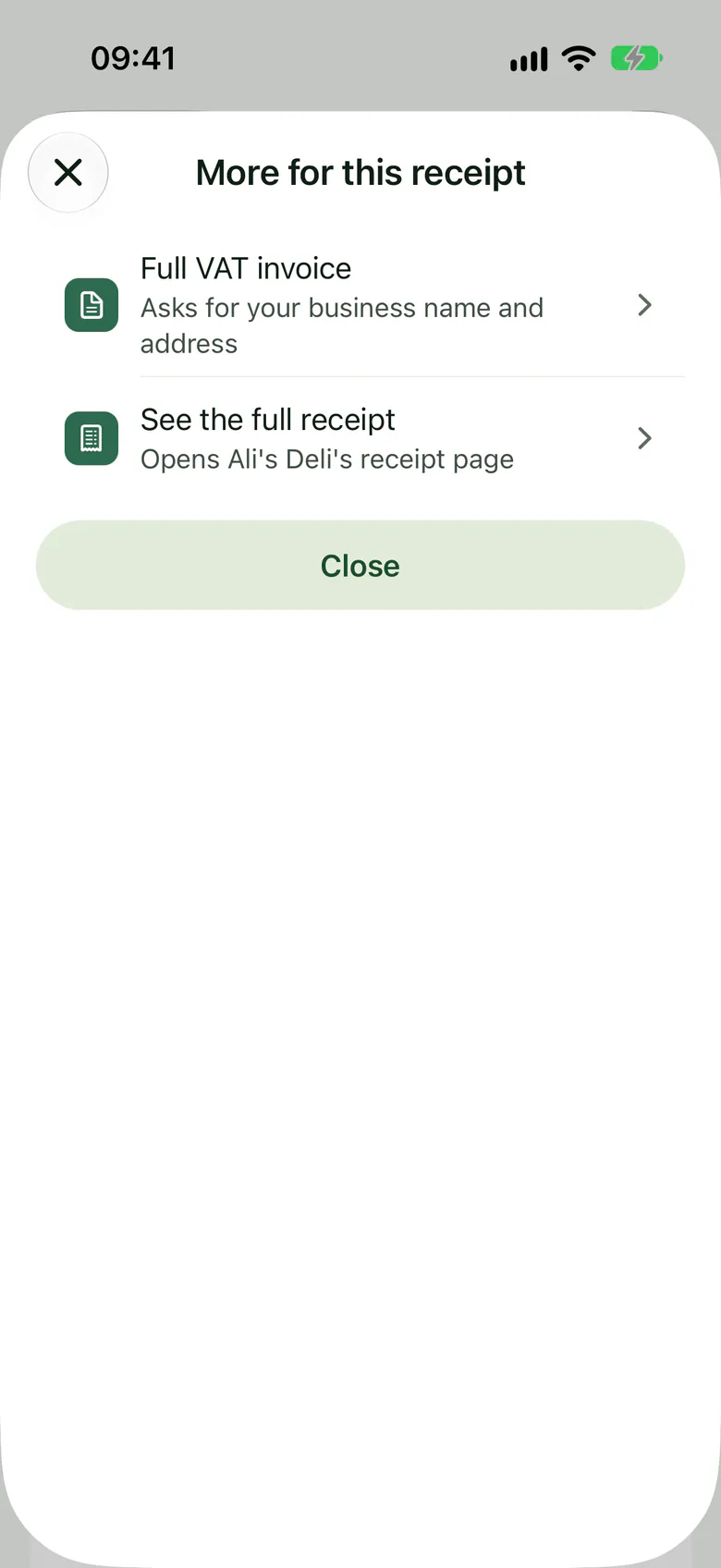
Save PDF, Full VAT invoice and Return code need the internet once.
How was your visit?
When your shop asks for feedback, a receipt has How was your visit to your shop for 14 days: 1 to 5 stars and an optional comment that only your shop sees. After sending, the member can see your reply and, if you added your Google review link, Review us on Google. See Visit feedback and your Google review link.
Saving a paper receipt to itsPass
Someone who isn't a member gets a paper receipt with a Join itsPass QR at the foot (if you print it). Scanning it within 30 days opens Save this receipt to itsPass:
- It shows your shop, the date and total, and how many points the sale earns.
- Join your shop and save: they join, and the receipt and its points are added in one go. They choose what else to share later.
- Each receipt can be saved once. Older than 30 days: "This receipt is too old to save". Refunds can't be saved.
Where it shows up
- What's on the receipt (lines, footer, your VAT number) comes from Settings › Receipts and documents: see Receipts.
- Whether members get paper comes from their No paper receipts choice and your settings: see Paper receipts for members.
- A member who brings something back with no paper receipt: A customer returns a jumper with no paper receipt but has itsPass.
Still stuck?
The itsPOS support team is here 08:00 to 20:00 every day except Christmas Day.
- Call or WhatsApp: +44 7488 880320
- Email: support@itspos.io
- In the back office: Help › Contact support, or go to app.itspos.io/help/contact after you sign in
- On our website: itspos.io/contact
Tell us your shop's name and what you were trying to do. A screenshot of the screen helps.